Understanding Worlds and Caves on Your DST Server
Guide to managing Dont Starve Together servers: configure Master and Caves shards, edit separate files, use Ping AI for setup and fixes.
Surviving the Constant is tough, but understanding how your server handles the game map is the key to thriving. In Don't Starve Together, a dedicated server actually splits your game into two completely separate areas running at the exact same time: the World (known as the Master shard) and the Caves (known as the Caves shard).
Whether you are exploring the surface for twigs or delving underground for ancient ruins, this guide will explain exactly how these two areas work together and how you can easily manage them right from your dashboard.
Step-by-Step Guide to Shard Management
Because Don't Starve Together is unique, your server runs two different worlds stitched together. Here is the easiest way to understand and configure them:
Log into your server panel and recognize your Master Shard (The World). This is the standard surface map where you first spawn. It holds your main forests, pig villages, and seasonal bosses. Think of this as the main hub of your server.
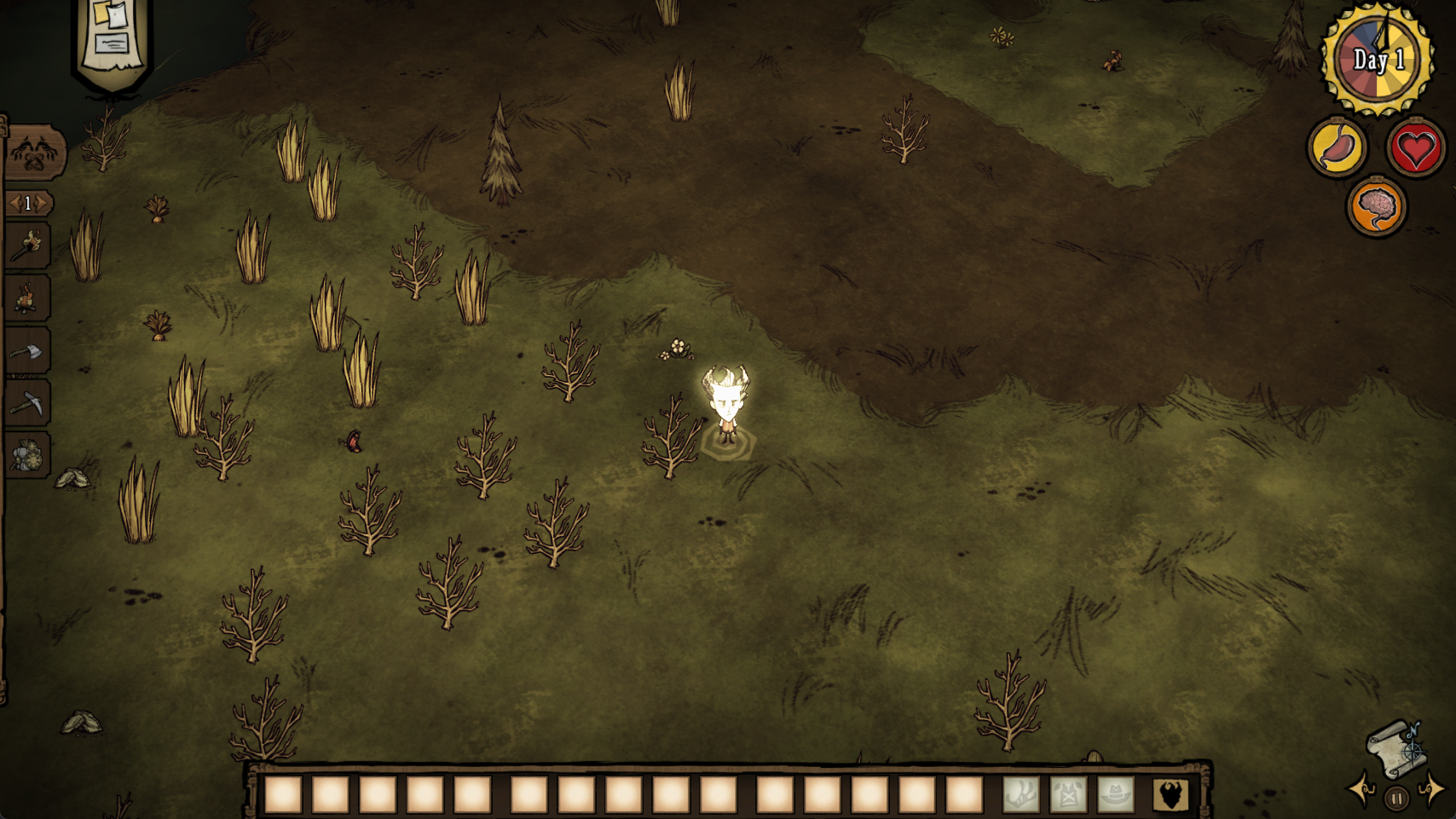
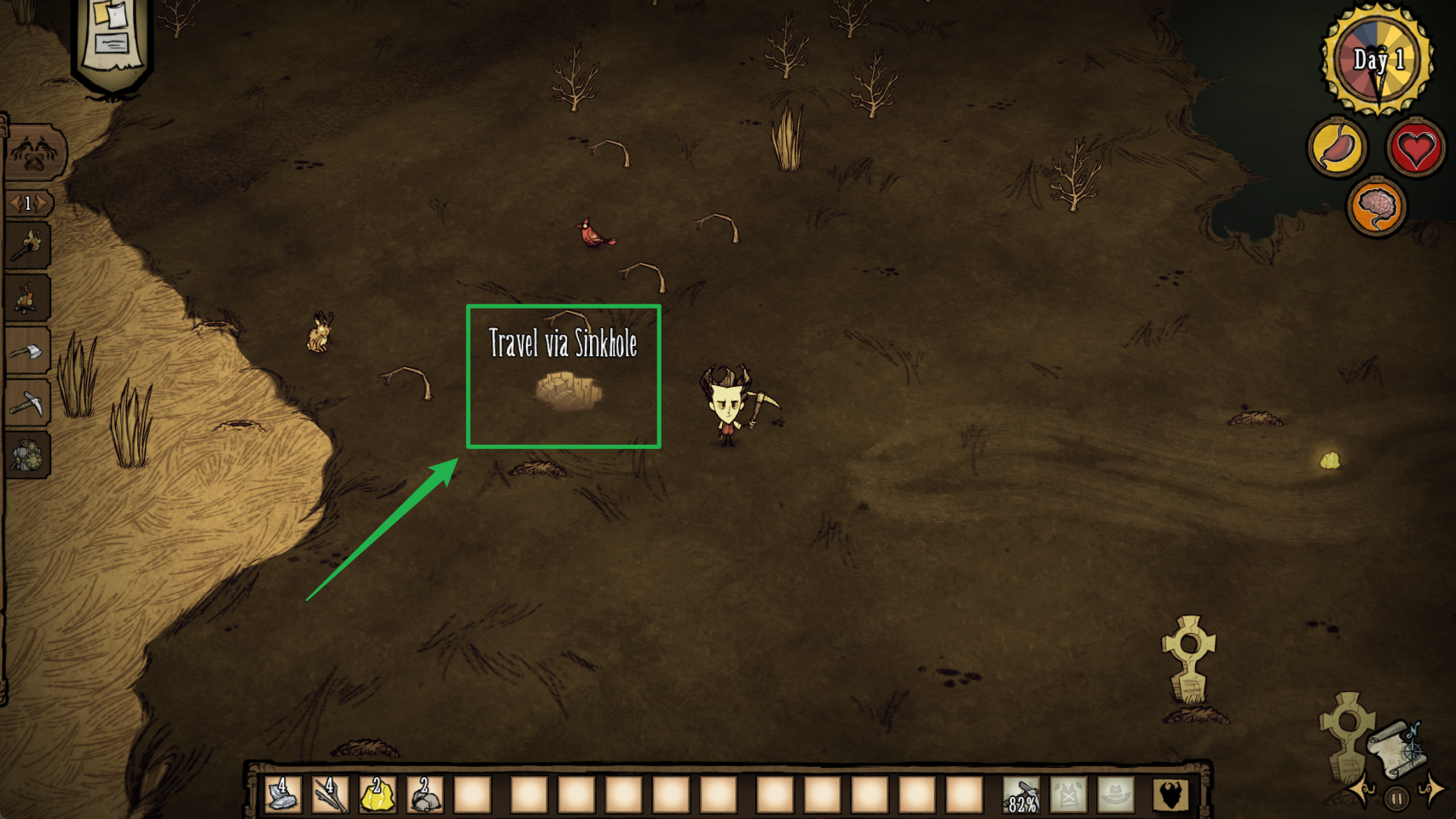
The moment you join your server for the first time, that's where you will first spawn by default. Understand your Caves Shard (The Underground). Located beneath surface sinkholes, this is a dark subterranean world. It actually runs as a completely separate mini-server in the background, but the system links them together so you can climb down a rope and transition seamlessly without disconnecting.
Navigate to your Config Manager tab on the left side menu. Because these two worlds run independently, you will see two separate template files for everything. You have one
worldgenoverride.luafile to change the surface map, and a completely separateworldgenoverride.luafile to change the underground map.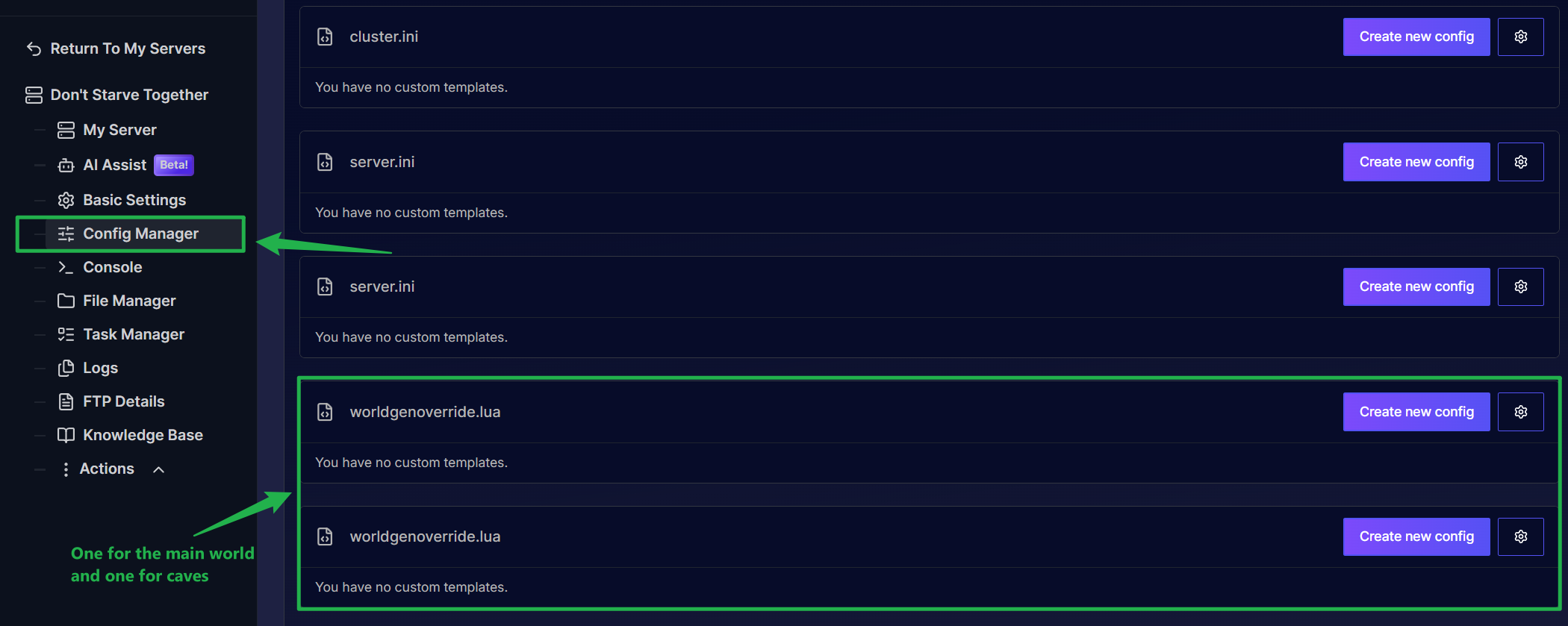
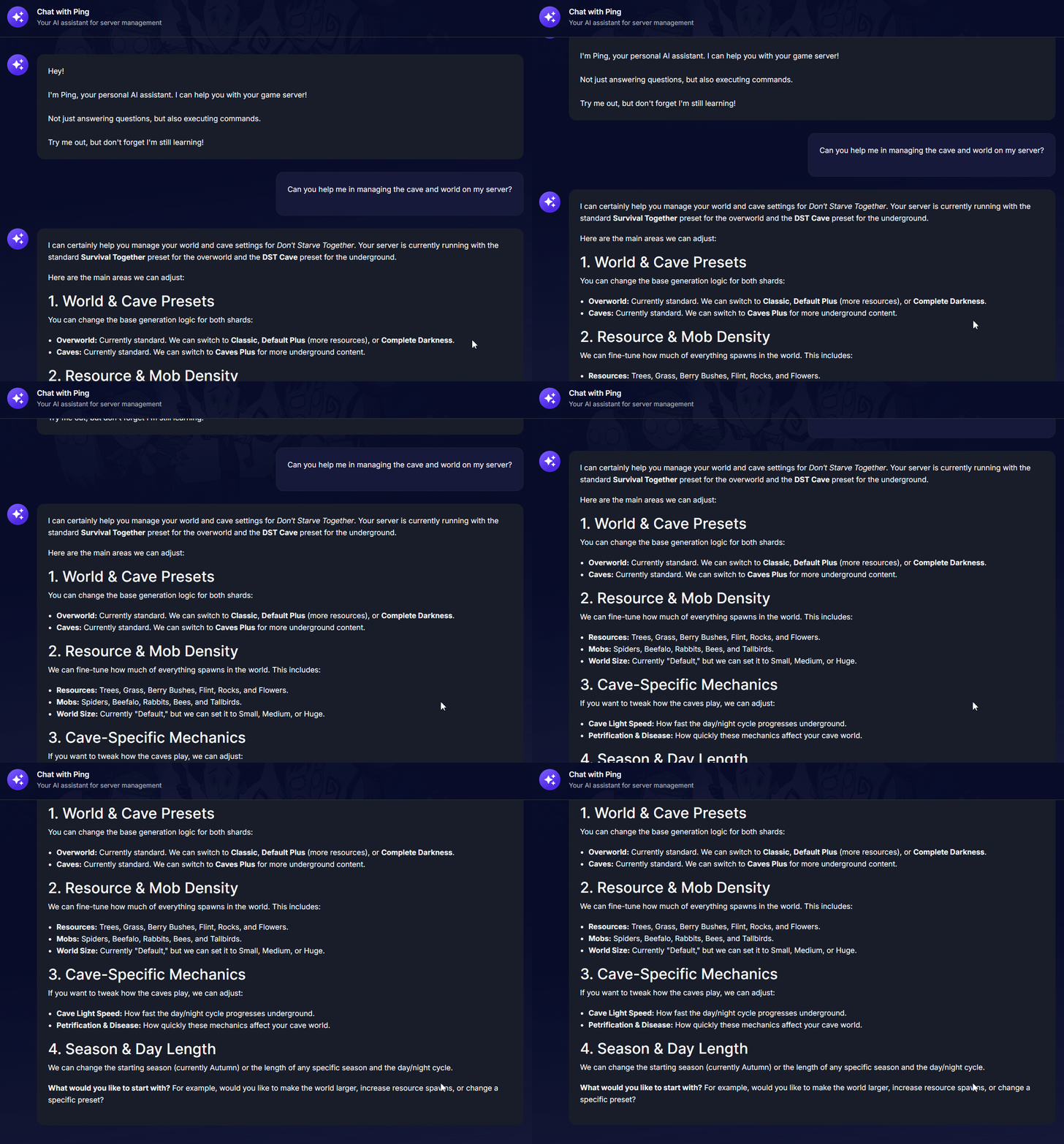
Open the Ping AI tab on your dashboard by clicking on AI Assist if you want to skip the confusing setup! Managing two sets of files can be tricky for beginners. Just ask Ping AI to change your surface rules or cave settings, and it will guide you through the process or generate the exact code you need instantly.
Troubleshooting and Tips
Managing a split world setup requires a slightly different approach than standard single-map games. Keep these simple tips in mind:
- Separate Save Folders: Your save files are stored in two distinct folders inside your File Manager (
/Masterand/Caves). If you ever want to reset just the caves while keeping your surface base perfectly intact, you can delete only the contents of the Caves folder! - Mod Configuration: Mods must be enabled twice! If you download a Workshop mod, you usually need to enable it in both the Master
modoverrides.luaand the Cavesmodoverrides.luafiles for it to work everywhere in your game. - Instant Ping AI Fixes: If your caves are not loading or players cannot enter sinkholes, do not panic. Open your panel chat and ask Ping AI to read your latest console logs. The assistant will scan your files, find the exact connection error, and tell you exactly how to fix it.
Conclusion
Understanding the split between the surface Master shard and the underground Caves shard gives you total control over your Don't Starve Together world. By utilizing your server panel and letting Ping AI guide you through the separate configuration files, you can easily maintain a massive, seamless survival experience for your entire group without breaking a sweat.
If you encounter any issues or have further questions, feel free to contact our support team for assistance!