How to Join Your Dont Starve Together Server
Generate your Klei server token, add it to your panel and join your Dont Starve Together server; setup steps and troubleshooting tips.
Surviving the constant threats of the Constant is always better with a team of reliable survivors. Whether you want to gather resources as WX-78, cook up a storm as Warly, or fight off the deerclops with a group of friends, getting everyone connected to your dedicated Don't Starve Together server is your top priority.
Setting up your server so that it is visible to the public requires a quick authentication token from the game developers. Once that backend configuration is out of the way, finding and joining your world is an incredibly simple process. This guide will walk you through generating your server token, applying it to your panel, and using the in-game browser so you can jump straight into day one without starving.
Step-by-Step Guide to Connecting
Because DST requires a valid authentication token for dedicated worlds to appear on the master list, we have broken this guide down into two brief phases: generating the server token and joining the game.
Phase 1: Generating and Adding Your Klei Server Token
Before anyone can search for your world, your server panel needs a unique handshake token from the game developers to broadcast online.
- Open your web browser and navigate to the official Klei account page on this page and log in with your game account.
Scroll down to the Add New Server section, type your preferred world name into the Cluster Name text box, and click the orange Add New Server button.

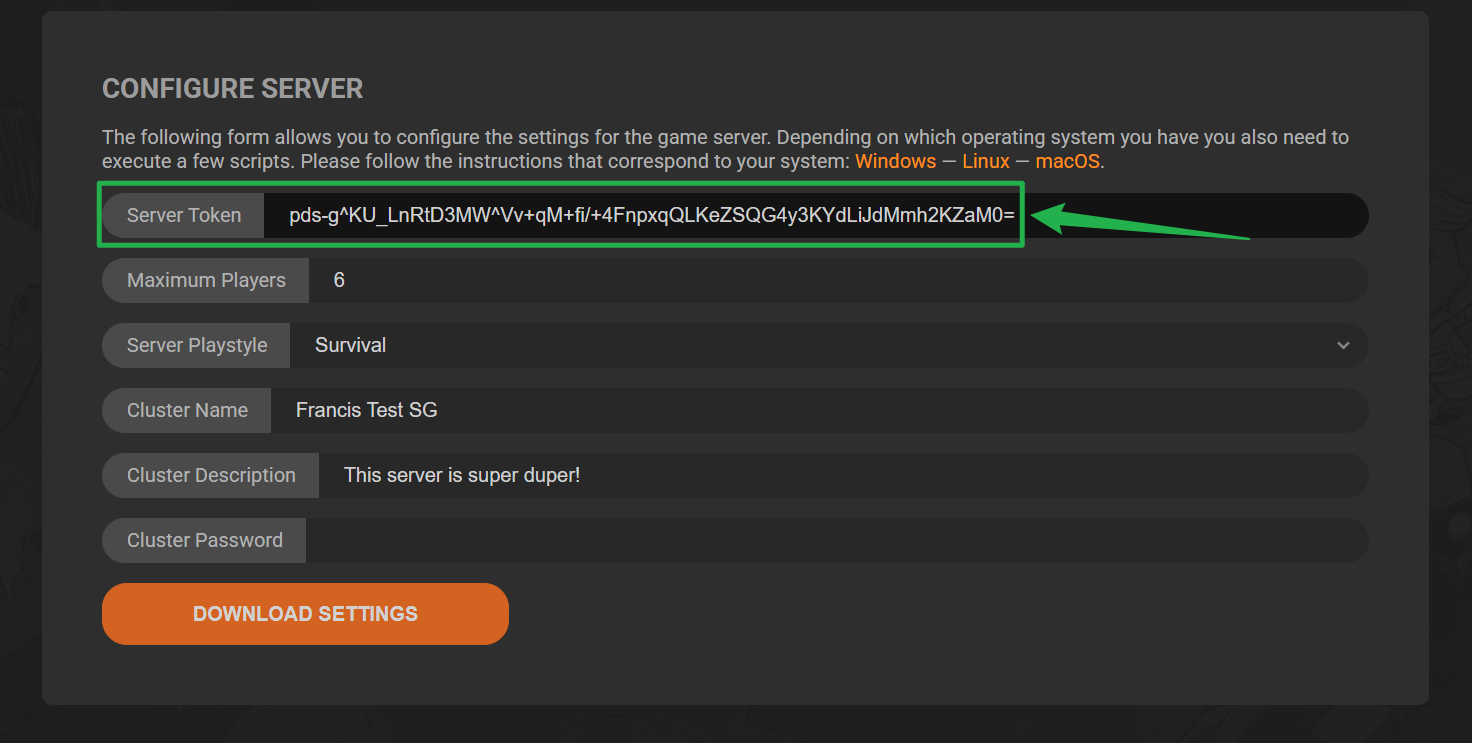
On the server configuration screen that follows, locate the Server Token field and copy the long string of text to your clipboard.
Log into your server panel dashboard and navigate to the Basic Settings section on the left menu. Locate the Klei Server Token field, paste your copied string directly into the box, and save your changes by clicking on Update Server.

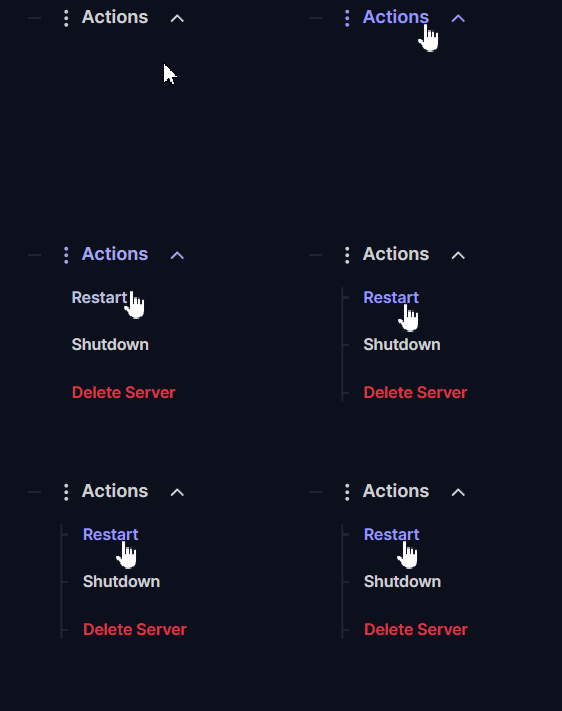
Go to the Actions menu on your panel dashboard and click Restart to boot your world online with its new identity.
Phase 2: Joining the Server In-Game
Now that your world is fully authenticated and broadcasting to the master list, you and your players can connect right from the main menu.
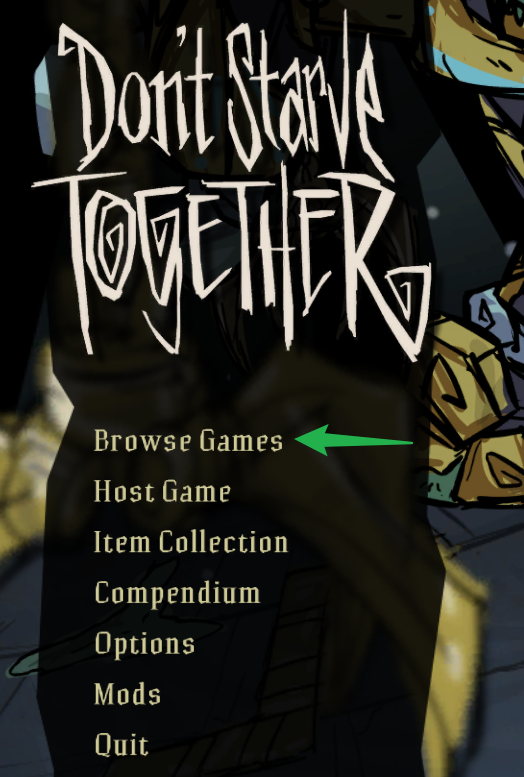
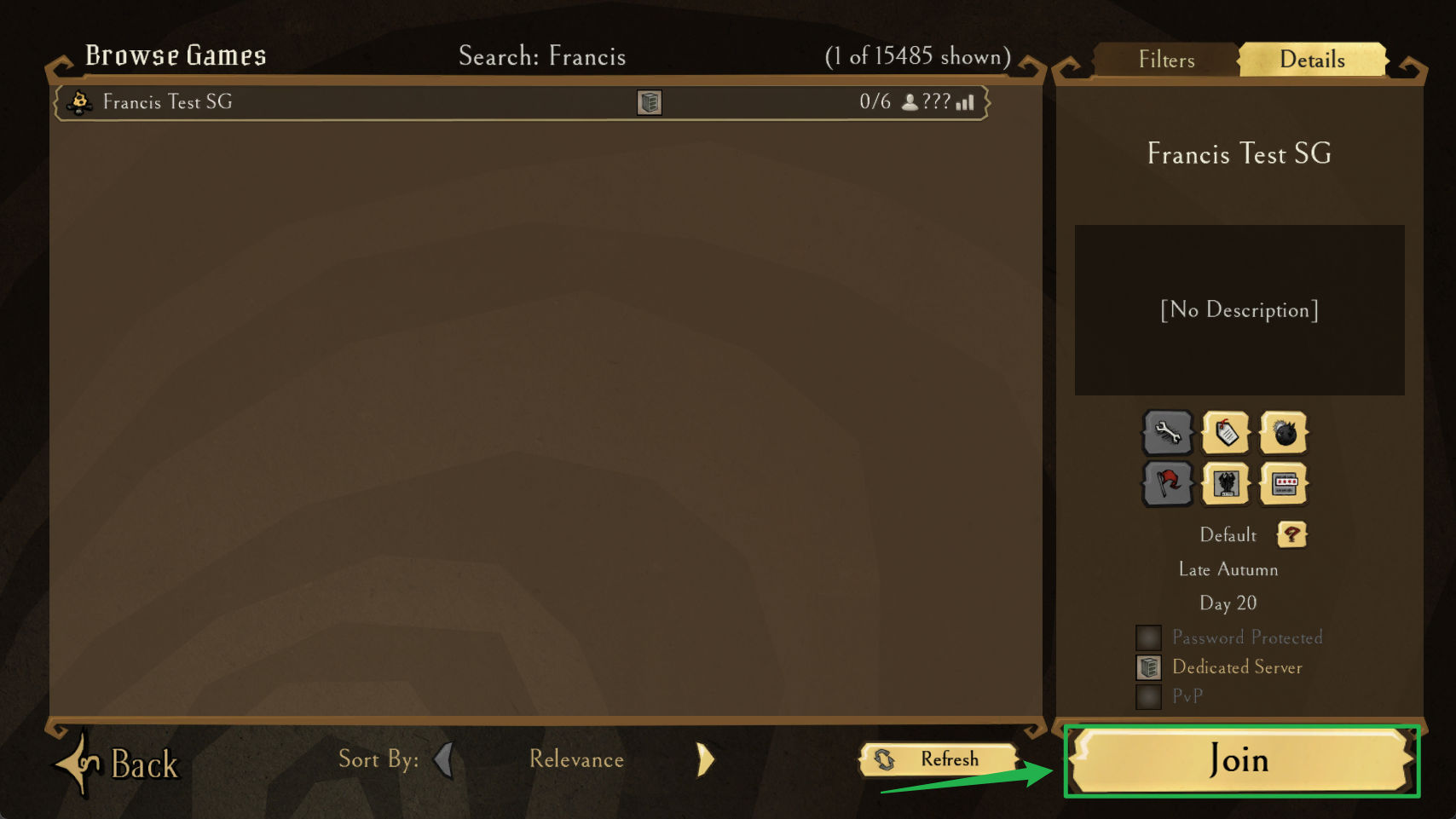
Launch Don't Starve Together and click on the Browse Games option from the main menu to open the active lobby index.
Use the filter search bar at the right side of the server browser to type in your exact server name.
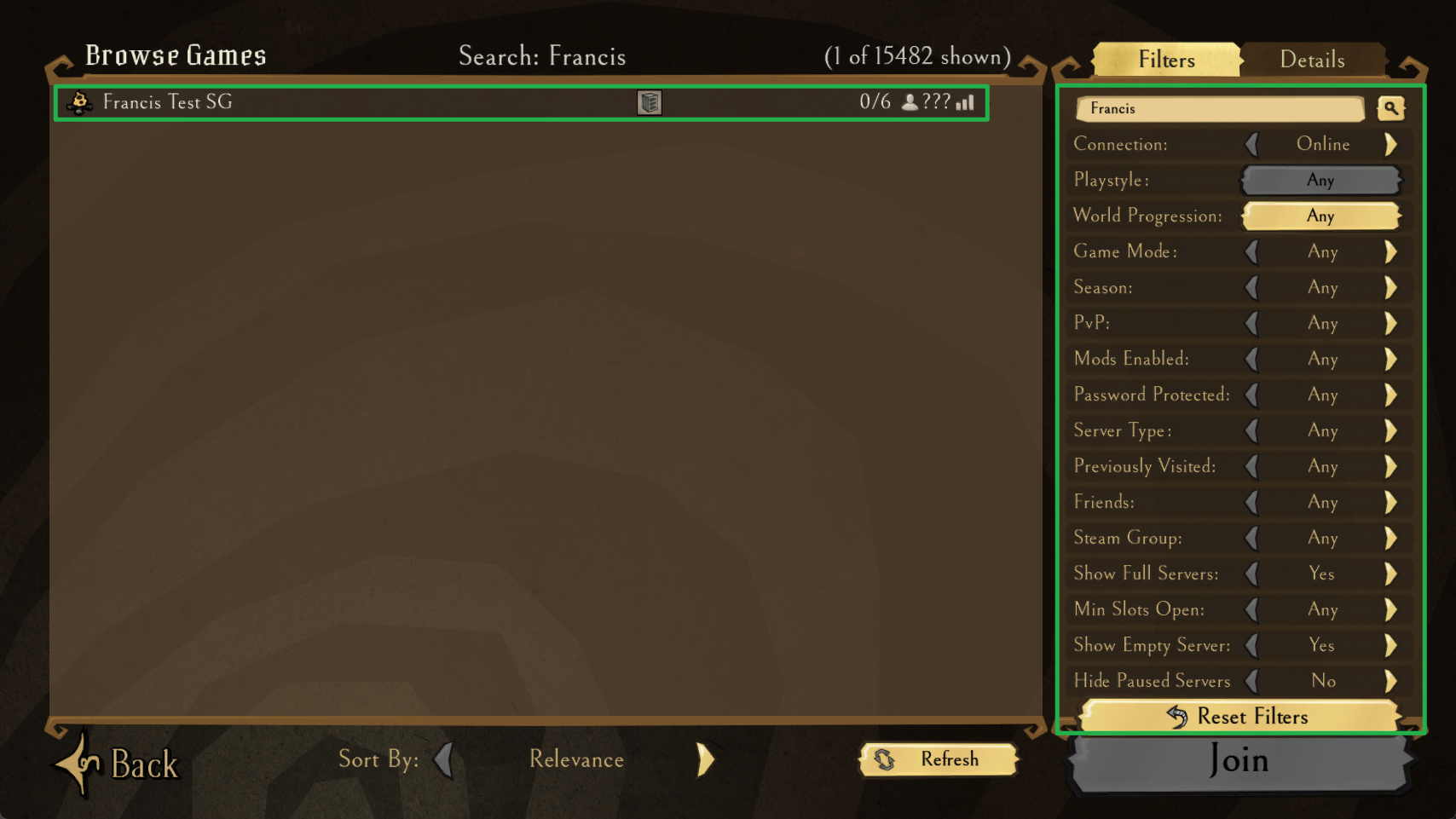
Click the Join button at the bottom of the screen, and enter your server password if you set one up to keep random griefers out of your base.
Troubleshooting and Tips
If your portal is not showing up or players are struggling to spawn in, look over these common community troubleshooting fixes:
- Verify Your Token Status: If the server console logs show authentication errors or your world remains hidden, double check that you copied the complete token string. Missing even a single character at the end of the text string will prevent the server from registering with the master lobby directory.
- Keep Up with Version Updates: Klei frequently pushes updates and hotfixes to the client. If your personal computer downloads a game patch but your server is still running an older version, the server will not appear in the browser due to a version mismatch. Run the update tool on your server panel dashboard to resync the files.
Conclusion
Getting your team into a dedicated DST world is the best way to ensure a lag free survival run. By generating your Klei token and registering the cluster properly, you can guarantee that your camp remains secure and accessible to your friends whenever they want to log in. Collect your flint, craft your torches, and prepare yourself for winter!
If you encounter any issues or have further questions, feel free to contact our support team for assistance!