How to Buy and Manage a Dont Starve Together Server Hassle Free with Ping AI
Host a Dont Starve Together server hassle free with Ping AI: automate setup, configs, restarts, schedules and quick fixes for smooth play.
Welcome to the ultimate guide for hosting your very own Don't Starve Together multiplayer world! Surviving the constant threats of the Constant might sound intimidating, but setting up a dedicated server does not have to be. With our powerful assistant, Ping AI, managing your DST server is completely hassle free. Whether you are buying your first server or looking to automate backend tasks, this guide will show you exactly how to let Ping AI do the heavy lifting so you can focus on cooking crock pot recipes and fighting off the Deerclops.
Step-by-Step Guide to AI Server Management
Because DST is unique, it spins up two separate worlds simultaneously under the hood: a surface overworld (the Master shard) and an underground world (the Caves shard).
Purchasing and running your dream setup only takes a few minutes!
Here is exactly how to get started and use Ping AI to manage everything for you:
Purchase your ideal Don't Starve Together server and wait for the automated setup email to arrive.
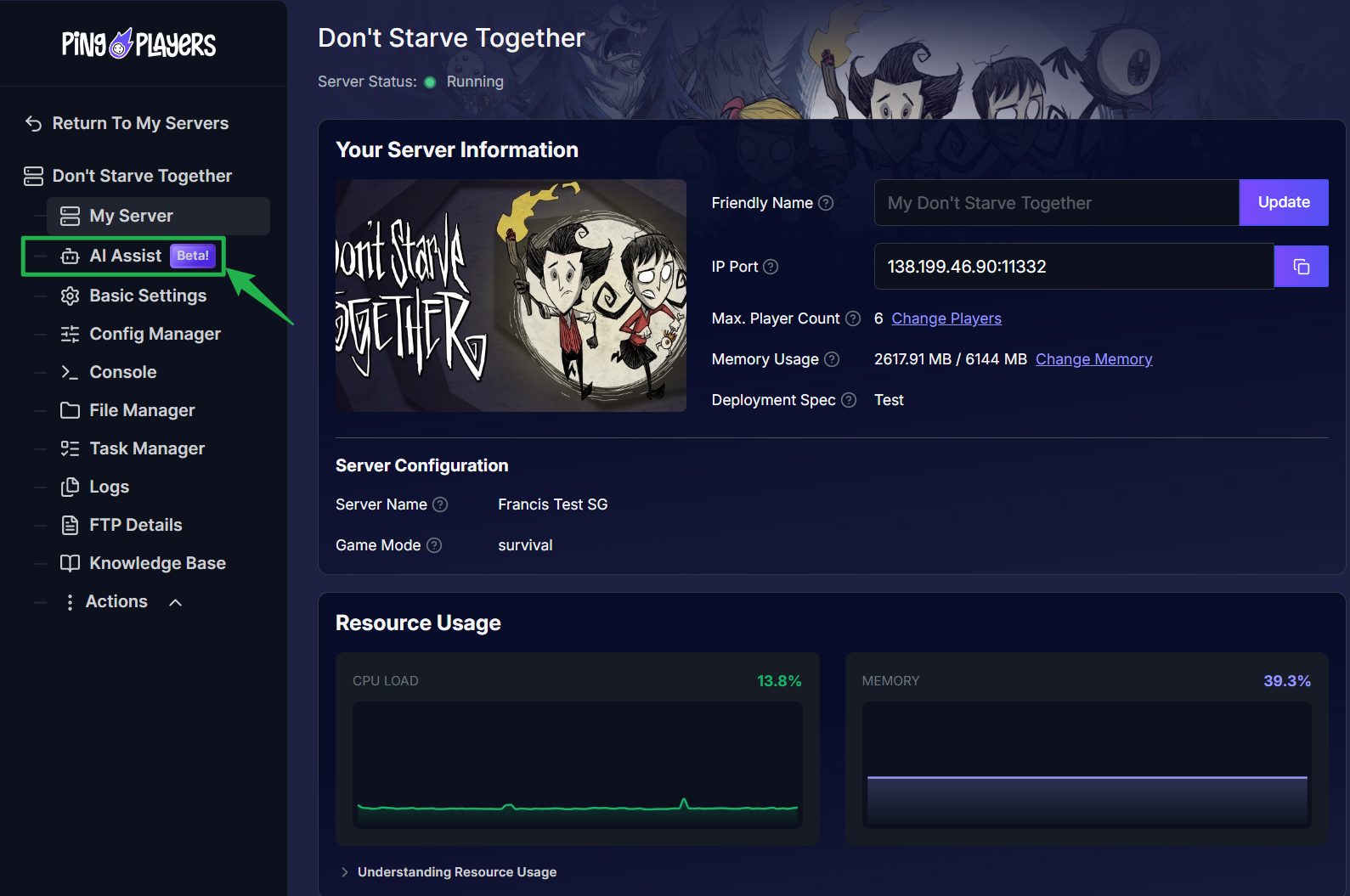
Log into your server panel and locate the Ping AI by clicking on the AI Assist button located on the left side menu.
Type a prompt into the chat box to change your configuration. For example, tell Ping AI to change your server name or set a secure password so only your trusted survivors can join. Ping AI will automatically update these basic settings for you right away!
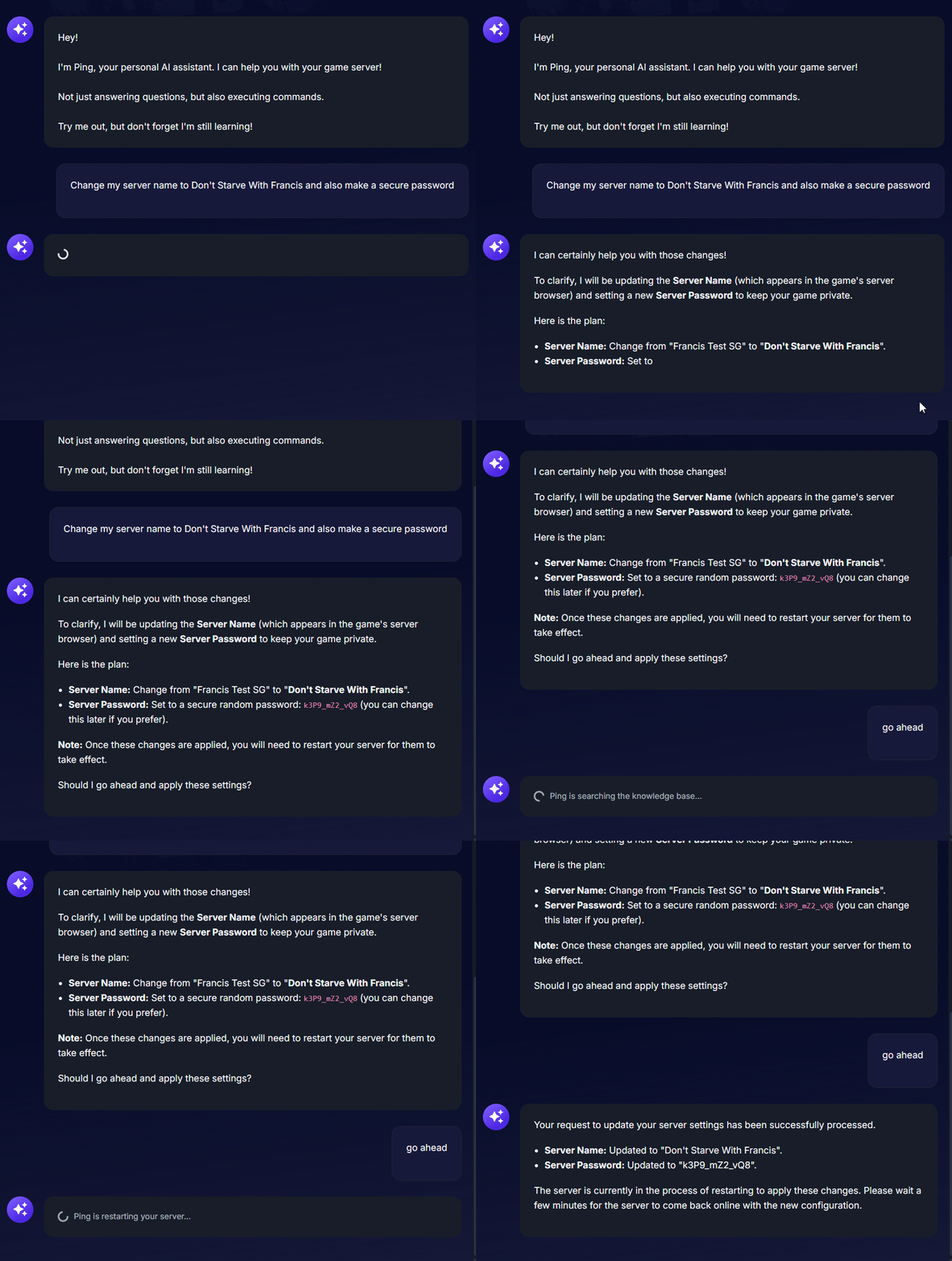
Asking the AI assistant to change the server name and password.
Ping AI will also automatically restart the server for you to apply the changes.
Need to tweak advanced gameplay mechanics like resource abundance or want to add your Klei User ID to become an admin? Ask Ping AI to write the exact configuration code. While Ping AI generates the perfect code for your
adminlist.txtorworldgenoverride.lua, you must manually copy and paste that generated code into the Config Manager tab yourself.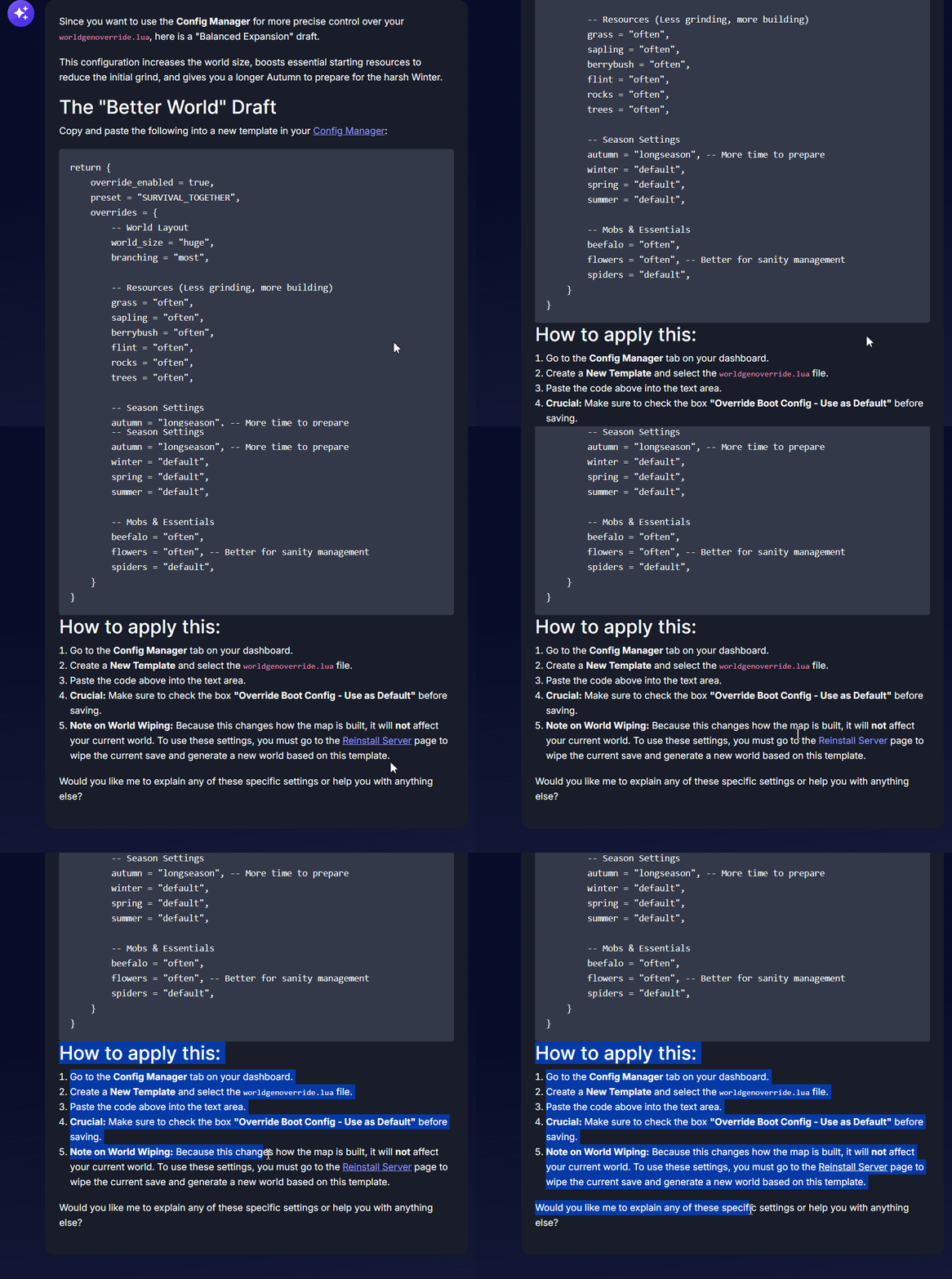
Ask Ping AI to set up your server schedules! You can instruct Ping AI to automatically create a daily reboot schedule to keep your Don't Starve Together memory usage optimized and your gameplay completely smooth during harsh winters.
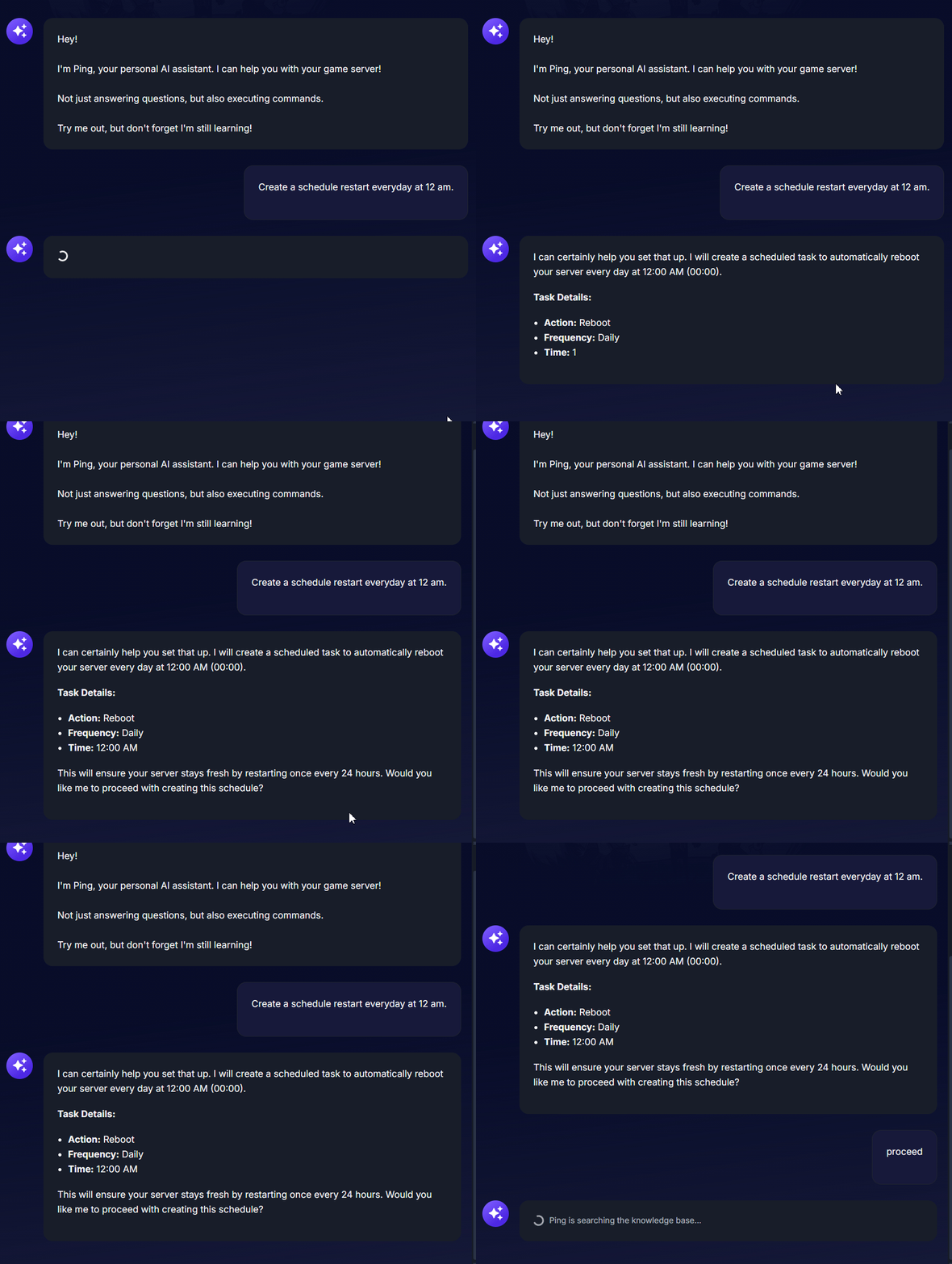
Having the AI assistant automatically generate a server reboot schedule.
Troubleshooting and Tips
Using Ping AI to manage a game server is a massive time saver, especially if you have never handled code before. Keep these tips in mind to get the absolute best performance out of your multiplayer setup:
Instant Crash Fixes: If your game suddenly stops working, do not panic! Open the panel chat and ask Ping AI to read your latest console logs. Ping AI will scan the files, find the exact error causing the crash, and tell you exactly how to fix it.
Always Stop Your Server: Before pasting any advanced code into your Config Manager or making massive file changes, always go to Actions > Shutdown to safely turn off your machine. Modifying files while the game is running can cause data corruption.
Be Specific with Prompts: Ping AI has access to an entire knowledge base and support ticket system. If you want to change a specific server setting, tell Ping AI exactly what variable you want altered for the most accurate results.
World Presets Do Not Alter Existing Saves: Keep in mind that changing resource abundance or cave layouts will not retroactively change an explored world. If you use Ping AI to write new generation parameters, you will need to stop the server, delete the current save data folders (
MasterandCaves), and let the system generate a fresh map.
Conclusion
Hosting a massive Don't Starve Together world has never been this simple. By leveraging the power of Ping AI, you can skip the tedious manual configuration files, automatically track your server health, and easily troubleshoot errors without any prior coding knowledge. You are now fully equipped to run a flawless multiplayer experience for you and your friends!
If you encounter any issues or have further questions, feel free to contact our support team for assistance!