
How to Master Advanced Config on Your Palworld Server
Master Palworld advanced config: step-by-step edits, key settings (EXP, capture, death penalty, guild size), syntax tips and safe restart.
Once you and your guild have conquered the early game of Palworld, the vanilla survival settings might start feeling a little too slow, or perhaps a bit too punishing. Whether you want to speed up the XP grind, allow for massive guild bases, or turn off the brutal death penalty, taking control of your advanced configurations is the key to creating the perfect multiplayer experience.
While basic settings like your server name and password can be easily changed on the main dashboard, diving into the actual configuration file unlocks total control over your universe. This guide will walk you through exactly how to tweak your advanced settings and highlight the most important variables found in the official configuration documentation.
Step - By - Step Guide in Making Advanced Config Changes
Adjusting your server modifiers requires editing the main configuration file. Follow these exact steps to update your gameplay variables safely:
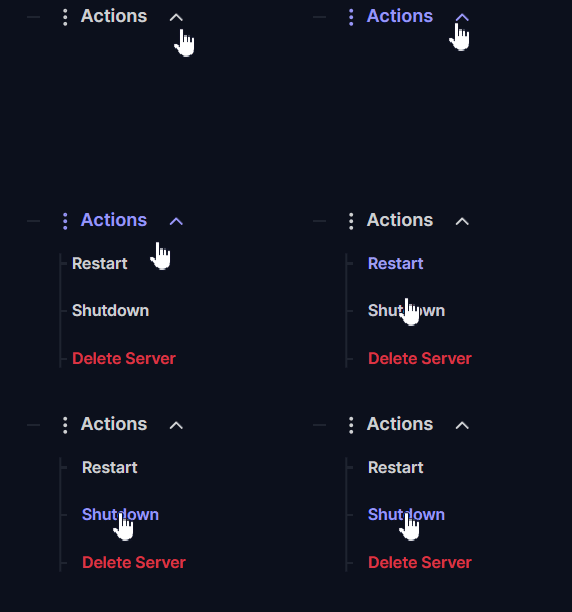
Log into your server panel and navigate to Actions > Shutdown to safely turn off your server. You must always completely stop your server before making any changes.
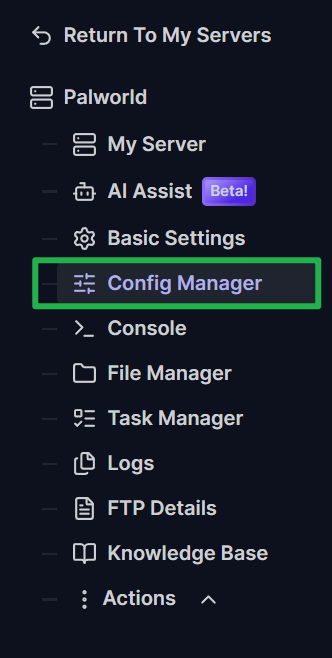
Click on the Config Manager tab located on the left side navigation menu.
Locate the
PalWorldSettings.inifile and click the Create new config button to generate a new config template.
Inside the editor, you will see a massive block of text starting with
OptionSettings=. Carefully scroll through this line to find the specific variable you want to change, and update the number or text right after the=sign.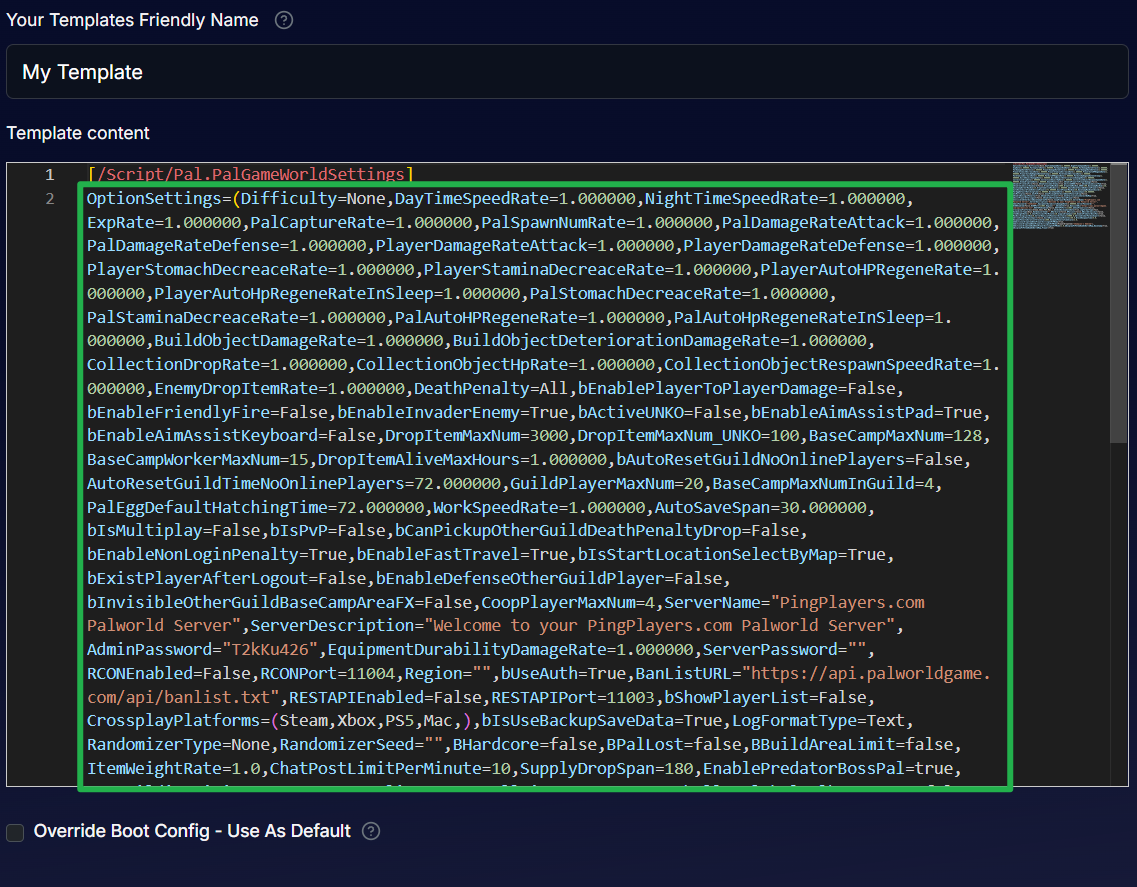
Once your changes are made, check the Override Boot Config - Use As Default box, and then click the purple Save Config Template button at the bottom of the screen.

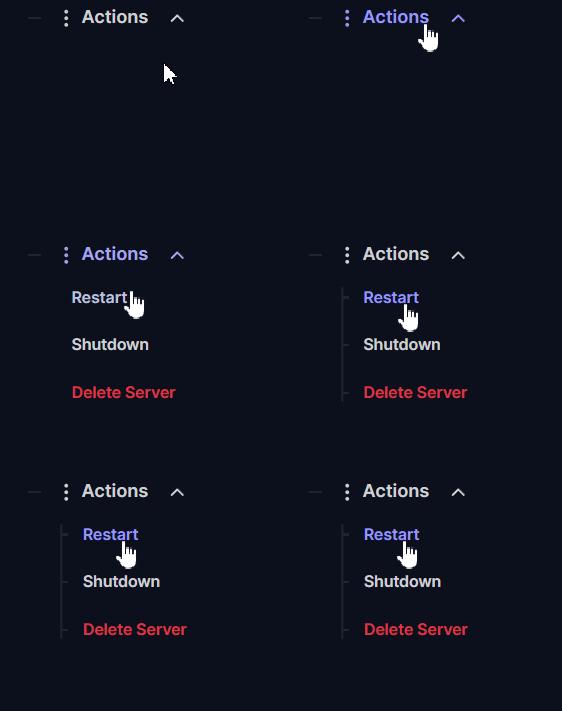
Navigate to Actions > Restart to boot your server back up with your brand new gameplay modifiers applied!
The Most Important Palworld Settings
The configuration file is packed with dozens of variables that dictate how the Palpagos Islands function. To save you some time, here is a breakdown of the most popular and impactful settings you can tweak for your community based on the latest config options:
Configuration Setting | What It Does | Default Value | Example Tweak |
|---|---|---|---|
| ExpRate | Multiplier for all experience points gained by players and Pals. | 1.000000 | Set to 3.000000 to completely eliminate the late game level grind. |
| PalCaptureRate | Adjusts the base RNG chance of a Pal Sphere working. | 1.000000 | Set to 2.000000 to give your squad a solid edge when catching bosses. |
| DeathPenalty | Dictates what players drop when they die. | All | Change to None to keep all your gear after a tough wipe, or Item to only drop materials. |
| GuildPlayerMaxNum | The maximum amount of players allowed in a single guild. | 20 | Increase this if you have a massive community wanting to share one gigantic base. |
| BaseCampWorkerMaxNum | The maximum number of Pals that can be deployed at a single base. | 15 | Increase to 20 for maximum assembly line efficiency! |
| bEnableInvaderEnemy | Controls whether base raids and invader events can occur. | True | Change to False if you want a peaceful building experience without aggressive syndicate attacks. |
| PalEggDefaultHatchingTime | The real life hours required to incubate a massive egg. | 72.000000 | Set to 0.000000 for instant hatching and zero wait time! |
For a complete list of every available server variable, you can check out the official Palworld configuration documentation here: Palworld Official Documentation
Troubleshooting and Tips
Editing a raw text string can sometimes lead to minor syntax errors. Keep these tips in mind if your server is refusing to load your new settings:
- Use Ping AI for Config Drafts: Not sure exactly how to format the text string? You can always open your panel chat and ask Ping AI to write the exact configuration code for you! Just tell the assistant what you want (like "2x EXP and instant egg hatching"), and it will generate the precise string for you to copy and paste directly into the Config Manager.
- Do Not Delete Commas: Every single setting in the
OptionSettings=string is separated by a comma. If you accidentally delete a comma while changing a number, the server will fail to read the file and likely revert to the default vanilla settings. - Watch Your Decimals: Many of the numerical settings in Palworld use exactly six decimal places (like
2.000000). While the engine can sometimes read a standard 2.0, it is always best practice to match the exact decimal format to avoid read errors. - Always Shutdown First: We cannot stress this enough. If your server is running or actively restarting while you hit save in the Config Manager, the active game instance will immediately wipe out your new file with its current cached settings.
Conclusion
Taking the time to dial in your advanced multipliers transforms your Palworld server from a standard survival game into a tailor made adventure for your specific group. Whether you want a hardcore, punishing survival experience or a fast paced, casual sandbox where you can hatch eggs instantly, the power is entirely in your hands. Check your syntax, boot up the server, and get back to building the ultimate Pal base!
If you encounter any issues or have further questions, feel free to contact our support team for assistance!