How to Easily Manage a Dedicated Game Server Using Ping AI
Manage your game server with Ping AI: no coding, instant crash fixes, automated tasks, mod and config management so you can focus on gaming.
Welcome to the future of game server hosting! Setting up a multiplayer world used to mean staring at lines of confusing code and spending hours tweaking complicated configuration files. If you are a first time server manager, that sounds intimidating but it does not have to be. Meet Ping AI, your personal virtual server assistant.
Ping AI is designed to take the technical headache out of server management. You can completely skip the coding and handle your server just by having a normal conversation, leaving you with more time to focus on playing with your friends.
Why Every Gamer Needs Ping AI
Whether you are hosting your very first world or running a massive community, Ping AI makes things incredibly easy:
Zero Coding Skills Required
You do not need any prior experience to run a great server. Instead of navigating confusing backend files, simply tell Ping AI what you want to change in plain English, and it will handle the exact configuration updates for you.
Instant Crash Fixer
If your server suddenly stops working, do not panic. Ping AI can read the latest stream batch directly from your console to find the exact error causing the crash, and it will tell you exactly how to fix it right away.
Set It and Forget It
You can ask Ping AI to automate your daily tasks so your server stays healthy and smooth while you are offline.
Everything Ping AI Can Do For You
Ping AI comes fully equipped with a massive suite of tools to handle every single aspect of your hosting experience.
Server and Performance Management
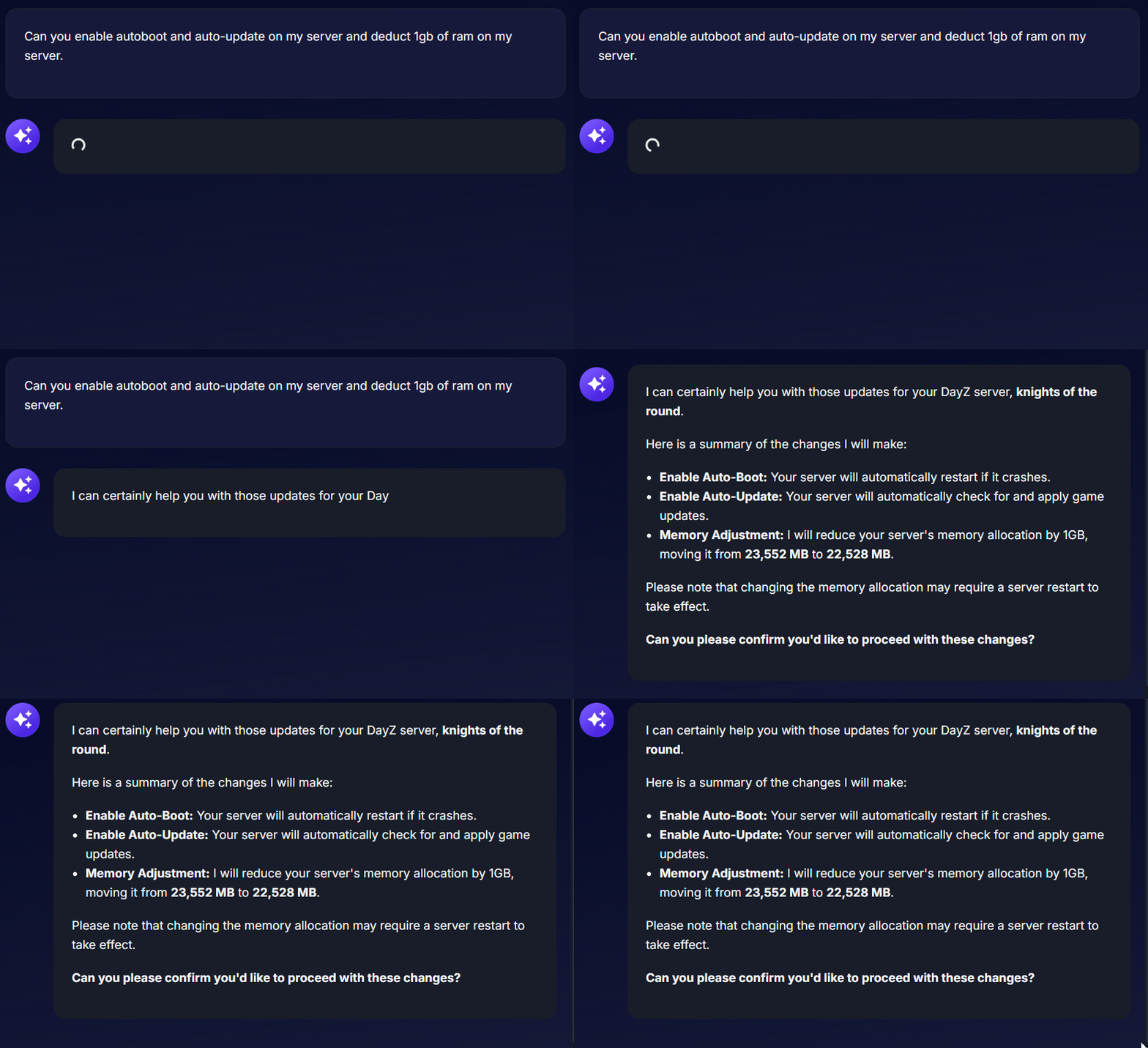
Ping AI can instantly check your server health, monitor memory usage, and report the current player count. It can also toggle helpful features like Auto-Boot and Auto-Update. If you need more power, Ping AI can check your available memory and update your RAM allocation.
Settings Updates and Server Actions
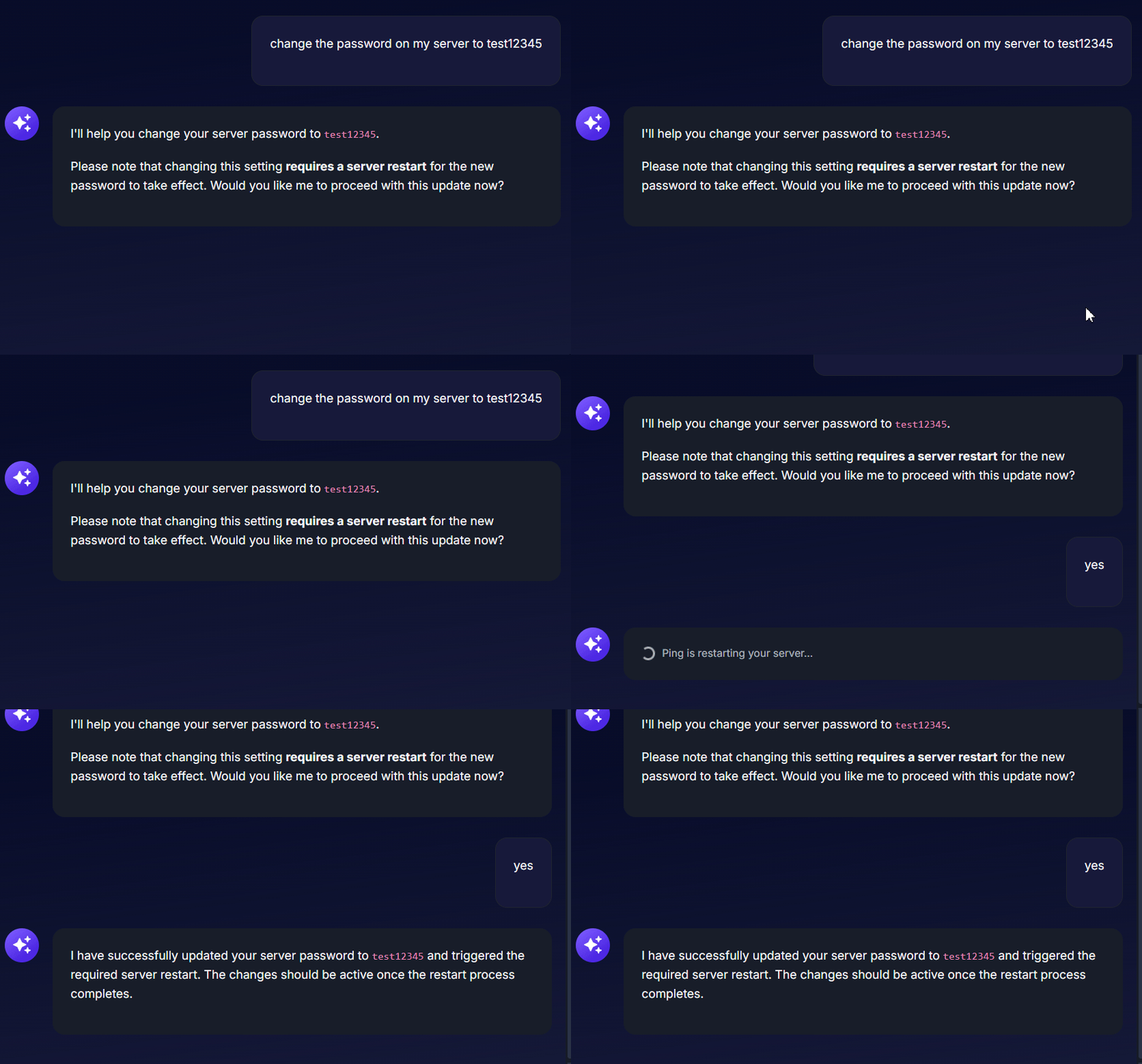
Want to change your server password or adjust gameplay variables? Just ask! Ping AI will modify your settings and can automatically trigger a server restart or stop command for you to apply the changes.
Complete Mod Management
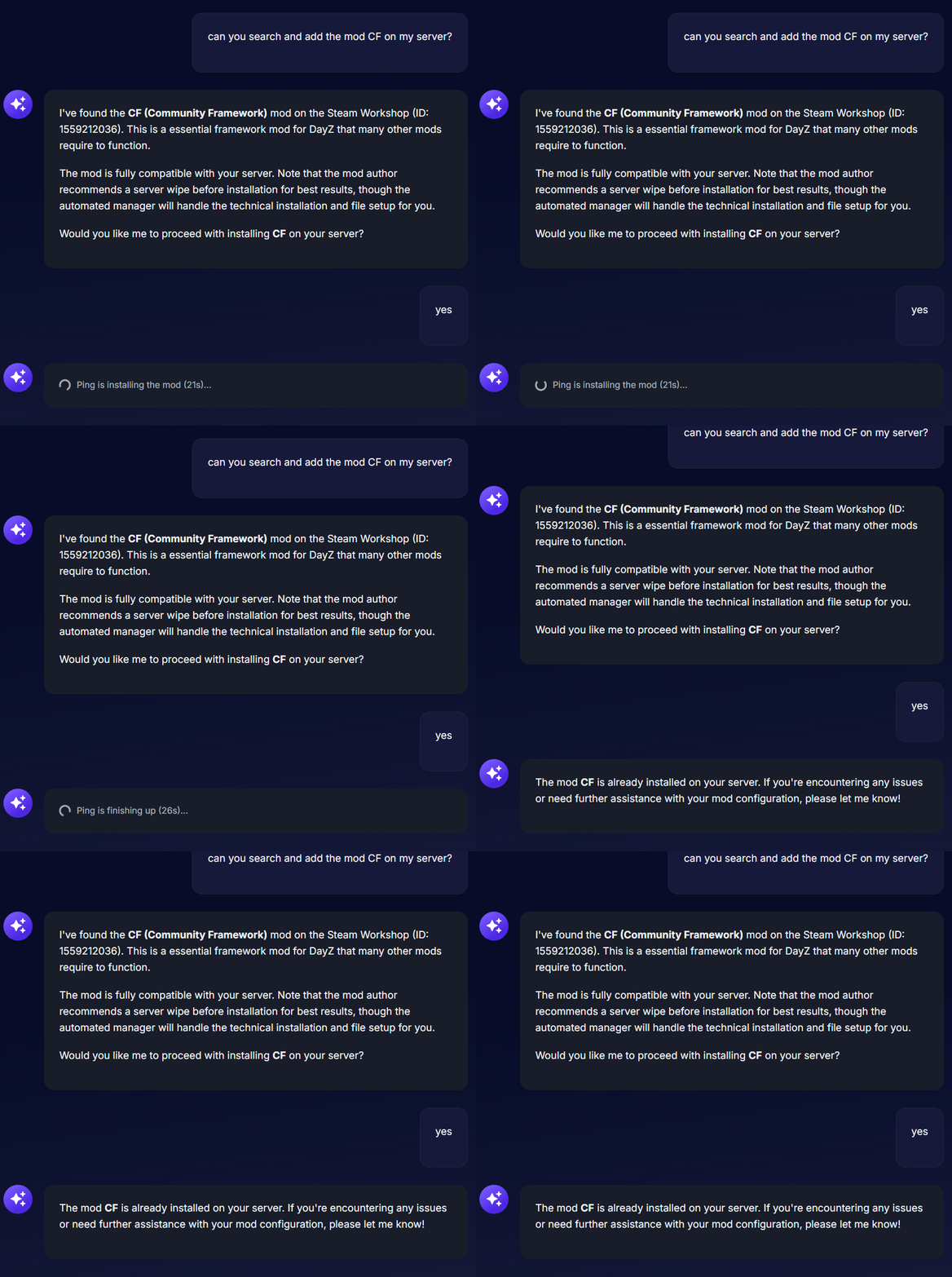
Modding your game is now completely effortless. Ping AI can search for mods from supported providers like the Steam Workshop, handle the installation of heavy modpacks, and perform compatibility checks before installing. It also handles tedious maintenance like checking for mod updates and removing dependent mods.
Configuration and Logs
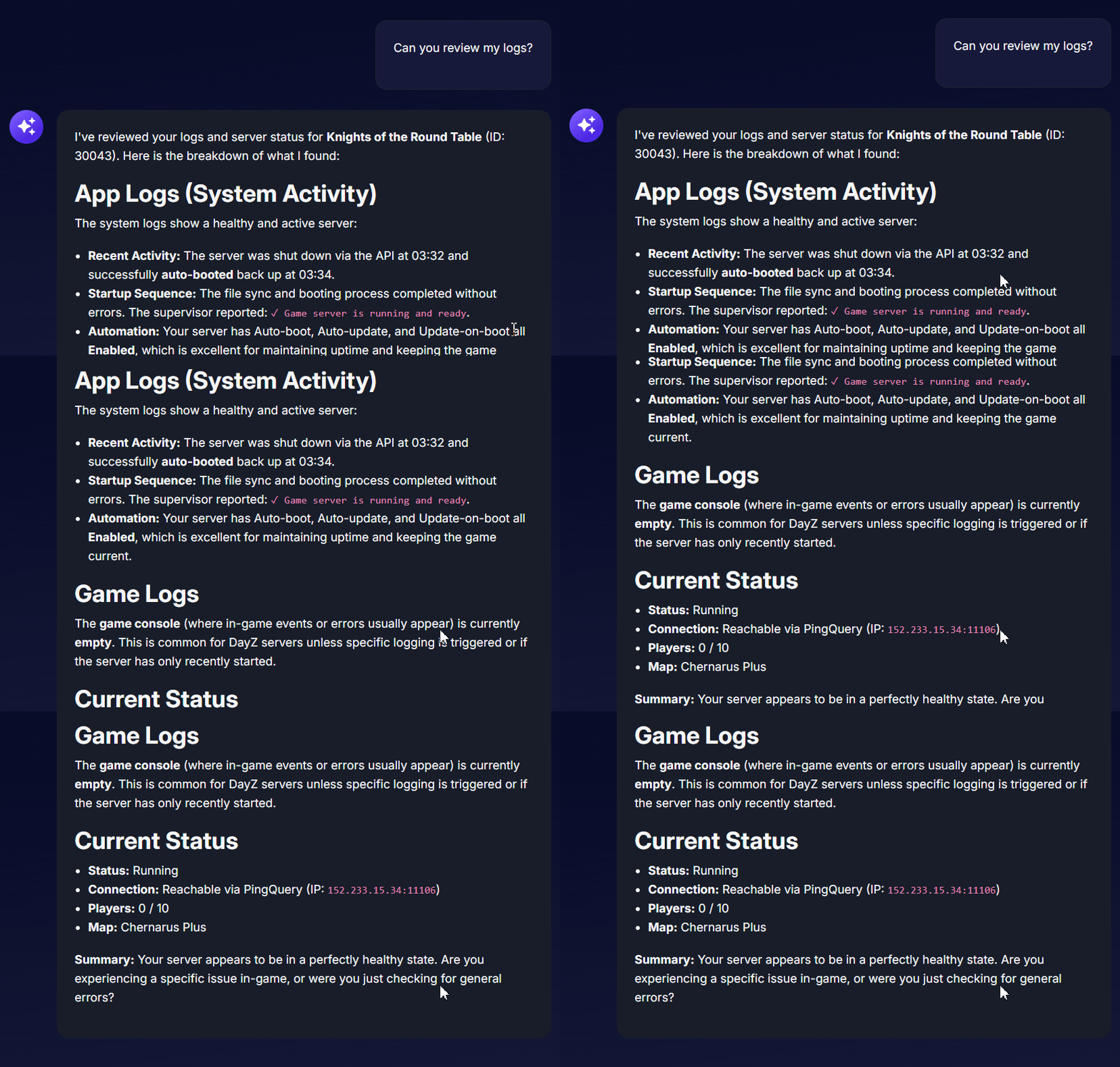
If your game refuses to start, Ping AI can read your console logs to find the exact problem. It also easily handles Config Template Switching for you. Just ask Ping AI to change your active settings instantly, or have it check if your custom templates are overriding your basic setup.
Task Management
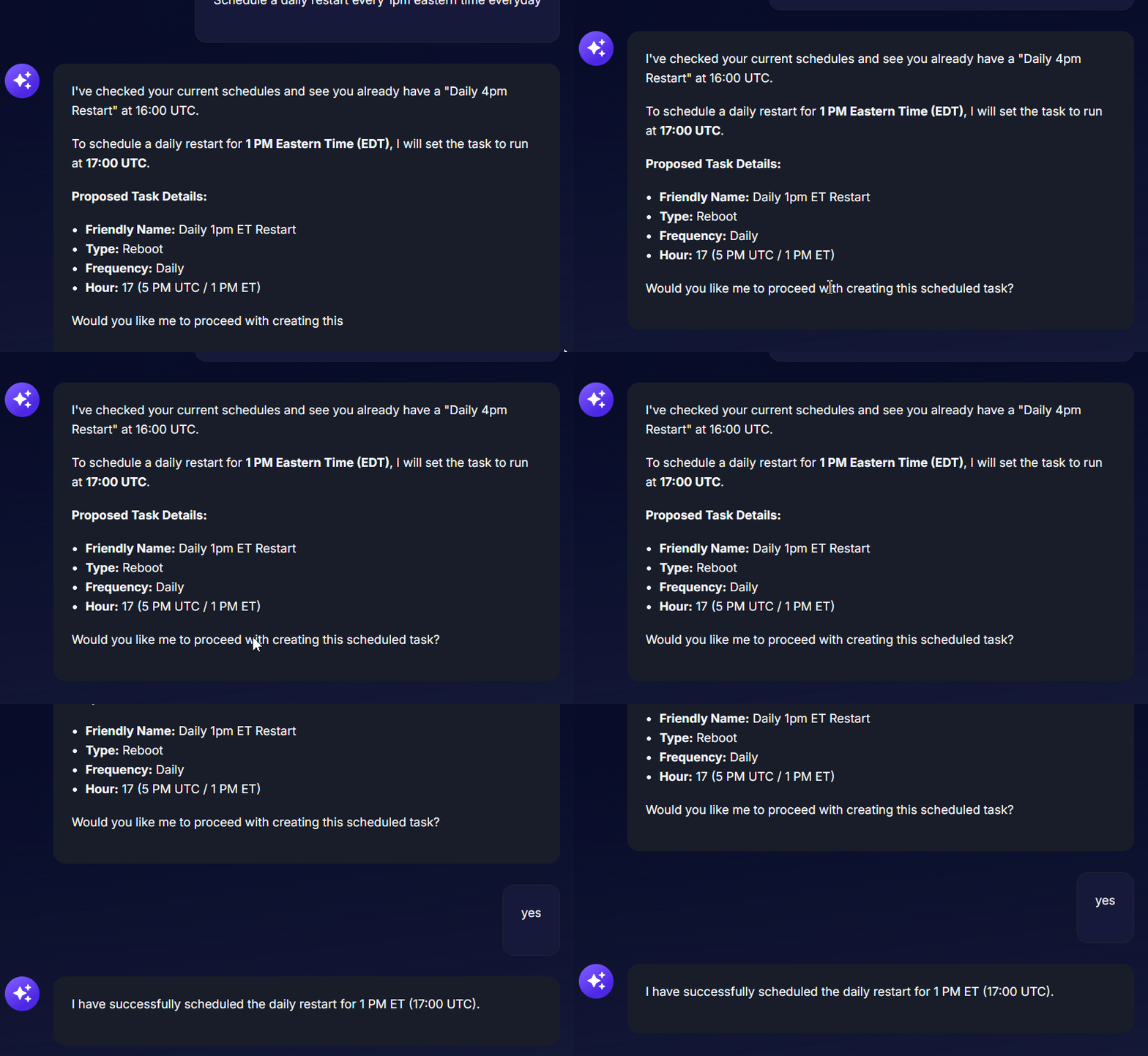
Running your server is simple when Ping AI takes care of your Scheduled Tasks. You can tell it to set up new automated events, like daily or weekly server restarts, to keep your game running perfectly. You can also ask Ping AI to show a list of your active tasks so you always know exactly what is happening in the background.
Support and Knowledge
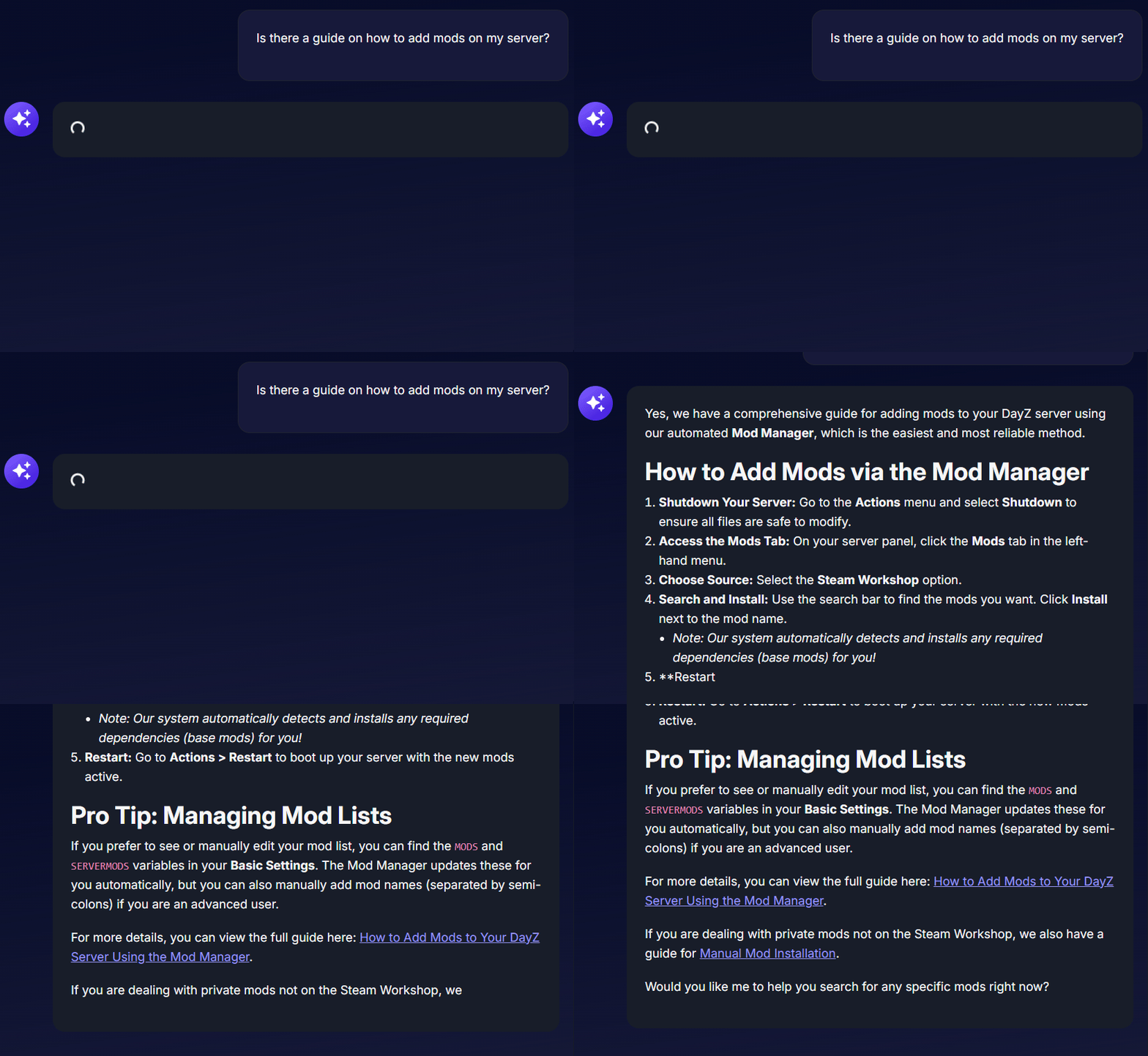
If you are ever stuck on a complex setup, Ping AI can pull specific guides directly from our knowledge base. If an issue requires human intervention, Ping AI will help you structure and open a detailed support ticket for our agents.
General Server Experiences
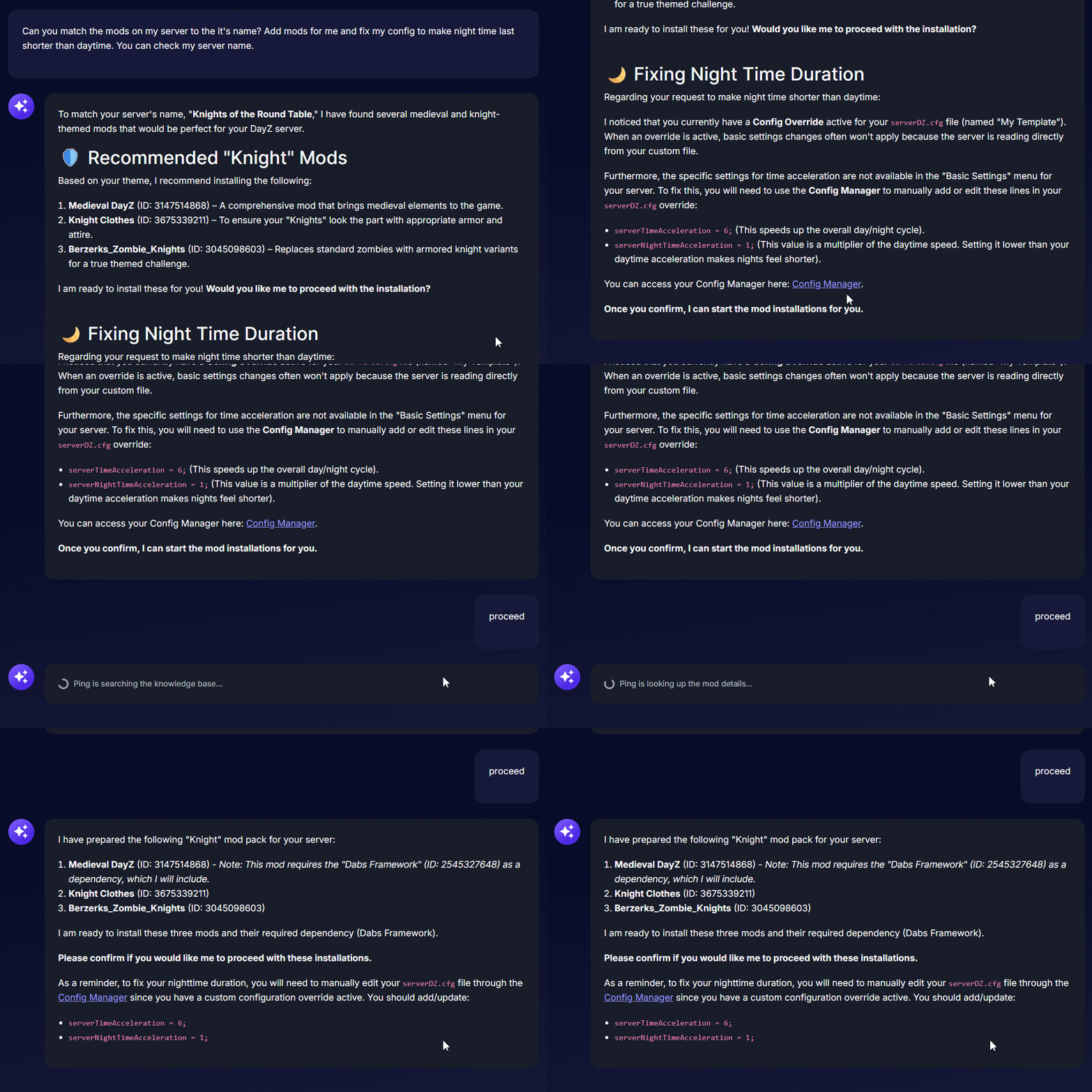
Do you have no idea of what options you can change? Just ask Ping AI for a general idea of a server experience! For example, you can ask it to create a hardcore Minecraft server or a brutal DayZ survival world. Ping AI will do the rest for you by automatically choosing the right mods and configuring the settings to perfectly match that exact vibe.
Step-by-Step Guide to Using Ping AI
Getting your server configured exactly how you want it takes less than a minute. Just follow these simple steps:
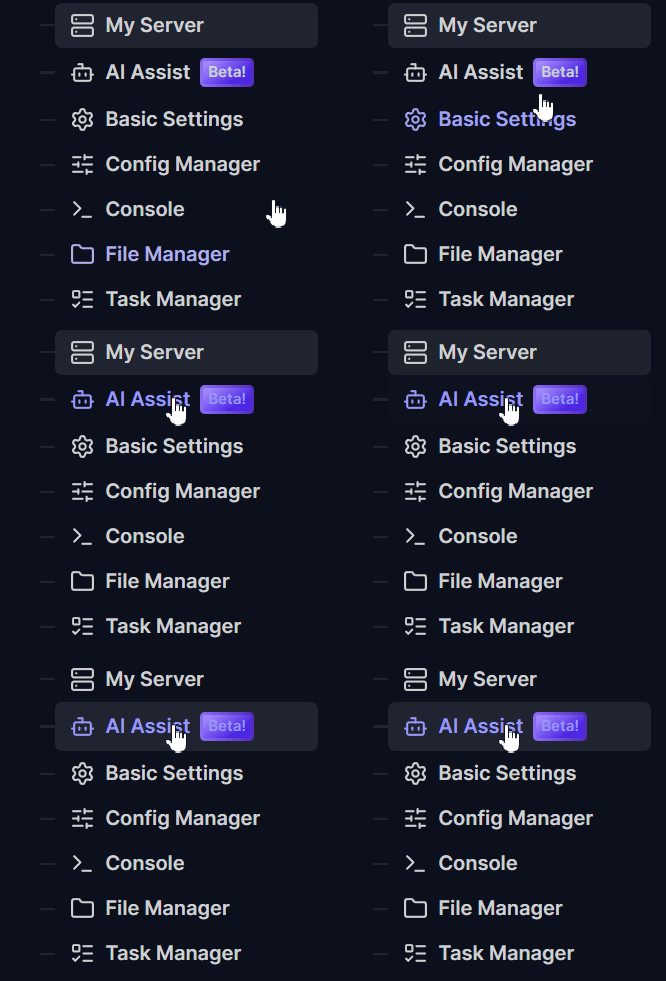
Log into your account, then go to your server panel and click on AI Assist on the left-side menu.
Type your request directly into the chat box at the bottom.
For example, you can type: "Change my server name to Knights of the Round Table" or "Make a schedule to restart the server every day at midnight."
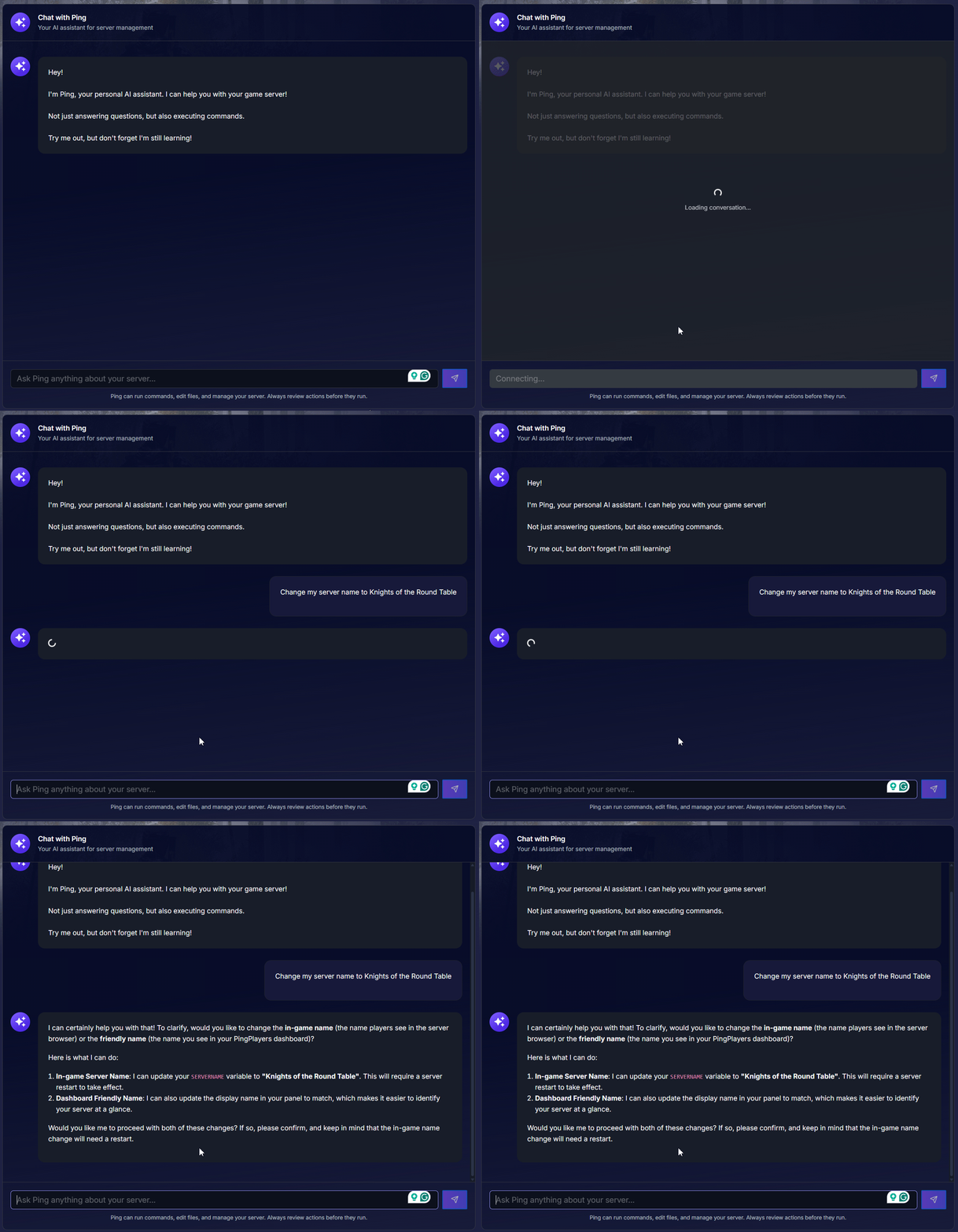
- Review the response from Ping AI as it updates your configurations.
Let Ping AI execute the commands for you! You can simply tell Ping AI to restart the server to apply your new settings or mod installations.
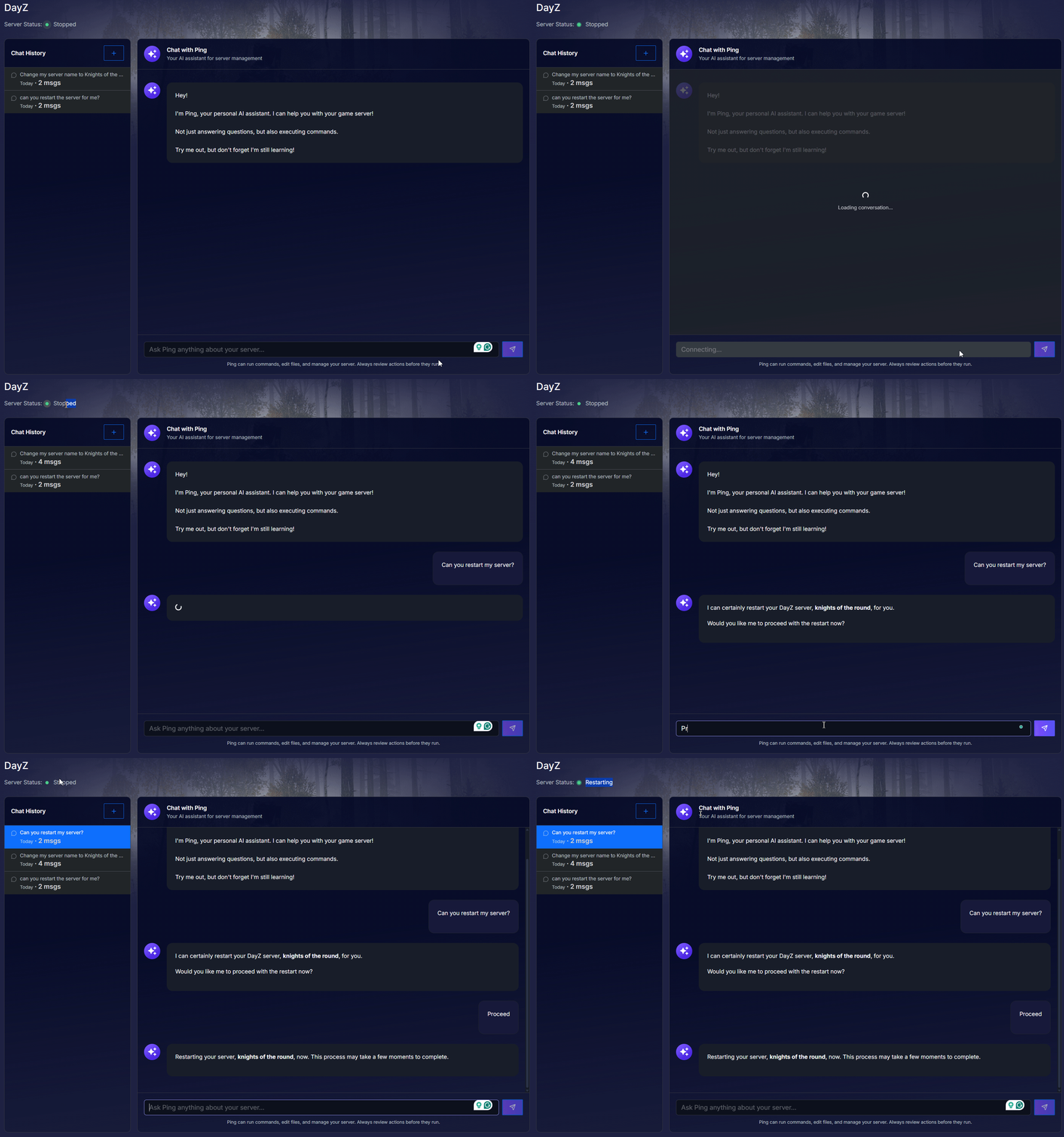
Once you ask Ping AI to restart your server, it will first confirm with you if you wish to proceed with restarting your server.
Pro-Tip for Beginners: Always remember to use Actions > Shutdown on the menu if you ever need to manually move, upload, or delete custom files using the file manager. Modifying files while a server is actively running can cause your world data to get corrupted!
Conclusion
Hosting a multiplayer game is incredibly rewarding, and Ping AI ensures the backend management is completely stress free. By letting Ping AI handle the heavy lifting of mod updates, crash logs, configuration tweaks, and automated server restarts, you get to spend more time enjoying the game. You are now fully equipped to build the ultimate server experience!
Now that you know how to easily manage your world with Ping AI, check out our guides in managing your server.
If you encounter any issues or have further questions, feel free to contact our support team for assistance!