The worry
A night restart will drop my squad mid horde night.
The answer
Pick the hour your server is emptiest. The restart lands there every day, not whenever someone remembers to do it.
Restarts at your quietest hour
Pick restart, shutdown or start, daily or weekly, at the hour you choose. Each task can also pick the saved config your server boots with.
Included on every plan · 60-second setup · 24-hour money-back guarantee
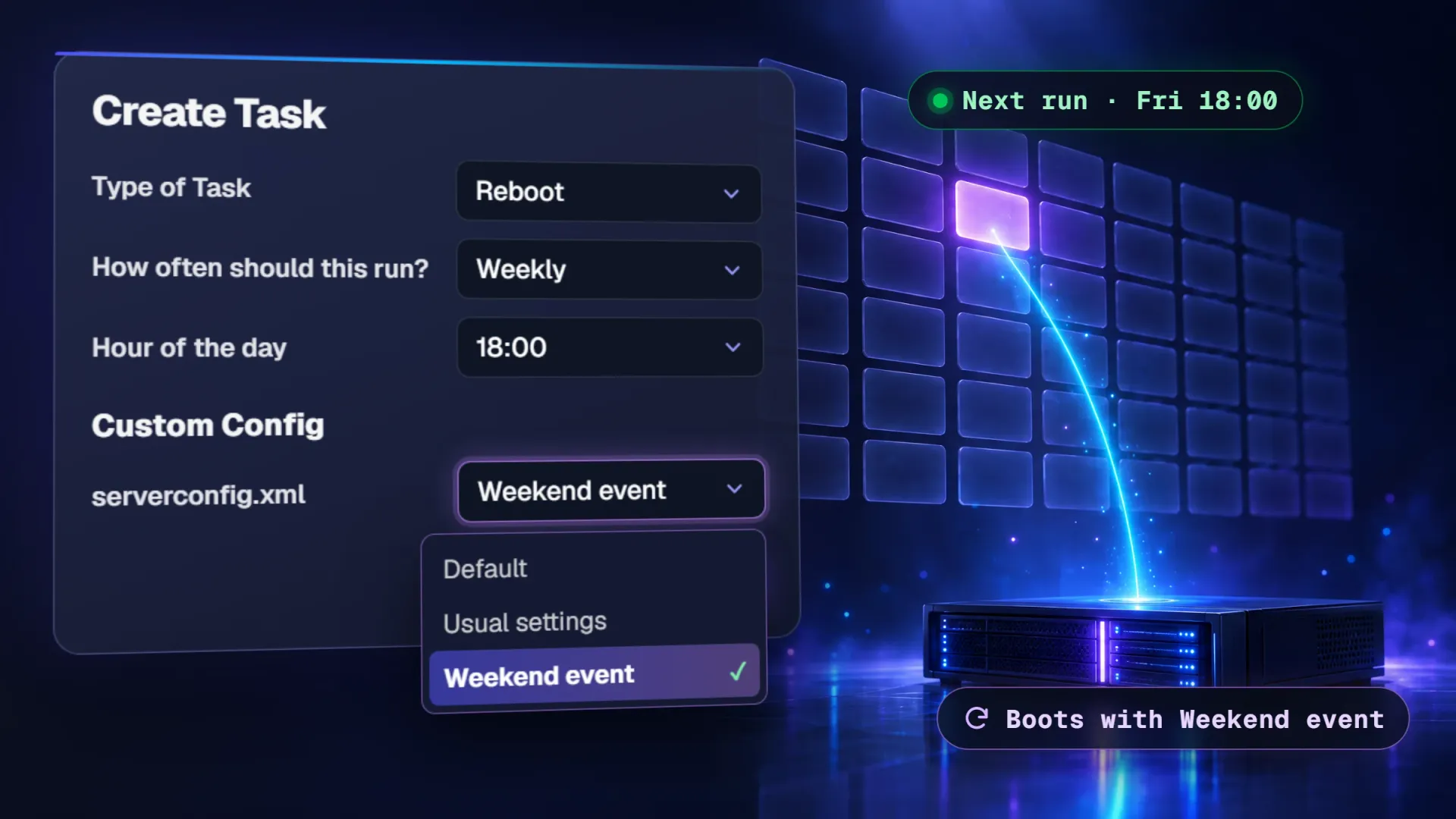
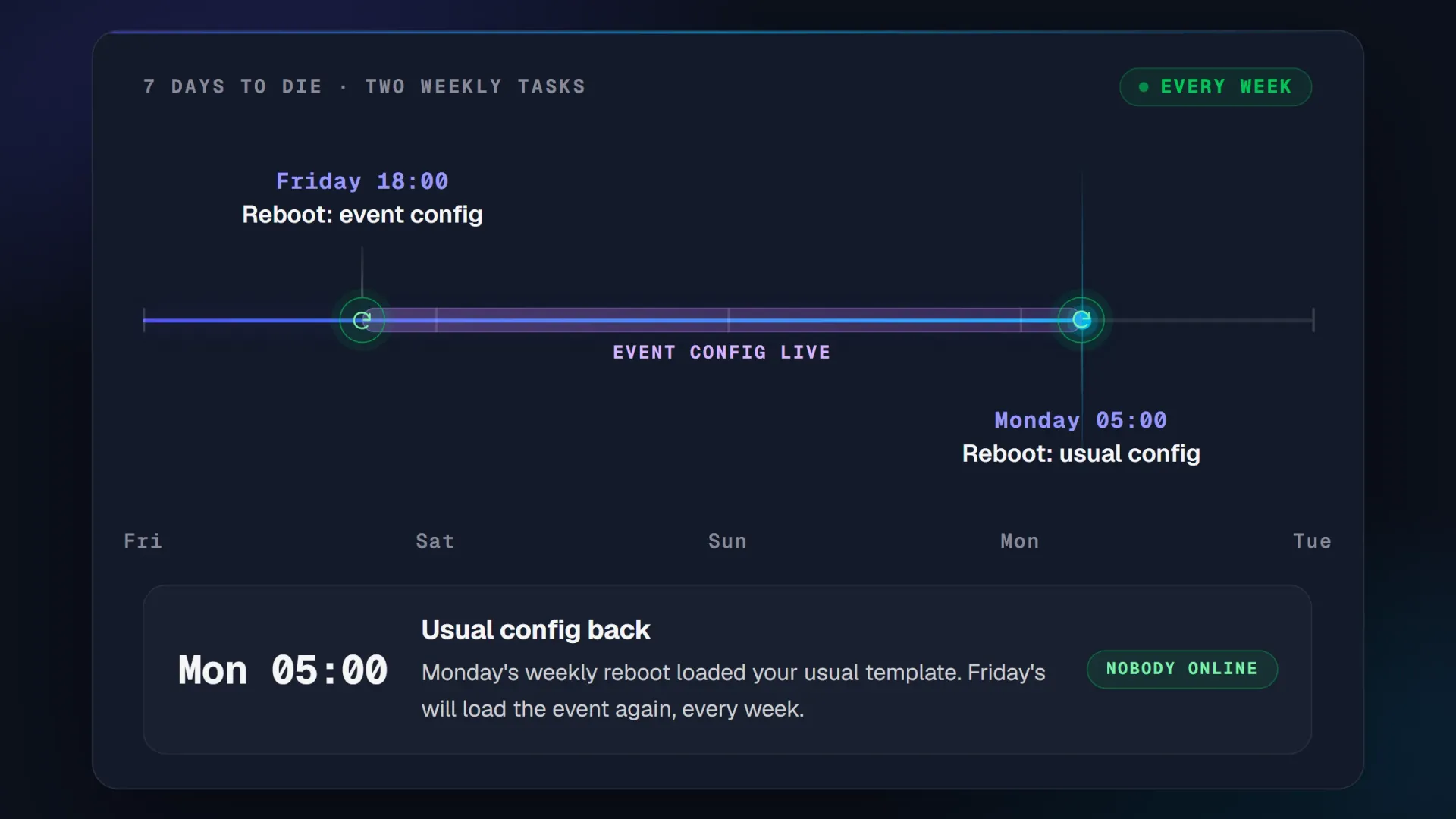
A weekend event on a 7 Days to Die server, run by two weekly restart tasks that each boot with a different config.
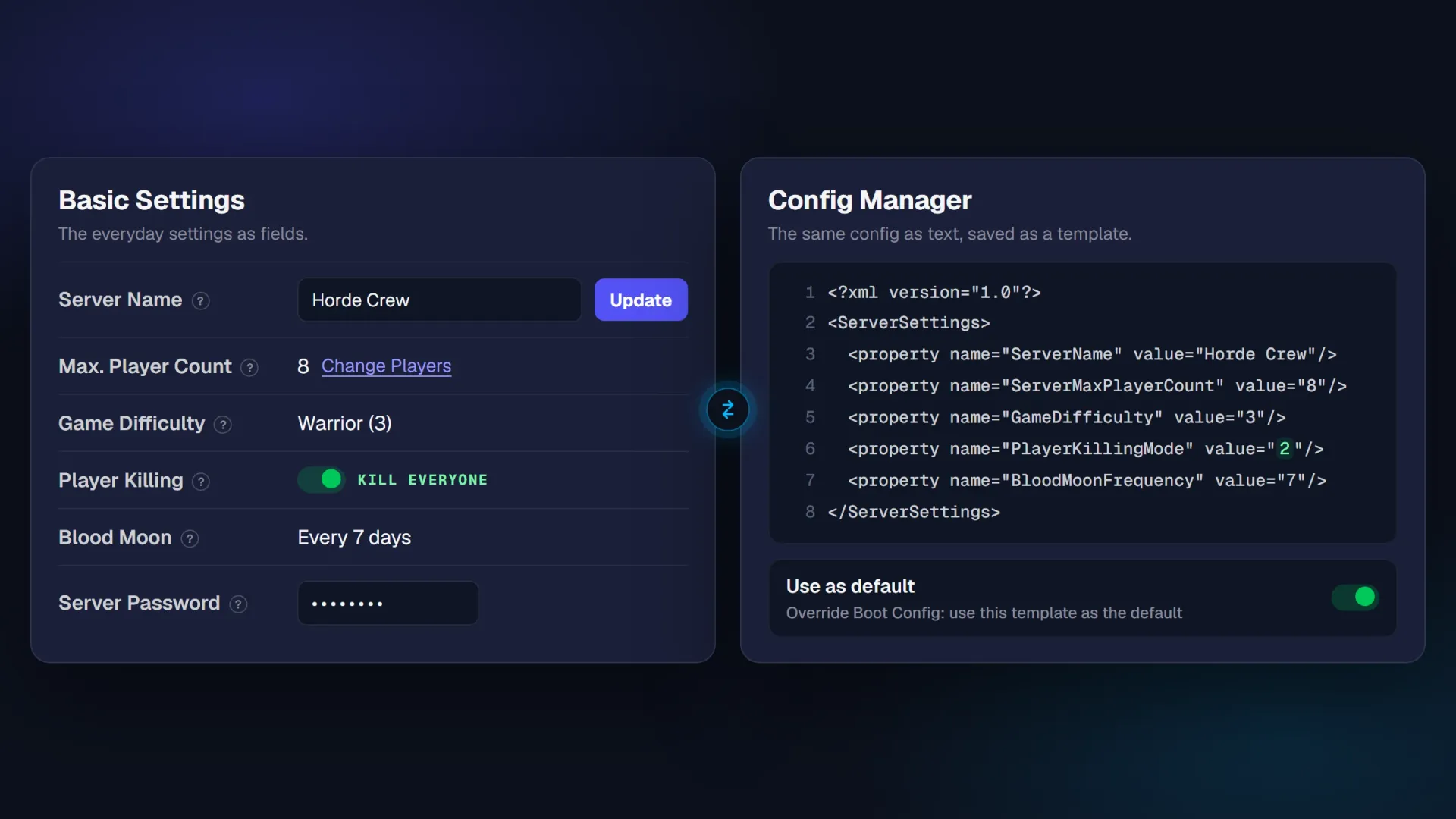
Basic Settings gives you the everyday settings as fields. Config Manager gives you the whole config as text, saved as templates your server can boot with.
Four things people say out loud before they let a server restart itself, and what the panel does about each one.
A night restart will drop my squad mid horde night.
Pick the hour your server is emptiest. The restart lands there every day, not whenever someone remembers to do it.
I change a setting and forget to restart the server.
Edit the task and pick the new template in its config dropdown. The next scheduled restart boots with it.
One mistyped value at midnight and the config stops loading.
Keep your working config saved as a template. If a change goes wrong, point the task back at it and restart.
I will forget what I scheduled by next month.
Every task you create is listed in Task Manager. Open one to change its hour or its config, or delete it.
Every plan, every game, nothing extra to pay.
Ask Ping in the panel for a daily restart and it creates the task, or edits one you already have.
See what Ping can doDaily or weekly, at the hour you choose. Shut down after an event and start again later.
Choose which saved template a task boots with, from a dropdown inside the task.
See the panelSix of 900+ Trustpilot reviews, from people whose config, restart or wipe went sideways, quoted as written.
Kimmy was absolutely amazing!! Very kind and professional. Also brilliant. 4 people spent 3 hours trying to fix a fubar config file before calling for help. In less then an hour she had it up and running and restored to its original glory. Thank you so much for your help and brilliance
I was having issues where my server "crashing" for a few consecutive days. I reached out to PingPlayers support, and after speaking with Kimmy, we realized that I had the -Auto Update- option enabled. So whenever I did a change in my servers files, it prompted the server to restart. Without Kimmy's brilliant, and kind help, I would've seriously thought that my server was broken. Thank you Kimmy!
Customer service team was extremely fast and effective with fixing server issue that could not be resolved on users end. What was supposed to be a server wipe was resolved without any data lost. Big thanks to the engineering team and Nicole!
Server customization is really easy with the built in ai model. Customer service is great! I had trouble with server startup files that i cannot edit and the team handled it fast and professionaly! Would recommend 5/5 service!
I had issues with game experience and Lautaro jumped right in and solved the problems. I had missed some settings and he was quick to correct them. Thank you, i can now enjoy more gametime.
Quick and helpful response that saved my game files.
Names and dates as published on Trustpilot.
Six things worth knowing before you hand the night shift to a schedule.
It restarts, shuts down or starts your server, daily or weekly, at the hour you pick. Each task can also choose which saved config the server boots with.
No. In Task Manager you pick restart, shutdown or start, how often and the hour, then save. No script, no cron line, no terminal.
Yes. A restart disconnects whoever is online and there is no in-game warning, so set it for your quietest hour and tell your community when it runs. Everyone can rejoin as soon as the server is back up.
Yes. Config Manager holds your config as text templates, and File Manager opens every file on the server, in the browser or over FTP.
Yes. Tell Ping in the panel to set up a daily or weekly restart and it creates the task. Ask it to change one and it edits it. AI Control covers the rest.
Keep your last working config saved as a template, so pointing the task back at it and restarting puts things right. If something still surprises you, support is people who run game servers themselves, 24/7, in any language.
Set the schedule once and walk away. If a restart ever surprises you, a real person is on live chat at that hour.
We use cookies to enhance your browsing experience, serve personalized ads or content, and analyze our traffic. By clicking "Accept All", you consent to our use of cookies.