
How to Join Your RimWorld Together Server
Join RimWorld Together: subscribe via Workshop, enable Harmony and Together mod, fix load order, use Direct Connect and enter IP:port.
RimWorld is already a masterpiece of a story generator, but playing with your friends changes the dynamic completely! RimWorld Together is a massive community project that allows you to chat, trade, spy, and raid with other players in a persistent online world. Because this relies on a community-driven multiplayer mod, joining your dedicated server requires a few extra steps compared to standard vanilla gameplay.
Setting up your game client to connect to your new multiplayer colony is incredibly straightforward. This guide will walk you through installing the required workshop items and connecting directly to your server so you can start surviving together.
Step-by-Step Guide on How to Connect
Before you can drop onto the planet, you need to sync your game client with the server files. Here is exactly how to install the mods and join your world:
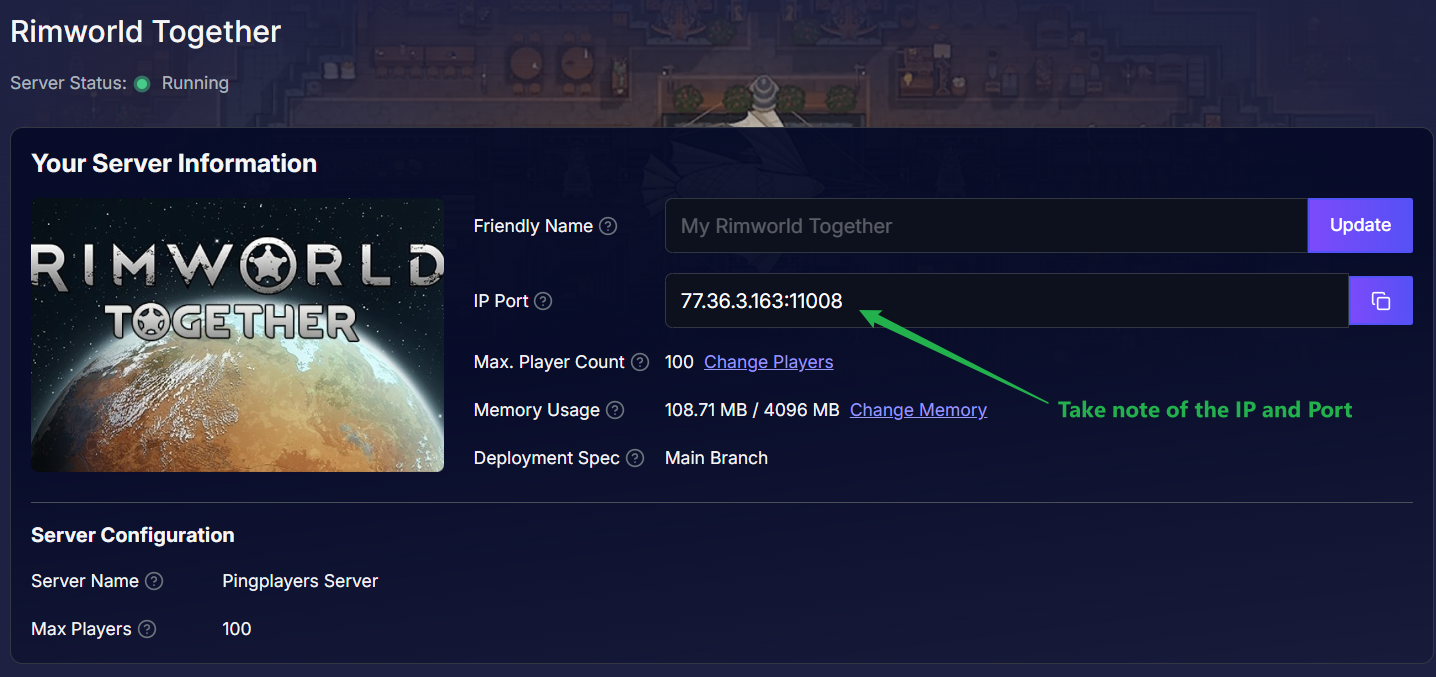
Log into your server dashboard and take note of your unique IP Port combination on the main page.
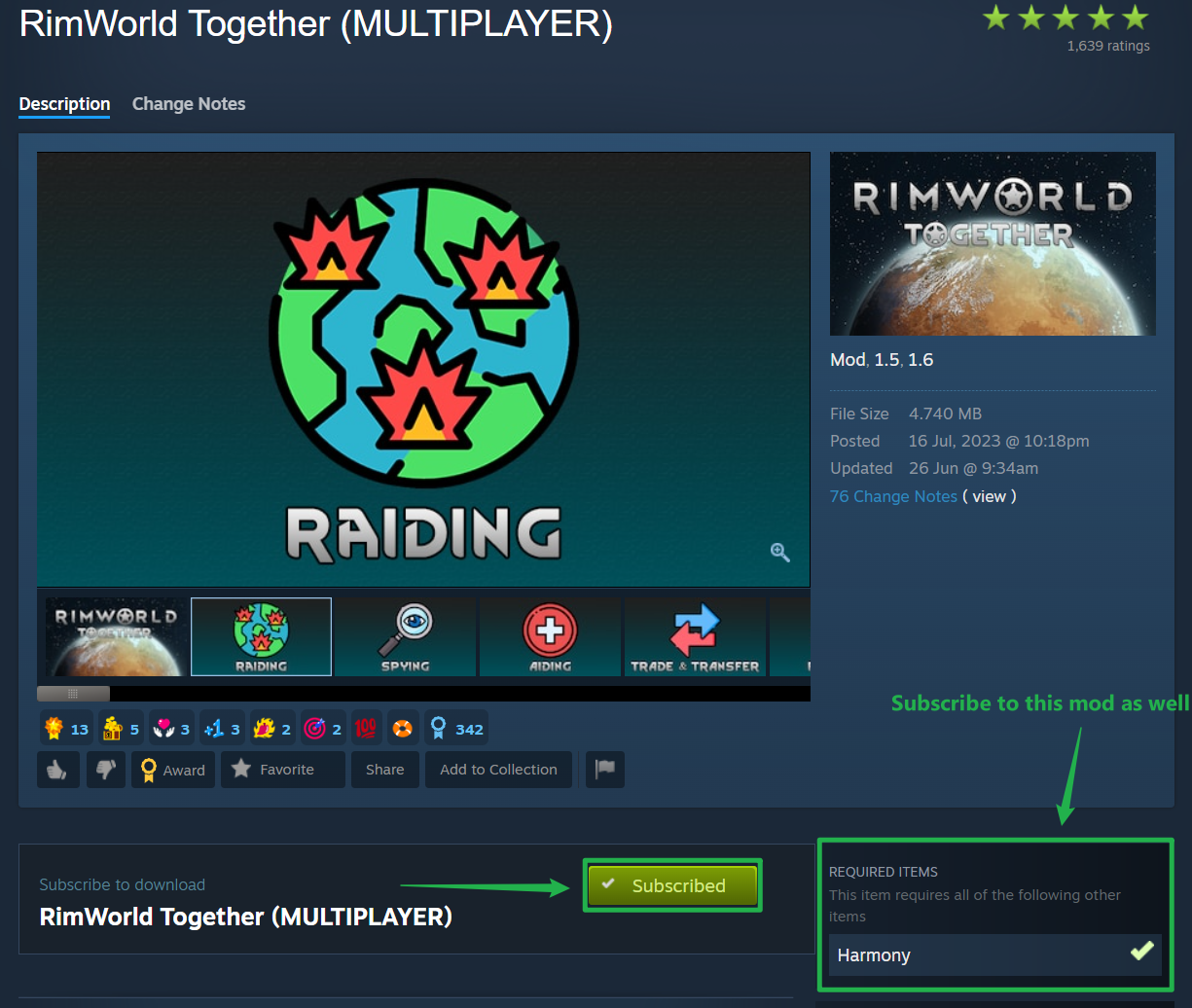
Before launching the game, you need the right files. Go to the Steam Workshop and subscribe to the RimWorld Together mod. You must also subscribe to its required dependency mod, Harmony, for the multiplayer framework to function properly.
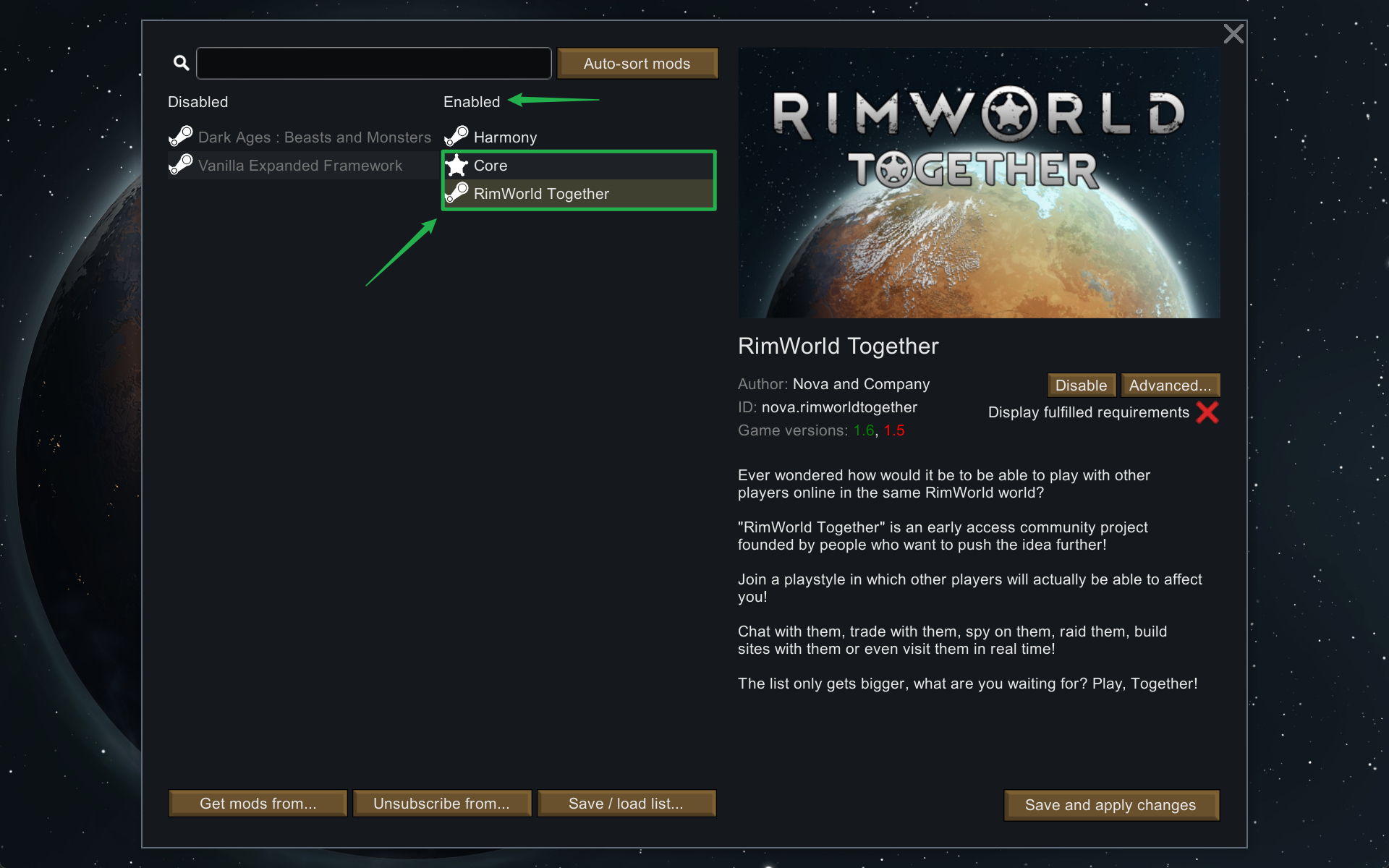
Launch RimWorld and click on the Mods menu. Drag and drop both Harmony and RimWorld Together into your Enabled list. Ensure your load order is correct (Harmony should be loaded at the top, followed by Core, and then RimWorld Together). Click Save and allow the game to automatically restart to apply the new mod list.
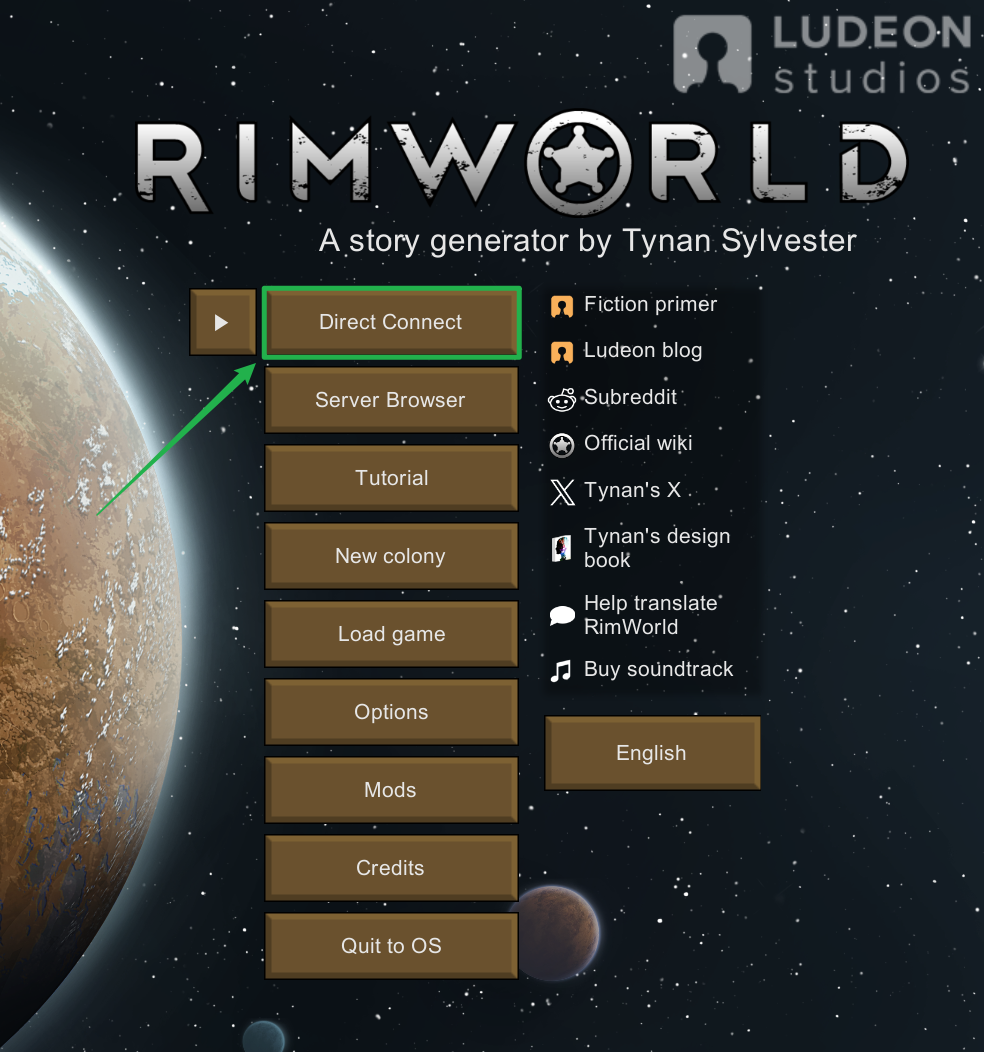
Once the game reboots, you will see a brand new Direct Connect button added to your main menu. Click it to initiate the multiplayer connection sequence.
A prompt will appear asking for an Account Setup. Simply create a username and password right there in the prompt. This secures your specific colonist identity and faction on the server.
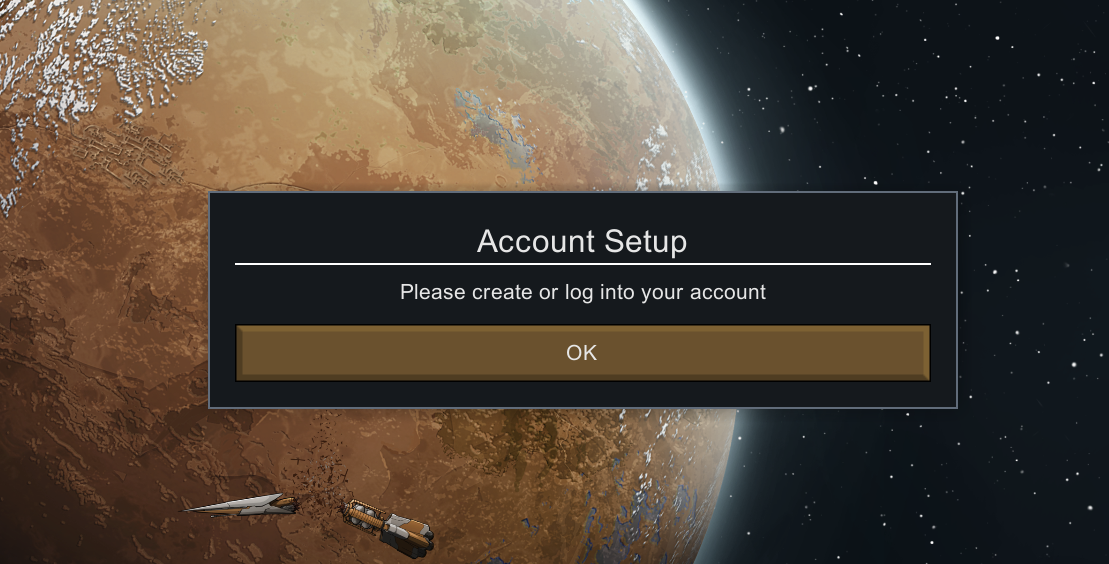
After setting up your account, the final connection window will appear. Carefully type or paste your server IP and Port into the corresponding boxes and click Connect.
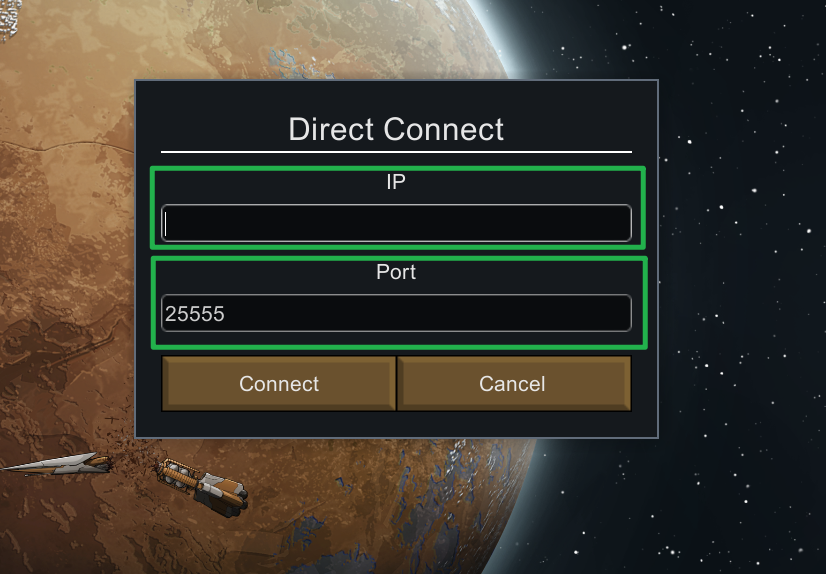
You will be instantly loaded into your shared multiplayer world!
Troubleshooting and Tips
If your game crashes on startup or your connection is rejected, check out these quick pointers to get your colony back on track:
- Load Order Matters: The vast majority of RimWorld errors are caused by an incorrect mod load order. If your game fails to load the main menu, double-check that Harmony is placed at the absolute top of your active list, above the Core game files.
- Server Status: If the Direct Connect menu fails to load you into the world, head back to your Server Panel and ensure your instance is displaying as Running. Your server must be fully booted up before anyone can join.
- Instant Ping AI Fixes: If your server is running but connections are still failing, do not panic! Open your panel chat and ask Ping AI to read your latest console logs. The assistant will scan your backend files, find the exact error causing the connection timeout, and tell you exactly how to fix it.
Conclusion
Getting your entire faction into your RimWorld Together server is a breeze once your mods are properly aligned. By utilizing the Steam Workshop for your dependencies and letting Ping AI track your connection digits, you can skip the confusing setup and focus entirely on building the ultimate colony!
If you encounter any issues or have further questions, feel free to contact our support team for assistance!