
How to Access the Racing Panel for Assetto Corsa Competizione
Step-by-step guide to access the Racing Panel for Assetto Corsa Competizione: start the server, open the web dashboard and log in as owner.
Welcome to the ultimate command center for your Assetto Corsa Competizione server! Getting your race weekend set up used to mean digging through complicated JSON files and tweaking command lines. Now, everything from setting up car classes to monitoring live timing and driver penalties is handled through a powerful, web-based dashboard known as the Racing Panel.
This interface replaces the need for manual file edits and gives you complete control over your grid. This guide will walk you through the essential first steps of booting up your ACC server, accessing your web dashboard, and logging in securely so you can hit the track.
Step - By - Step Guide
Before you can configure your practice, qualifying, and race sessions, you need to ensure the background game service is running and log into your interface.
Start your ACC server from your main server panel dashboard. The Racing Panel is exclusively available while this main service is actively running.
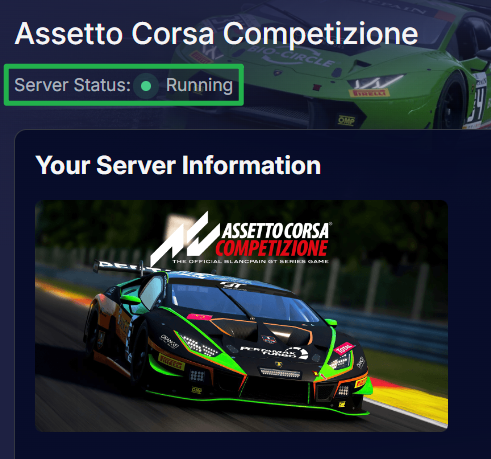
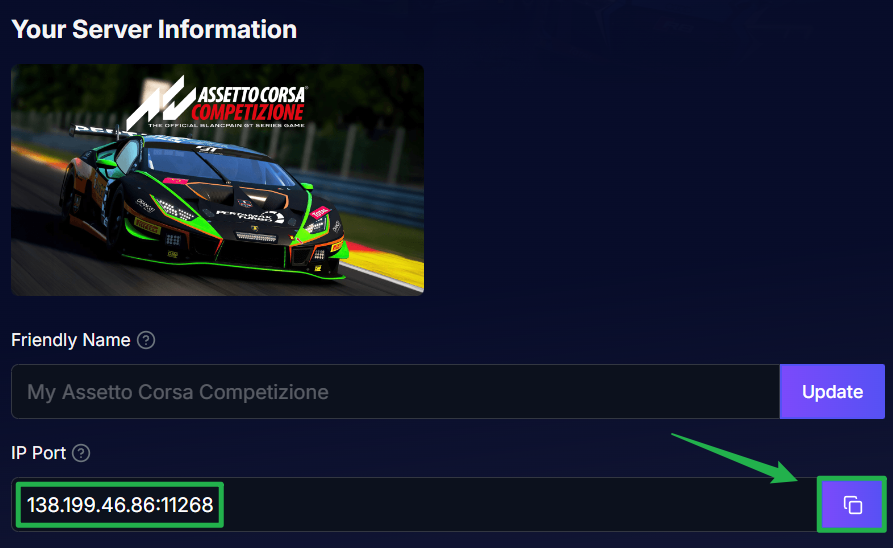
Your server needs to be on Running status. Copy the IP and Port address listed on your server dashboard and paste it into your web browser's address bar.

Bypass the browser security warning. Because the Racing Panel currently uses HTTP rather than HTTPS, your browser may display a message saying "This site doesn't support a secure connection." Simply click the browser option to continue to the site.
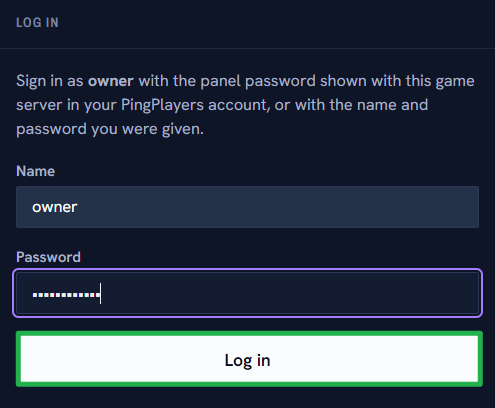
On the login screen, type
ownerinto the Name field.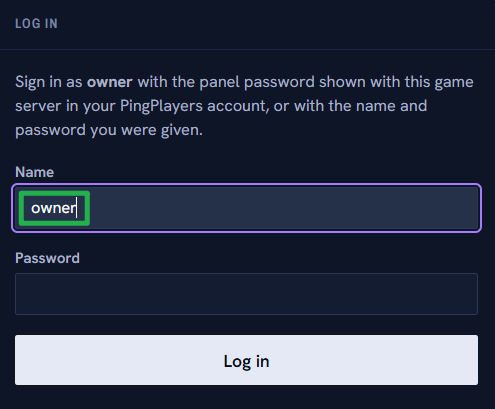
For your password, enter the exact Panel Password configured inside the Basic Settings on your main server dashboard.
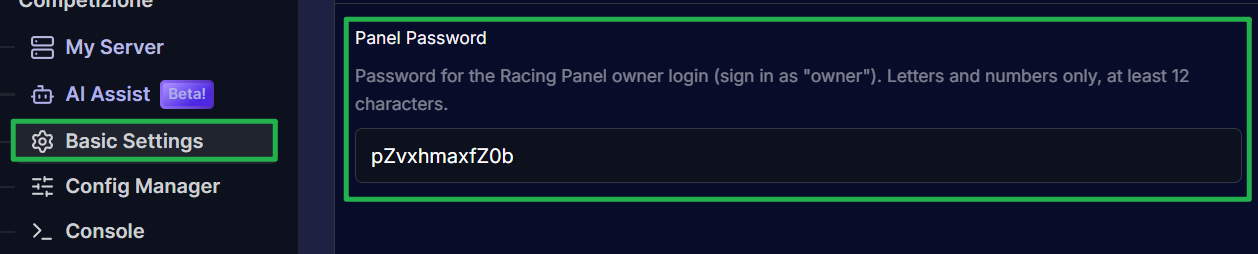
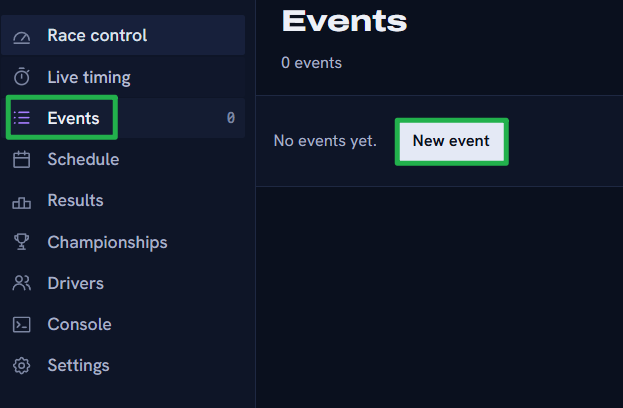
Click login! You are now authenticated as the owner and can navigate to the Events tab to start building your server configurations.
Troubleshooting and Tips
If you are stuck in the pits and cannot seem to get into your panel, run through these quick troubleshooting checks:
- Racing Panel Fails to Load: The dashboard goes offline entirely if your main server process is stopped. If you recently used Actions > Shutdown to bring the server offline, the web link will just time out. Navigate to Action > Restart on your main dashboard to bring the game service and the Racing Panel back online. Give it a minute or two to finish starting up before reloading the link.
- Wrong Password: Remember that your Racing Panel password is the specific Panel Password located in your Basic Settings, not your billing account password. Also, do not confuse this with your ACC Admin Password, which is used for in-game administrative commands.
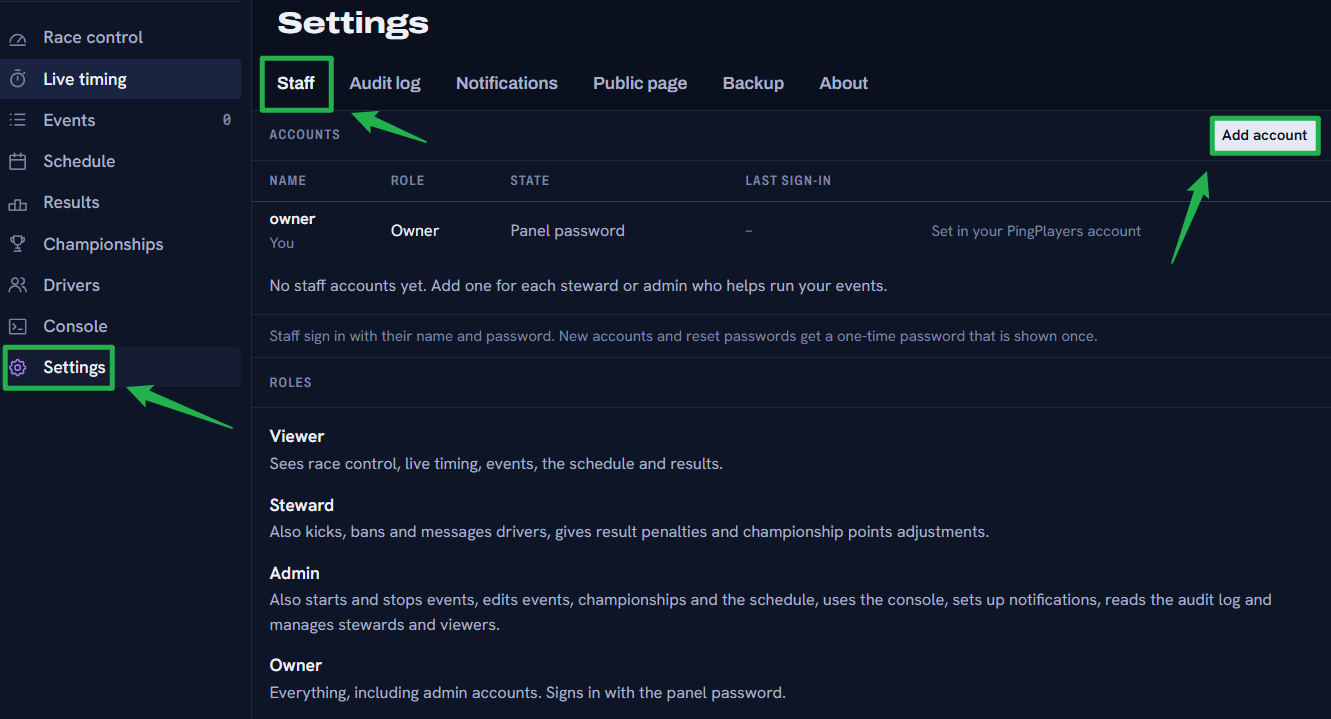
Adding League Staff: You do not have to manage the race alone! You can add your friends as Admins, Stewards, or Viewers. Inside the Racing Panel, navigate to Settings > Staff > Add account, enter their name, and select their role. The panel will generate a one-time password for their first login.
- Managing Configurations: Assetto Corsa Competizione configurations are managed through reusable Events. While you can build and save dozens of different track and car combos in the Events tab, keep in mind that only one Event can be actively running on the server at a time.
Conclusion
You are officially in the driver's seat! You have successfully accessed your race control center and are now ready to take full command of the grid. From this dashboard, you can create entry lists, set up dynamic weather, manage live events, and monitor real-time sector times without ever touching a JSON file.
We highly encourage you to explore all the options within the Racing Panel, as it is the absolute heart of your ACC server.
If you encounter any issues or have further questions, feel free to contact our support team for assistance!