
Welcome to the harsh and unforgiving lands of Everlast, adventurer! Whether you are grinding to max out your Gathering Rate, tackling brutal boss fights, or risking it all in a OneShot world, exploring Everlast: Undying Tale is always better with a party.
Getting your squad into your dedicated server is incredibly straightforward. The game natively supports an in-game server browser, as well as a Direct Connect option for those who want to bypass the list and jump straight into the action. This guide will walk you through both methods so you can connect to your realm without breaking a sweat.
Step - By - Step Guide
Before launching your game, ensure your server is fully online and you have your server password ready if you set one up.
Method 1: Using the In-Game Server Browser
If your server is fresh and public, you can easily track it down in the main list.
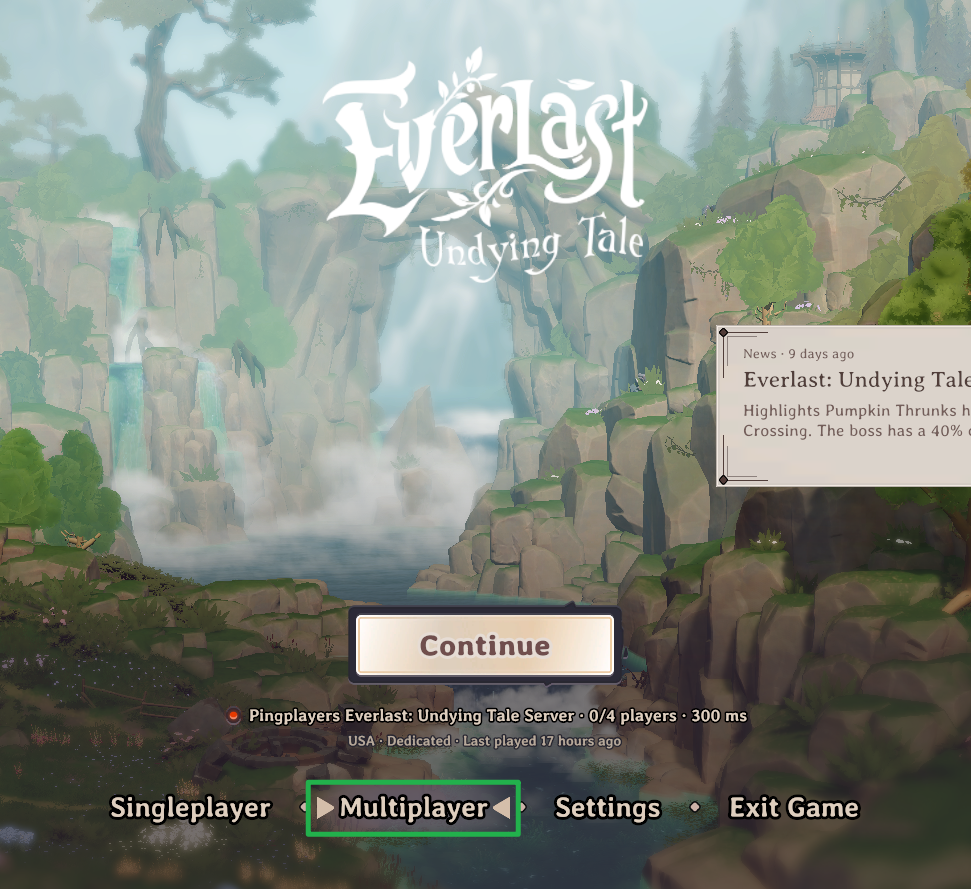
Launch Everlast: Undying Tale and from the main menu, select the Multiplayer option.
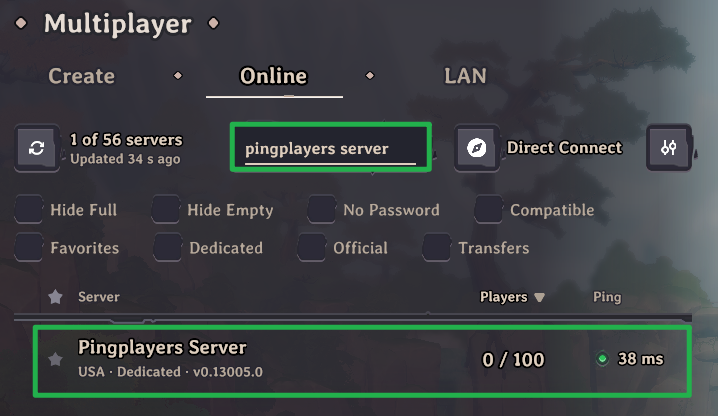
Use the server browser list to find your specific Server Name.
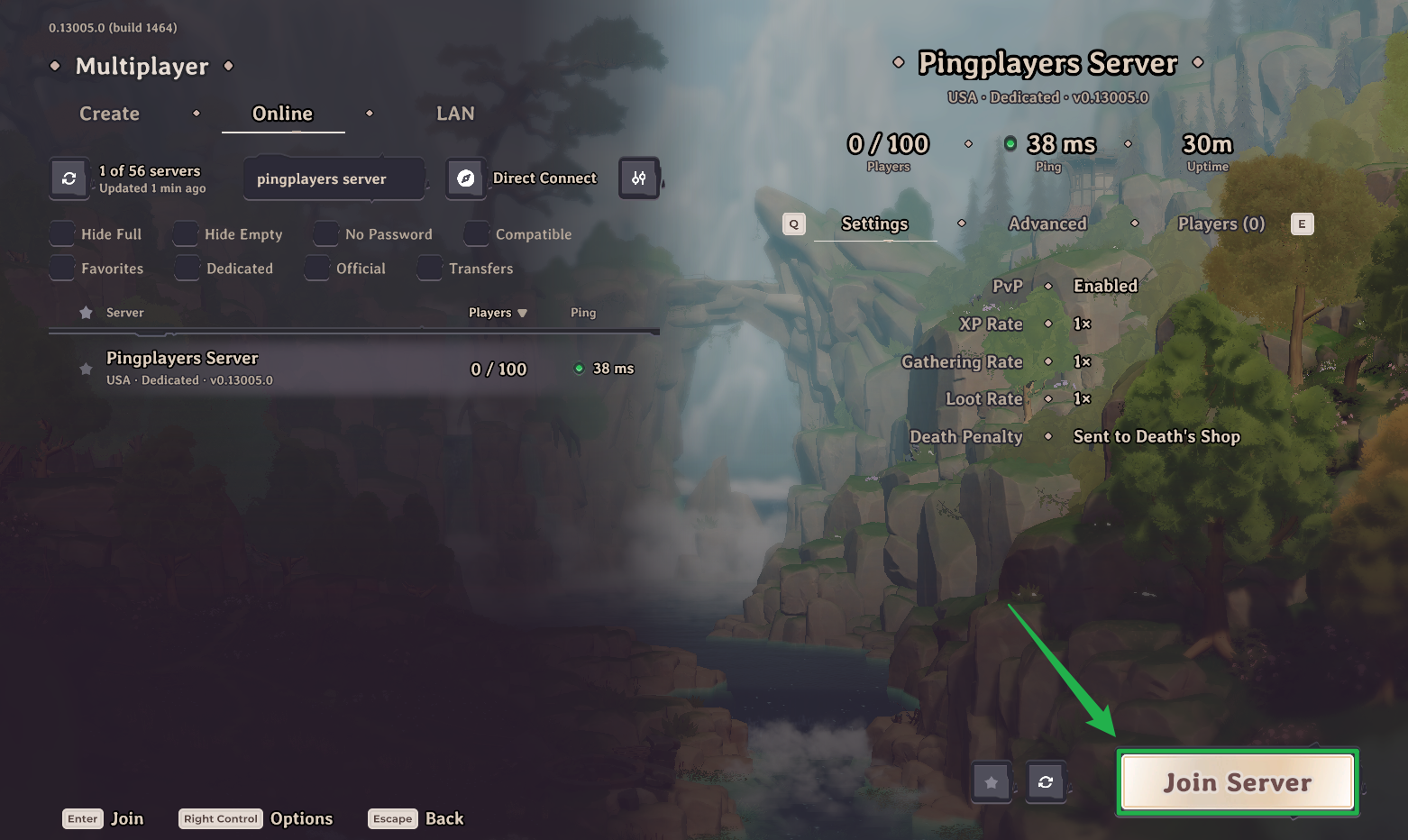
Once you locate it, click on your server and select Join Server.
If you configured a password in your basic settings, type it in when prompted to finish loading into the world!
Method 2: Direct Connect
If your server is taking a moment to appear on the public list or you just want a faster connection route, use this method.
Log in to your server dashboard and copy your exact server IP address and port (format: IP:PORT).
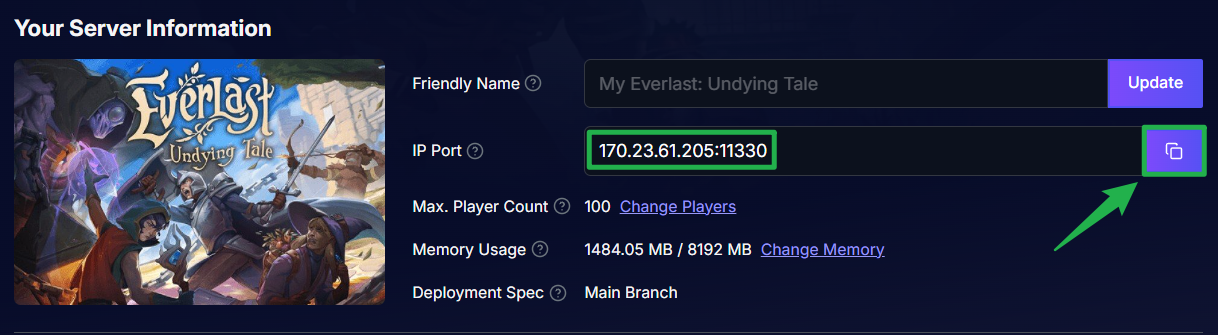
Use the button on the right side of the IP and port to copy it in the correct format. Open the game and navigate to the Multiplayer menu.
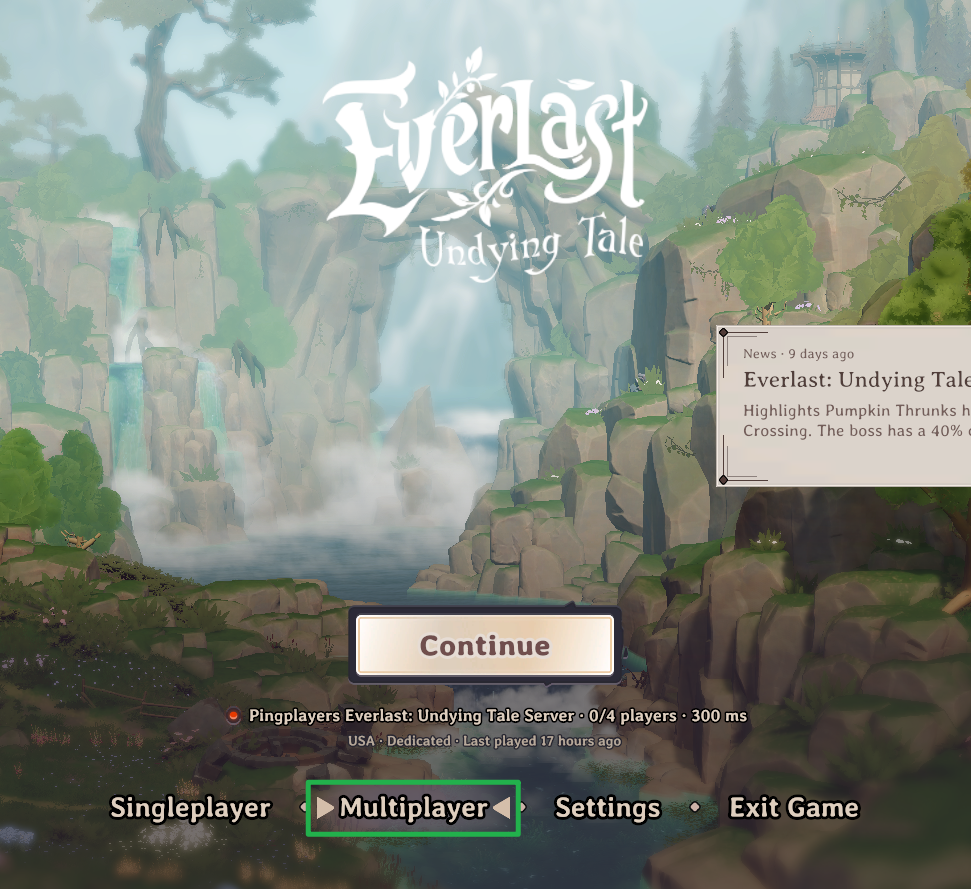
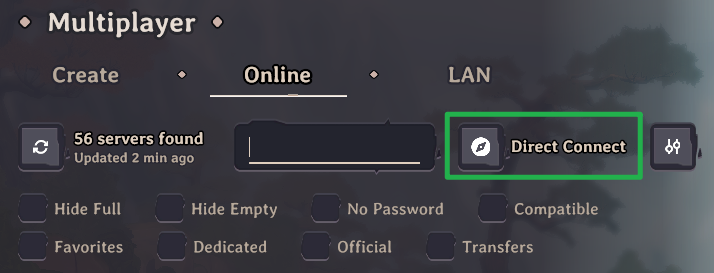
Select the Direct Connect option.
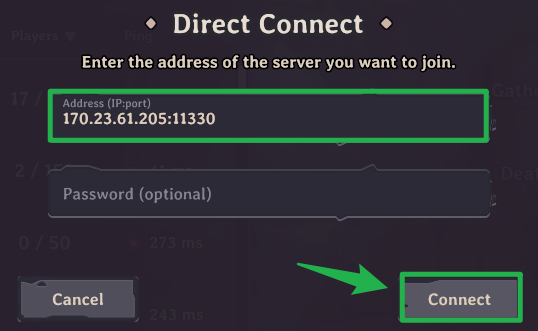
Enter your copied IP:PORT address into the connection field and type in the server password if required, then click Connect to instantly spawn in!
Troubleshooting and Tips
If your connection fails or your party gets stuck in the loading screen, run through these quick troubleshooting tips:
- Password Rejections: If you are getting an incorrect password error, double-check your basic settings on your server panel. Keep in mind that Everlast: Undying Tale server passwords must not contain any spaces.
- Character Transfer Blocked: If you are able to connect but cannot bring your existing character into the world, check your server's character transfer rules. If your server is running a "OneShot" difficulty world, it will never accept incoming character transfers. You might also be blocked by a Max Transfer Level limit or an active Transfer Allowlist.
- Version Mismatch: If the game rejects your connection due to version differences, your server likely needs to run an update. To safely apply pending updates, navigate to Actions > Shutdown on your server panel to bring the server offline. Once it is fully stopped, click Action > Restart to boot it back up and trigger the update process.
Conclusion
You are officially connected! With your party successfully loaded in, you have everything you need to start gathering resources, levelling up, and surviving the undying threats of the world. Grab your gear and start exploring your new realm.
If you encounter any issues or have further questions, feel free to contact our support team for assistance!