
Introducing SharePay: Share the Cost of Your Game Servers
SharePay by PingPlayers lets communities generate a secure link so friends can instantly top up account credit to share game server costs.
Running a massive multiplayer server or managing a community cluster can sometimes be a hefty investment. We know that many gaming communities love to chip in and support their server owners. With the launch of SharePay, sharing the cost of your servers is easier than ever. This new system allows the account owner (and their authorized team members) to generate a unique, secure link to share with their friends or community.
Anyone with this link can instantly top up the owner's account credit! This credit automatically applies to your balance and can be used for future server renewals or for purchasing entirely new game servers.
Great Ways to Use SharePay
Not sure how to utilize your new link? Here are a few perfect use cases for the SharePay system:
Friends Joining In:
Playing with a close group of friends? Skip the awkward Cash App requests. Just drop your SharePay link in your group chat and let your squad chip in for the monthly server costs directly.
Community Server Support:
If you run a large public server or gaming clan, your dedicated players often want to help keep the lights on. SharePay allows your community members to contribute securely without you having to manage third-party money pools or Patreon accounts.
The Perfect Gamer Gift:
Treat the SharePay link like a digital gift card! If you know someone who hosts servers for your group, topping up their account so they can buy a new server or upgrade their current one makes for an amazing birthday or holiday present.
How to Set Up Your SharePay Link
Setting up your community fund only takes a few seconds. Here is exactly how to activate and share your new link:
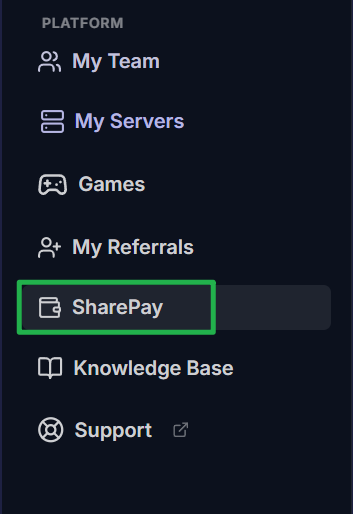
Log into your PingPlayers account and navigate to the SharePay option on the left-side main menu.
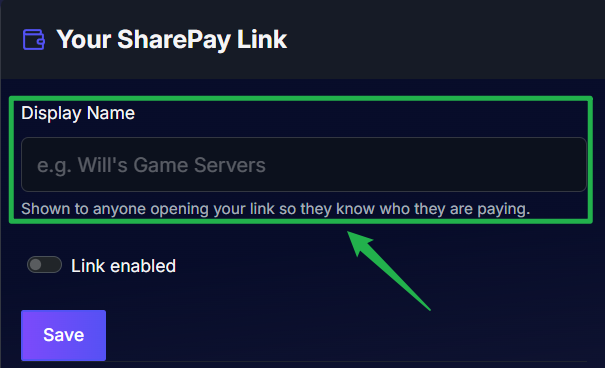
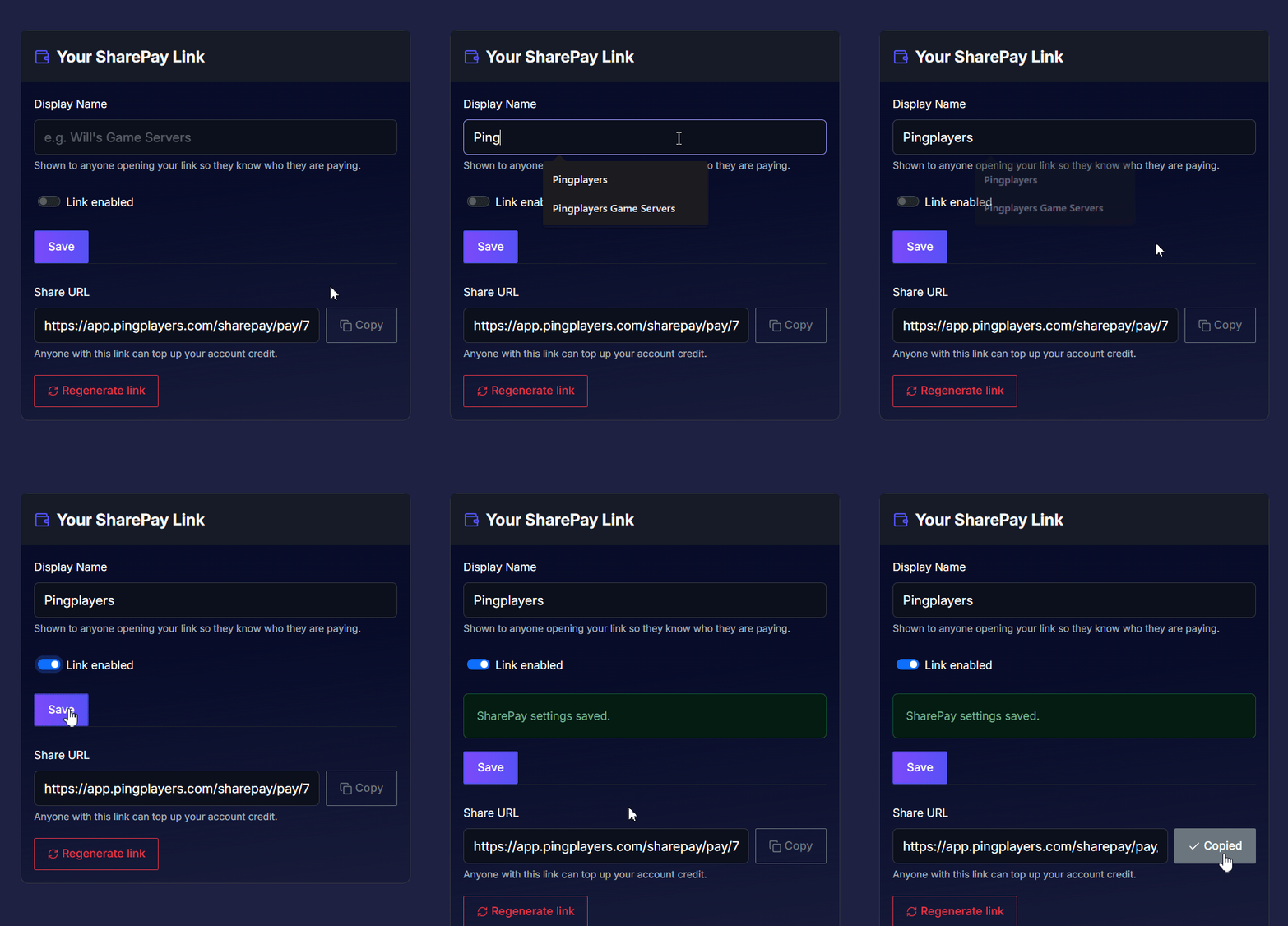
Under the "Your SharePay Link" section, enter a friendly Display Name (like "Pingplayers" or your community's official name). This name is shown to anyone opening your link, so they know exactly who they are paying.
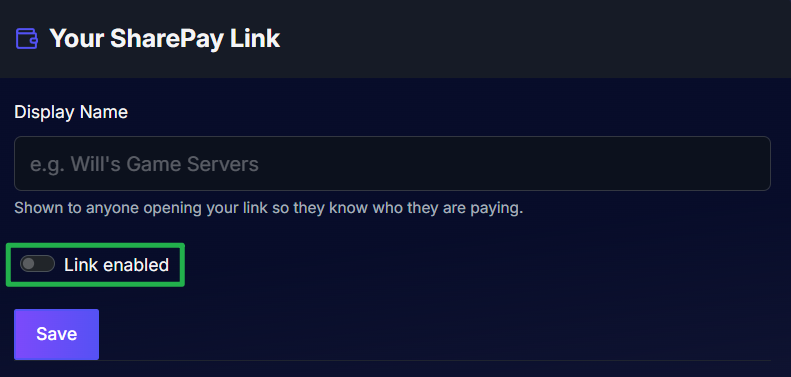
Click the Link Enabled toggle switch so that it turns blue.
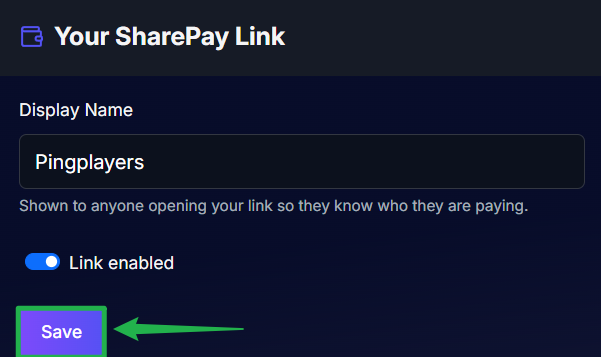
Click the purple Save button. Your unique Share URL will immediately generate at the bottom of the box.
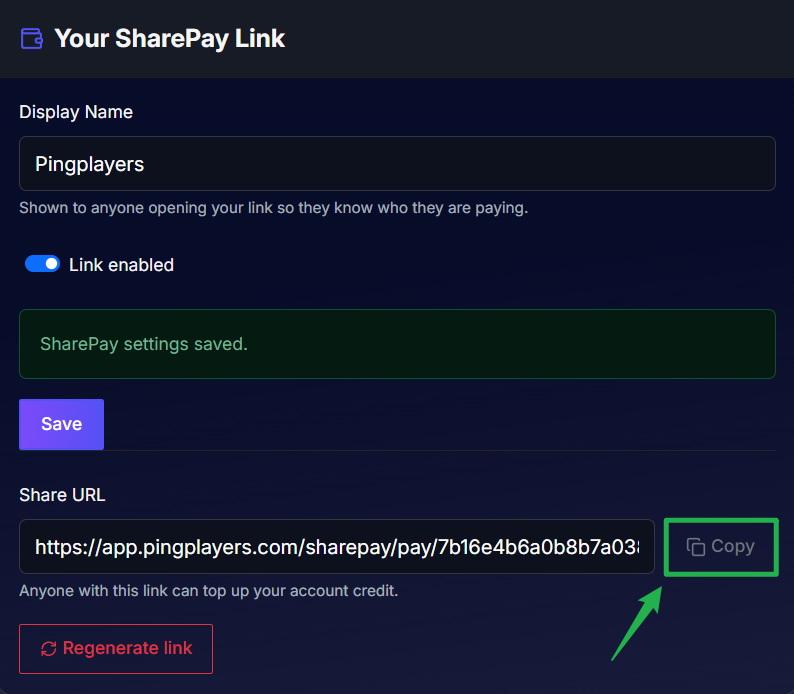
Click the Copy button next to your new Share URL. You can now paste this link in your Discord, on your community website, or directly in messages to your friends!
Here's a sample of how to do the whole thing.
Important Reminders for SharePay
Before you start sharing your link and setting up new servers, please keep these two critical details in mind:
Registration is Required: To keep transactions safe and secure, everyone utilizing the system needs to have an account. When your friends or community members click your SharePay link, they will be directed to log into an existing PingPlayers account or register a new one before they can successfully complete the top-up process.
First Order Card Requirement: Even if your community has topped up enough SharePay credit to cover the entire cost of a brand new server, a credit or debit card must still be added to your payment methods if this is your very first order. This is a strict requirement to verify the account and authorize the ongoing subscription, regardless of your available credit balance.
Tracking Your Community Contributions
Once your friends start utilizing your SharePay link, you can easily track all incoming support.
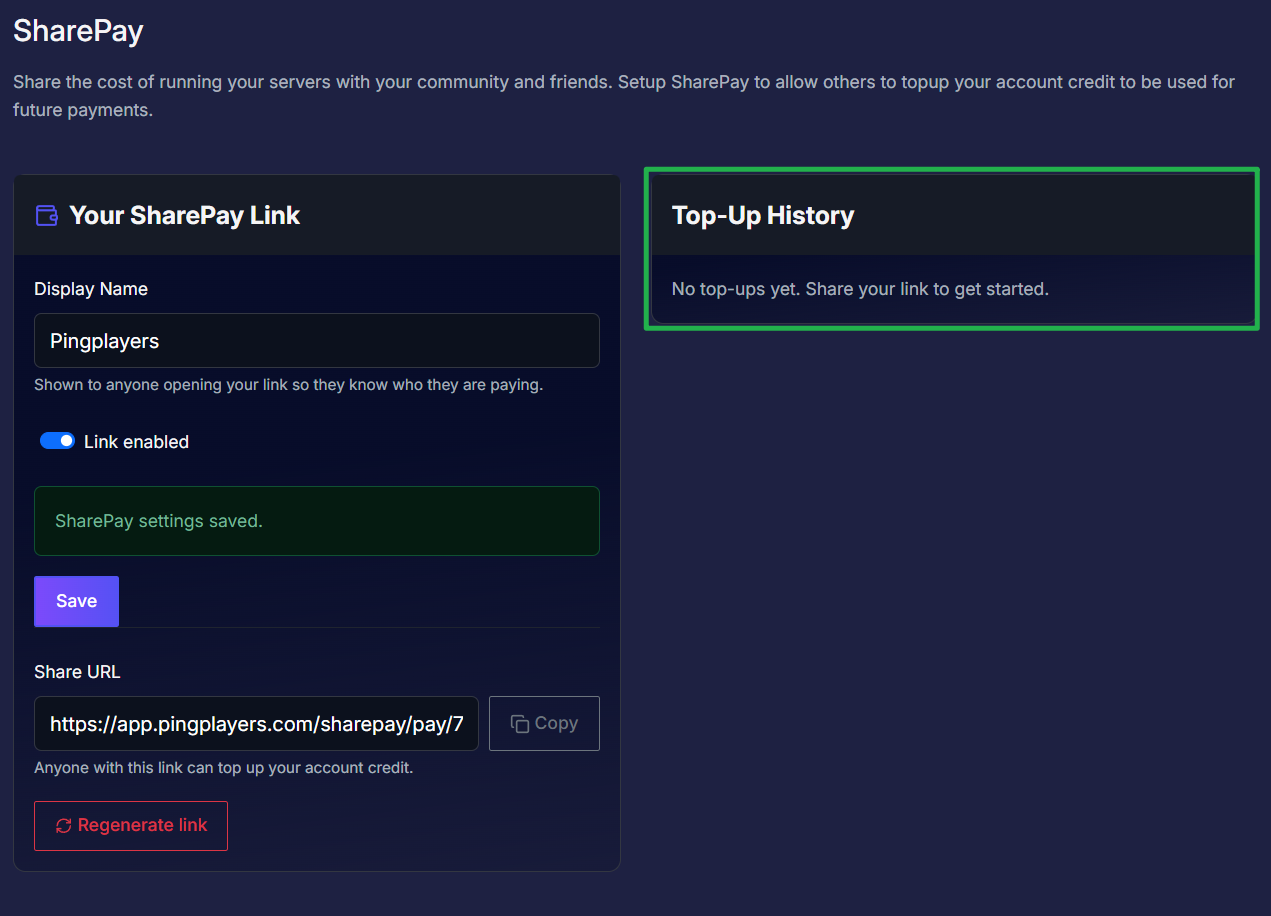
On the right side of the SharePay page, you will see a Top-Up History box. Every time someone uses your link to add credit to your account, the transaction will be logged here, allowing you to see exactly how much credit your community has contributed toward your next billing cycle!
Conclusion
The release of SharePay is a massive quality-of-life upgrade for community leaders and friend groups alike. By generating a single, secure link, you can finally allow your players to directly support the servers they love without the hassle of third-party money transfers or complex accounting. Activate your SharePay link today and keep your community thriving!
If you encounter any issues setting up your link or have further questions about how account credit is applied, feel free to contact our support team for assistance!