

Step 1: Set Your Admin Password in the Panel
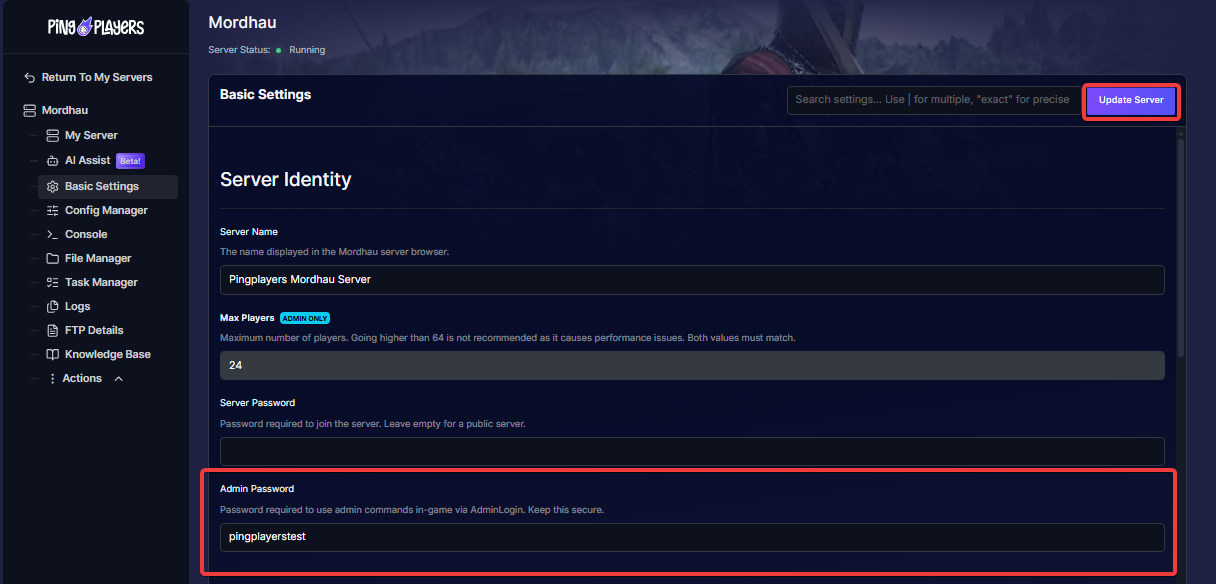
- Navigate to Basic Settings on your server panel sidebar.
- Under the Server Identity section, enter your chosen password into the Admin Password field (e.g., pingplayerstest).
- Click the purple Update Server button in the top-right corner to save your changes.
Step 2: Restart Your Server
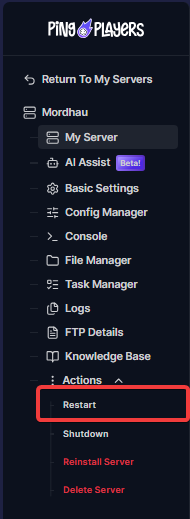
- In the left sidebar under the Actions dropdown, click Restart.
- Wait for the server to finish rebooting so your new password configuration is fully applied.
Step 3: Verify Your Console Keybinding
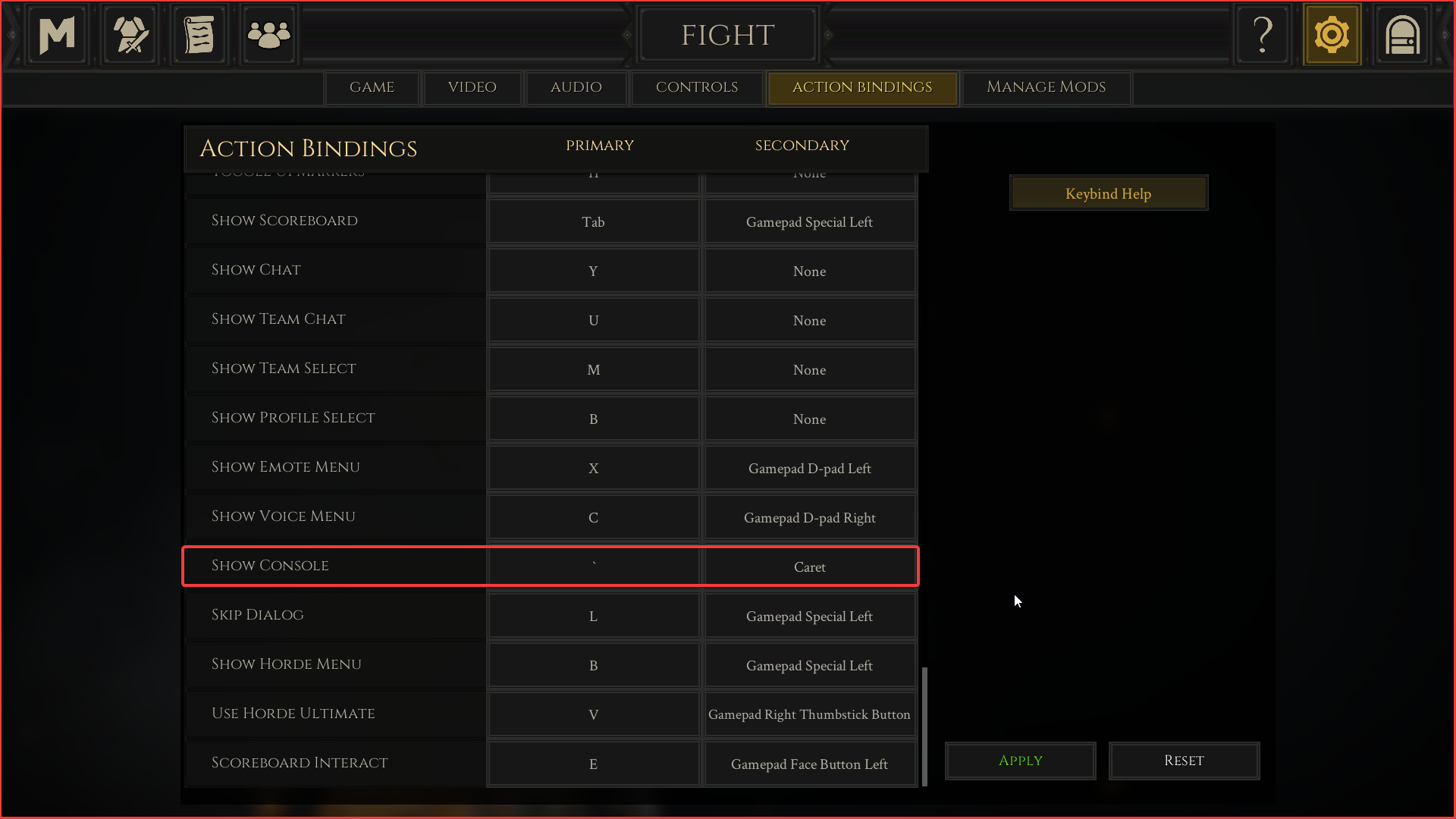
- Launch Mordhau and open your Settings menu.
- Navigate to Action Bindings and locate the SHOW CONSOLE row.
Confirm your bound key (by default set to backtick ` or Caret) so you know how to open the console in-game.
Step 4: Connect and Authenticate as Admin
- Connect to your Mordhau server.
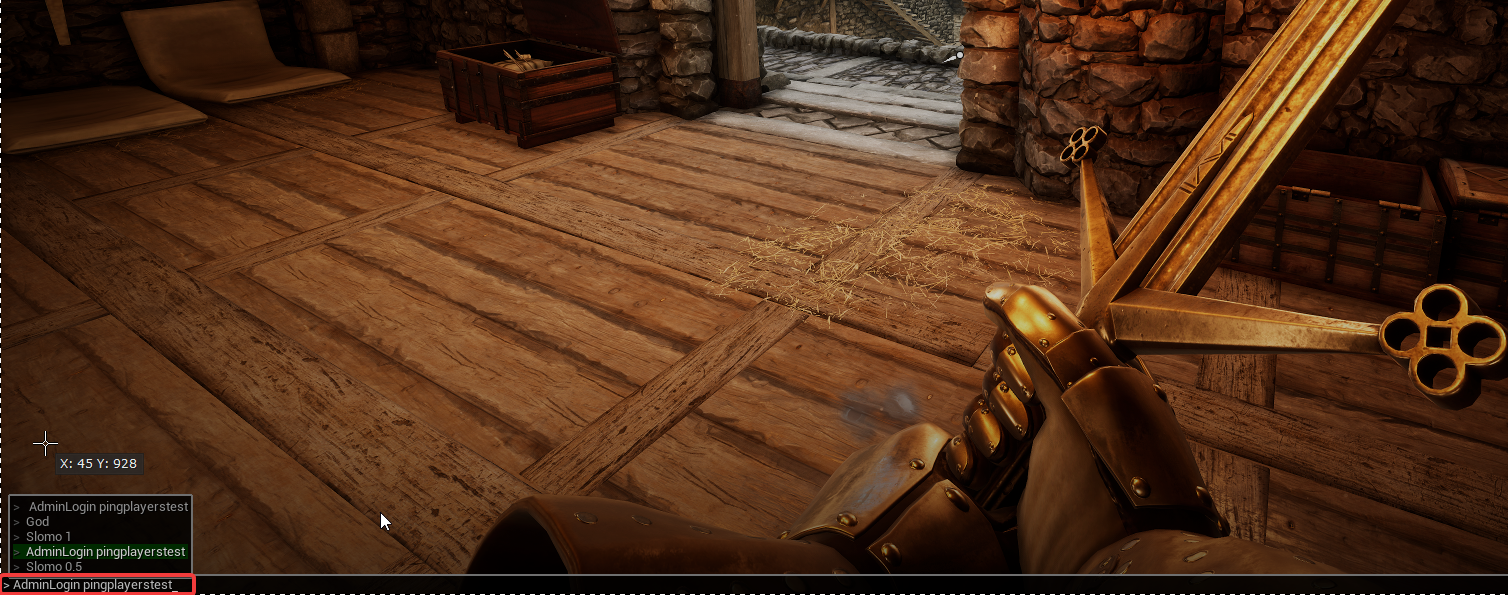
- Once spawned in, press your console key (`) to open the input bar at the bottom of the screen.
- Type the login command and press Enter:
Plaintext
AdminLogin (Example: AdminLogin pingplayerstest)
Step 5: Test Admin Privileges Using Slomo
To verify that you have admin permissions active without checking console logs, use the match speed command:
- Open the console and type:
Slomo 0.5If world physics and character movements slow down to half-speed, your admin login was successful.
- Type the following command to return the server to standard match speed:
Slomo 1The game will immediately return to normal speed.
Troubleshooting:
Console won't open: Rebind Show Console in settings to an unambiguous key like
F10or\(non-US keyboards often fail to register the backtick`).Login fails or does nothing: Ensure your admin password uses only letters and numbers (no special characters), and confirm the server was fully restarted after saving.
Admin rights disappear after map changes:
AdminLoginonly lasts for the current session. For permanent access, addAdminSteamIDs=under[/Script/Mordhau.MordhauGameSession]in yourGame.inifile.Slomodoesn't respond: Check for the space in the command (e.g.,Slomo 0.5). If game speed doesn't change, test your access by typingPlayerListinto the console instead.