
How to Connect to Your Mordhau Server
Step-by-step guide to connect to your Mordhau server via the server browser: grab hostname, search, favorite, join and troubleshoot fast.
This guide will walk you through connecting to your Mordhau server using the in-game server browser. We'll keep things simple so you can jump into the action fast.
How to Join your Server
Gather your information:
Open your server's configuration panel at My Server > Manage Server to locate your server details. In here you can get the server's IP:Port and its Hostname.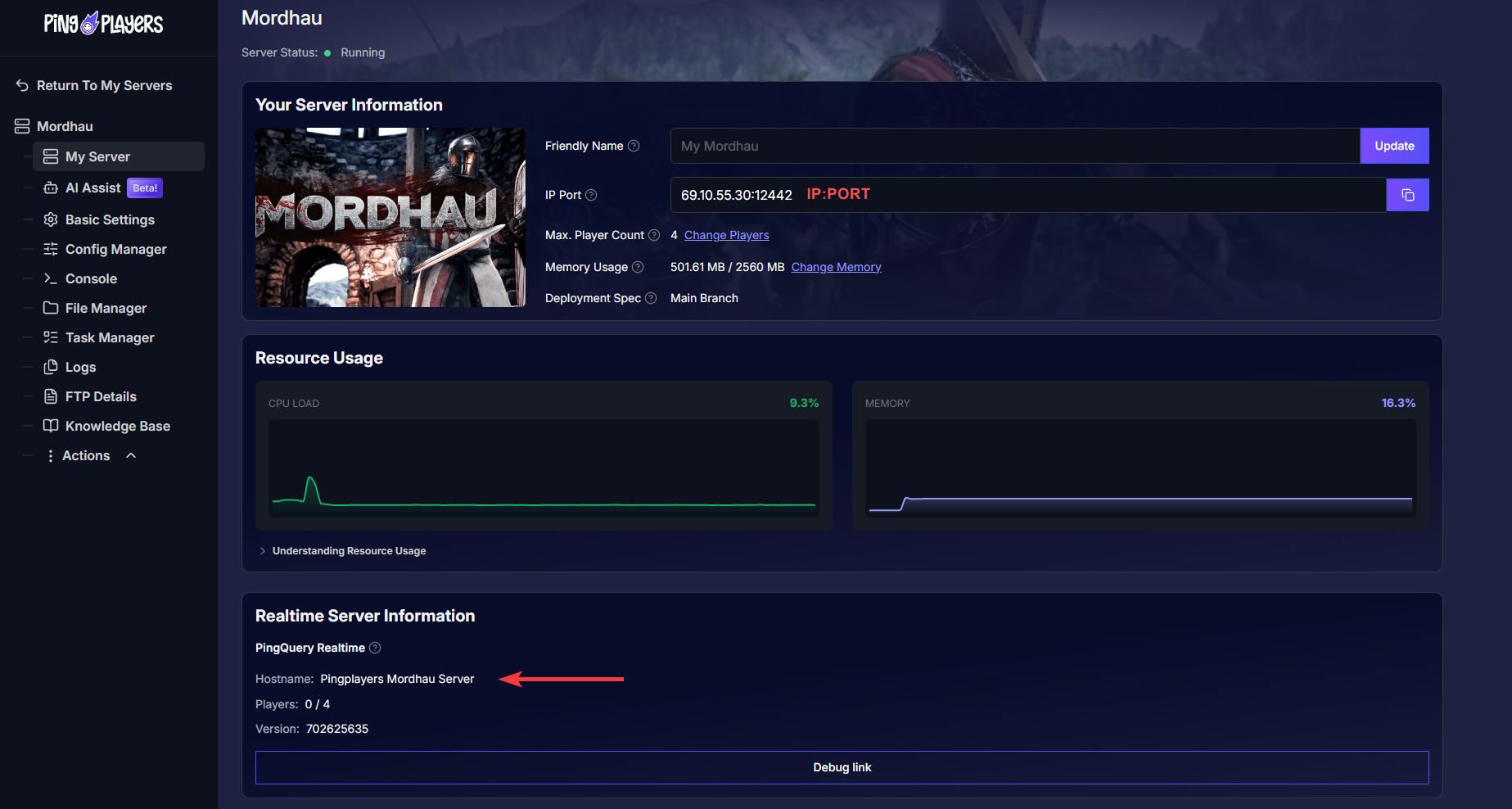
Open the game:
From your Steam library launch the game.Locate the Server Browser:
Once in-game, click on Fight at the top of the screen and select Server Browser.
Search for your server:
Use the Server Name option at the bottom right corner to search the server by name. Onnce located, add it as Favorite to locate it easier in the future.
In the server browser you may use many filters to locate your server. We recommend to untick all options and leaving the Max Ping on 0.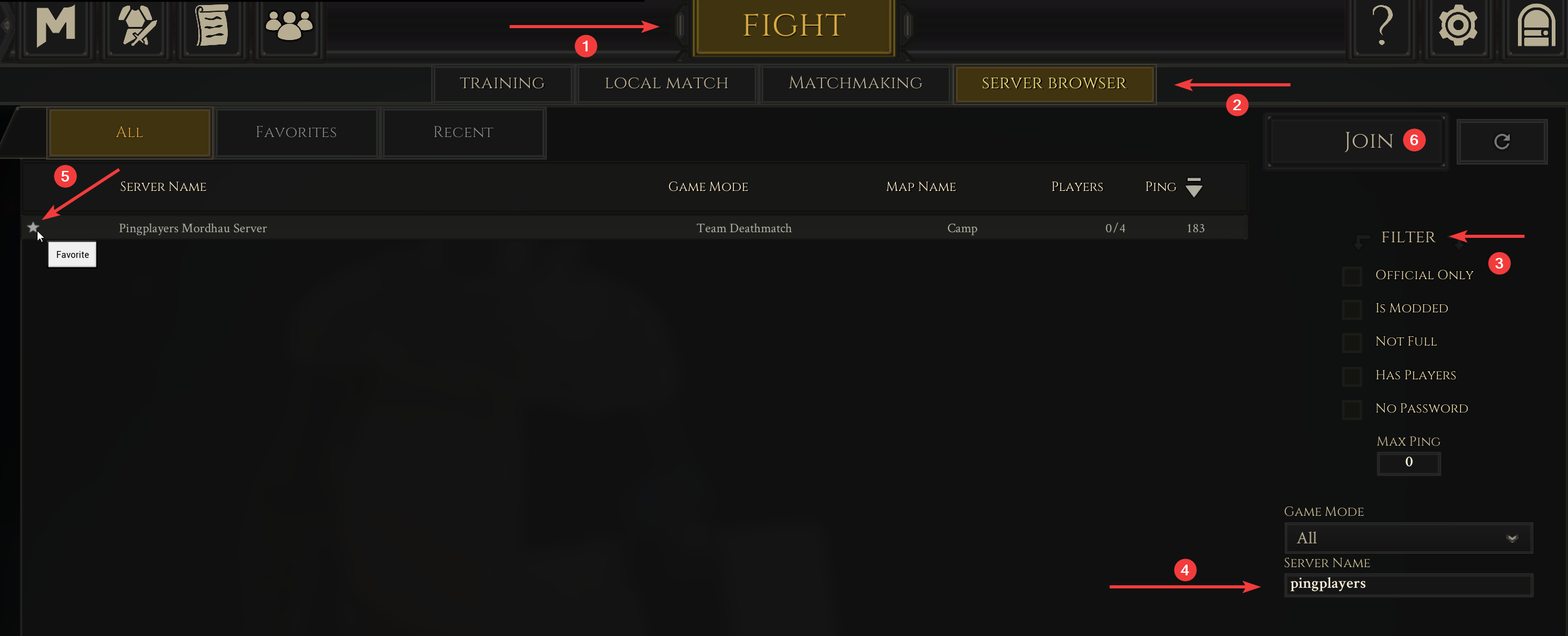
If you've set a password for the server, you'll prompted with a new window to enter your custom password.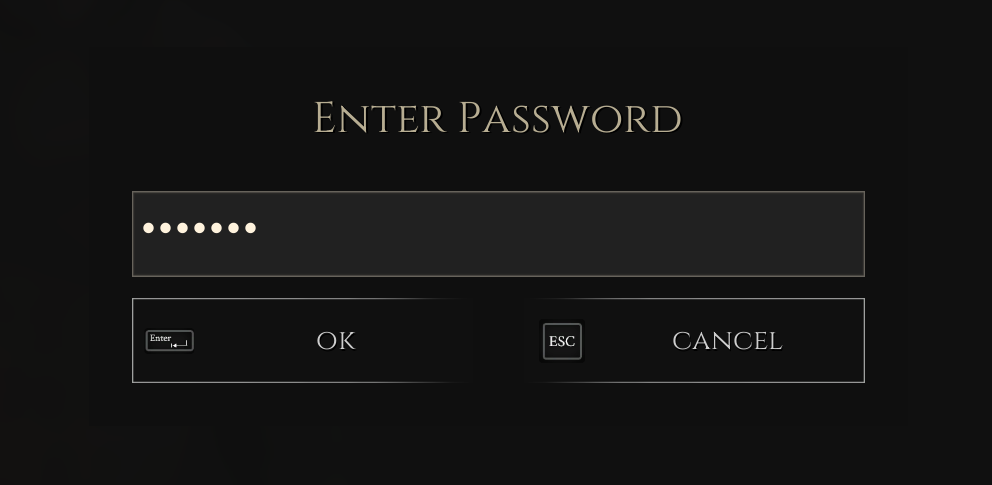
- Join the server:
Either double-click on the server from the list or click on Join to connect.
That's it, you may share your friends the server details for them to join!
Troubleshooting
If you run into problems, check the list below. These are the most common issues and how to resolve them.
- Wrong server name or typo:
Double-check the name in the PingPlayers panel and search for that exact text in the server browser.
- Server name changed but still shows old name:
If you changed the server name in the control panel, you must restart the server from the panel. Click on Actions > Restart from the side panel.
- Password-protected server:
If the server requires a password, enter it when prompted. You can view or change the password in the control panel and then restart the server if needed.
Can’t find the server in the browser:
Refresh the server list, clear any restrictive filters (modded, game mode, ping), or search with part of the server name. If still missing, confirm the server status in the PingPlayers panel that it's Running.
If you have any questions or need assistance, feel free to reach out to our customer care agents through our live chat or email at support@pingplayers.com.