
How to Join Your On Nuclear Option Server
Join a Nuclear Option dedicated server via the in-game server browser. Use your server name and Ping AI to find, troubleshoot, and connect quickly.
Taking to the skies and deploying tactical weaponry with your own squadron in Nuclear Option is an absolute blast. When you host a dedicated server, you get full control over the theater of war.
It is important to note that, at the time of writing, Nuclear Option handles multiplayer connections a bit differently than other simulators. The game currently does not support direct IP joining or a favorites system. To get your pilots into the cockpit, everyone must use the built-in multiplayer server browser. This guide will walk you through the simple steps to locate your server and take off!
Step-by-Step Guide to Connecting
Connecting to your custom airspace is entirely handled inside the game client. Here is exactly how to find your server and deploy:
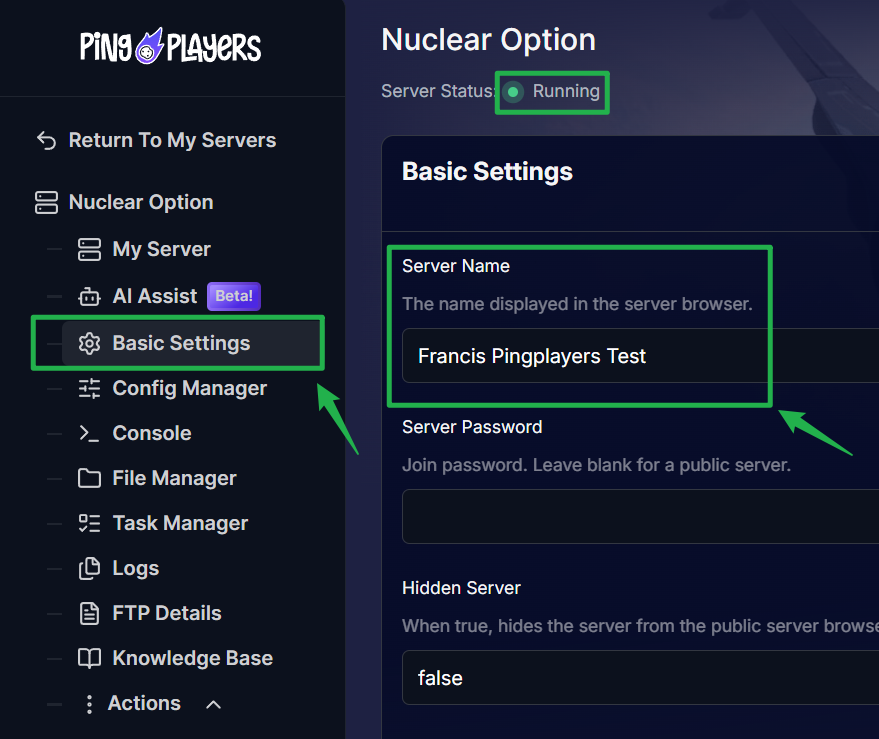
Log into your server dashboard to confirm your exact Server Name by going to the Basic Settings and ensure the instance is marked as Running.
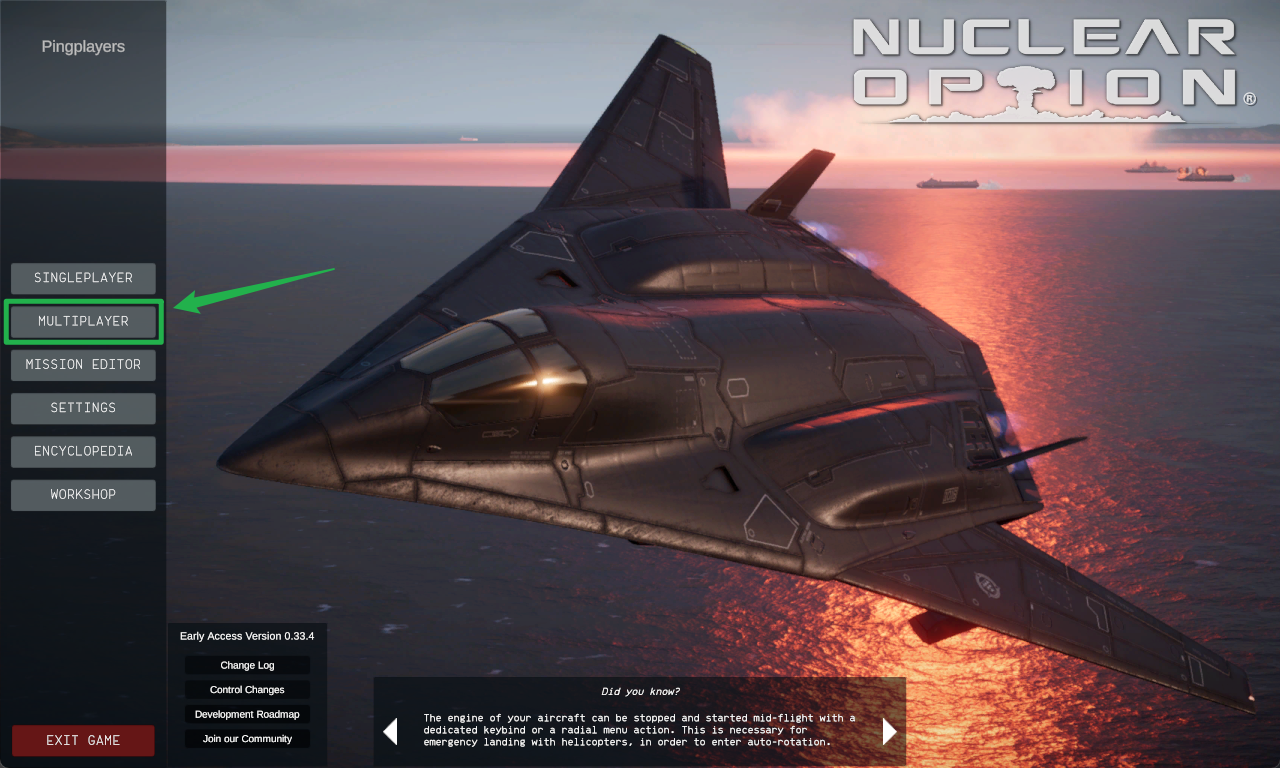
Launch Nuclear Option and click on the Multiplayer option to open the server browser.
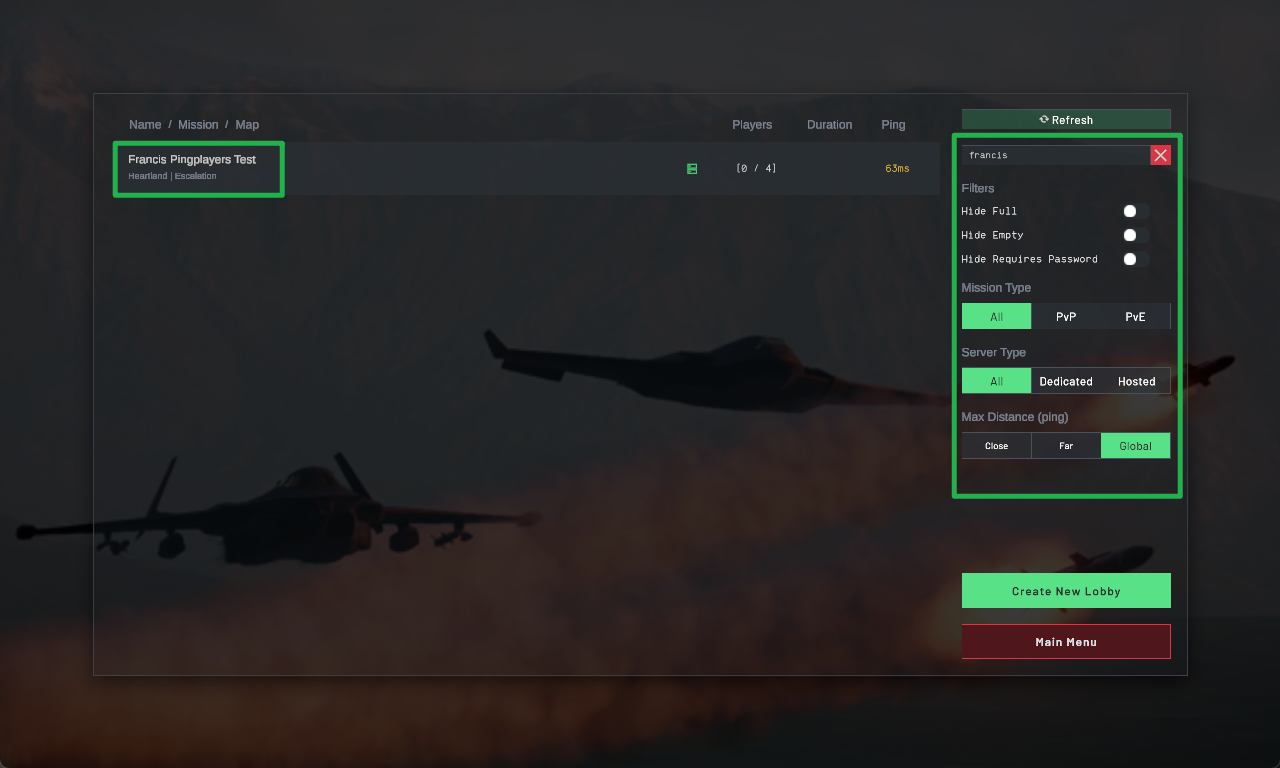
Use the search bar or scroll through the list to find your exact server by name. Since direct IP connections are not supported, this is the only way your players can locate your lobby.
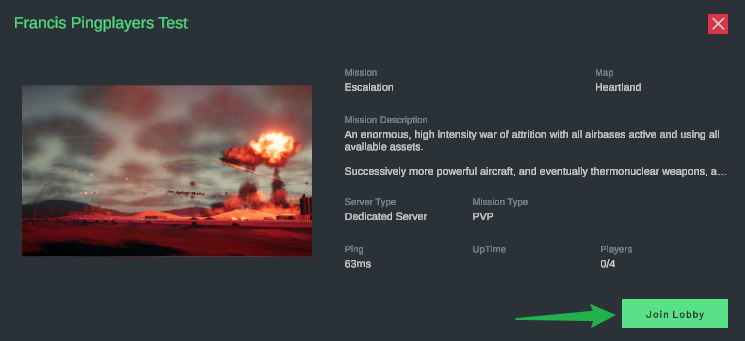
- Select your server from the list. If you have a password set to keep random pilots out, a prompt will appear asking you to enter it.
Click Join, and your game will immediately load you into the briefing room!
Troubleshooting and Tips
If your wingmen are having trouble finding the lobby or getting their connection rejected, keep these quick pointers in mind:
- No Direct Connect: Remember that trying to force an IP connection via external tools or Steam parameters will not work for Nuclear Option. Your players must use the in-game server browser.
- Server Visibility: If your server is completely missing from the browser list, head back to your Server Panel and ensure it has fully booted up. Large maps or complex scenarios can sometimes take an extra moment to initialize before the master list indexes the server.
- Instant Ping AI Fixes: If your server is running but players are getting disconnected while trying to join, do not panic! Open your panel chat and ask Ping AI to read your latest console logs. The assistant will scan your files, find the exact error causing the connection timeout, and tell you exactly how to fix it.
Conclusion
Getting your squadron into your Nuclear Option server is a straightforward process once you know to utilize the in-game browser. By keeping track of your server name and utilizing Ping AI to monitor your startup status, you can skip the confusing setup and focus entirely on achieving air superiority!
If you encounter any issues or have further questions, feel free to contact our support team for assistance!