
How to Connect to your Ships At Sea Server
Connect to your Ships At Sea server via the in-game multiplayer browser—no IP joins. Share exact name and password, then select and join.
Ready to hit the open ocean and start your maritime career? Getting your crew together in Ships At Sea (SaS) is a breeze, but the connection process works a little differently than some other standard multiplayer games.
Currently, the developers have not implemented a direct IP connection feature. This means you and your friends will need to use the native multiplayer browser to find your dedicated server rather than pasting in an IP address. This guide will walk you through exactly how to locate your lobby and get your crew on deck!
Step-By-Step Guide
Finding your server only takes a few clicks from the main menu. Follow these exact steps to load in:
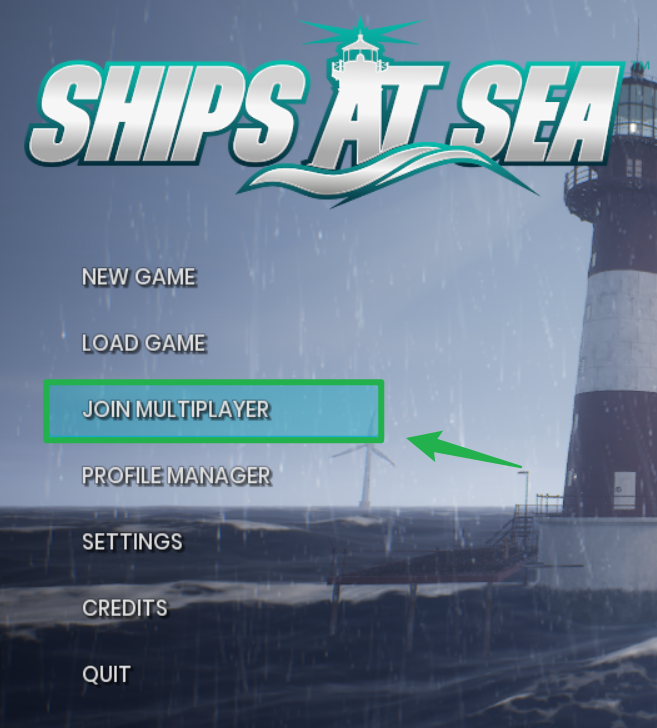
Launch Ships At Sea and from the main menu, open the multiplayer server browser by clicking Join Multiplayer.
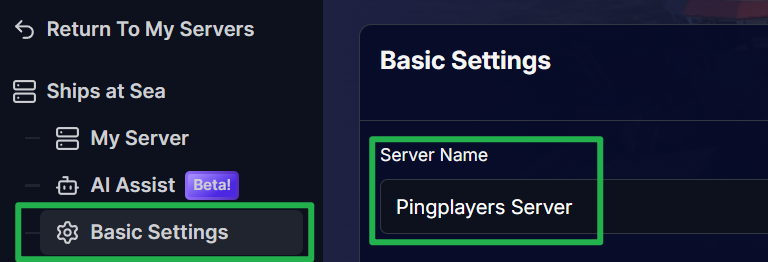
You will need to look for the exact Server Name you configured in the Basic Settings tab of your server panel!
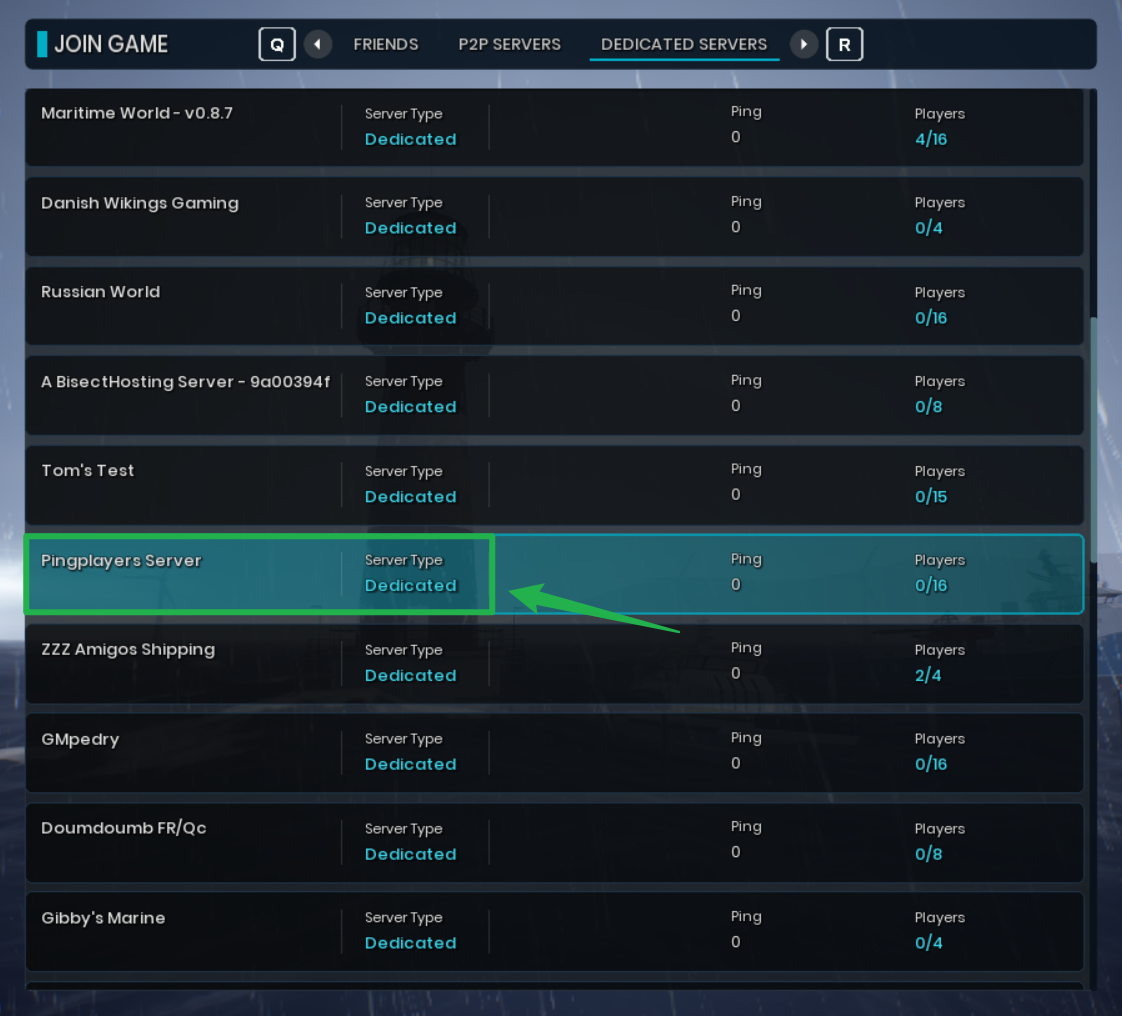
Go back in-game and click on Dedicated Servers.

Once you spot your server in the active list, click on it to join to load into the world and set sail!
Troubleshooting and Tips
If you are staring at a blank server list or your friends cannot seem to find your lobby, keep these troubleshooting tips in mind:
- No Direct IP Connect: As mentioned earlier, Ships At Sea does not currently support joining via an IP address and port. You absolutely must use the in-game server browser to find your session.
- Server Not Showing Up: If your server is completely missing from the list, double check your server dashboard to ensure it is actually running. If it crashed or was taken offline, navigate to Actions > Restart to boot it back up and refresh its listing on the master server.
Check Your Server Name: Make sure your friends know exactly what to type in the search bar. If you forgot what you named your world, just check the Basic Settings page to verify the exact spelling.
Conclusion
Getting your crew connected and ready for a voyage is incredibly simple once you know how the native server browser works. Just make sure your server is online, share the exact name and password with your friends, and you will be hauling in massive catches in no time. Check your compass, start your engines, and get ready for the high seas!
If you encounter any issues or have further questions, feel free to contact our support team for assistance!