
Welcome to the flooded apocalypse, survivor! Scavenging sunken cities, building a floating fortress, and fending off relentless raiders is always better when you have a crew watching your back.
Getting into your dedicated Sunkenland server is quick and easy using the game's built-in server browser. Because direct connection methods like Server ID are not currently supported, you will just need to match your server's region and search for its name. This guide will walk you through the exact steps to dive into your world.
Step - By - Step Guide
Before launching the game, log into your main server dashboard and check your Basic Settings to confirm your exact Server Name, Region, and Server Password (if you set one).
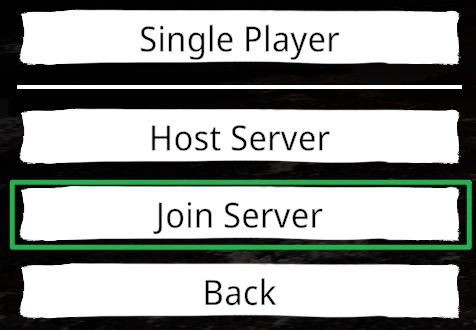
Launch Sunkenland, and after you have created or chosen a character, click Join Server.
Select the Dedicated Servers tab. Make sure you are not looking under the Player as Host category.
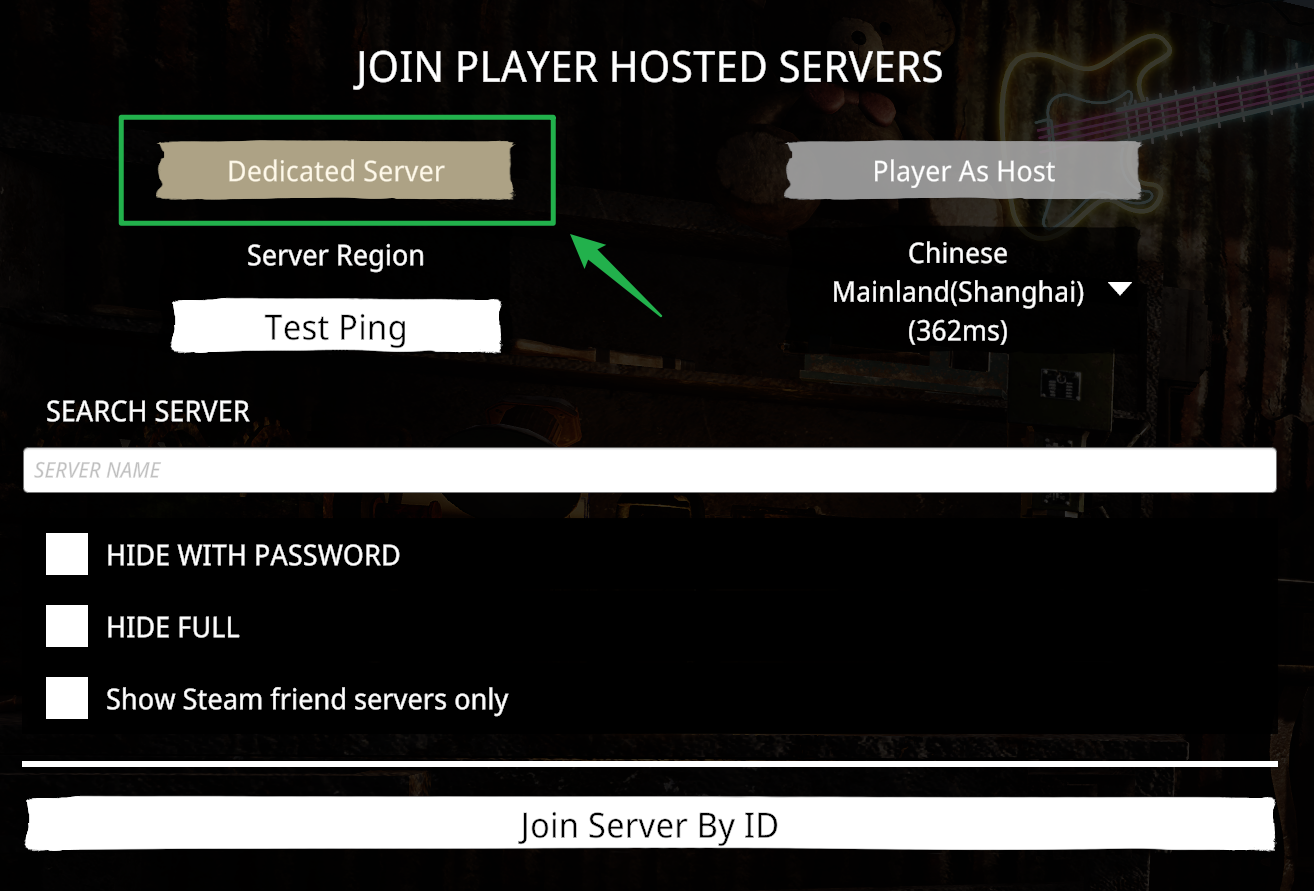
Select the exact same Region that is configured in your server panel's Basic Settings.

Type your Server Name into the search field, or scroll through the list to locate it manually.
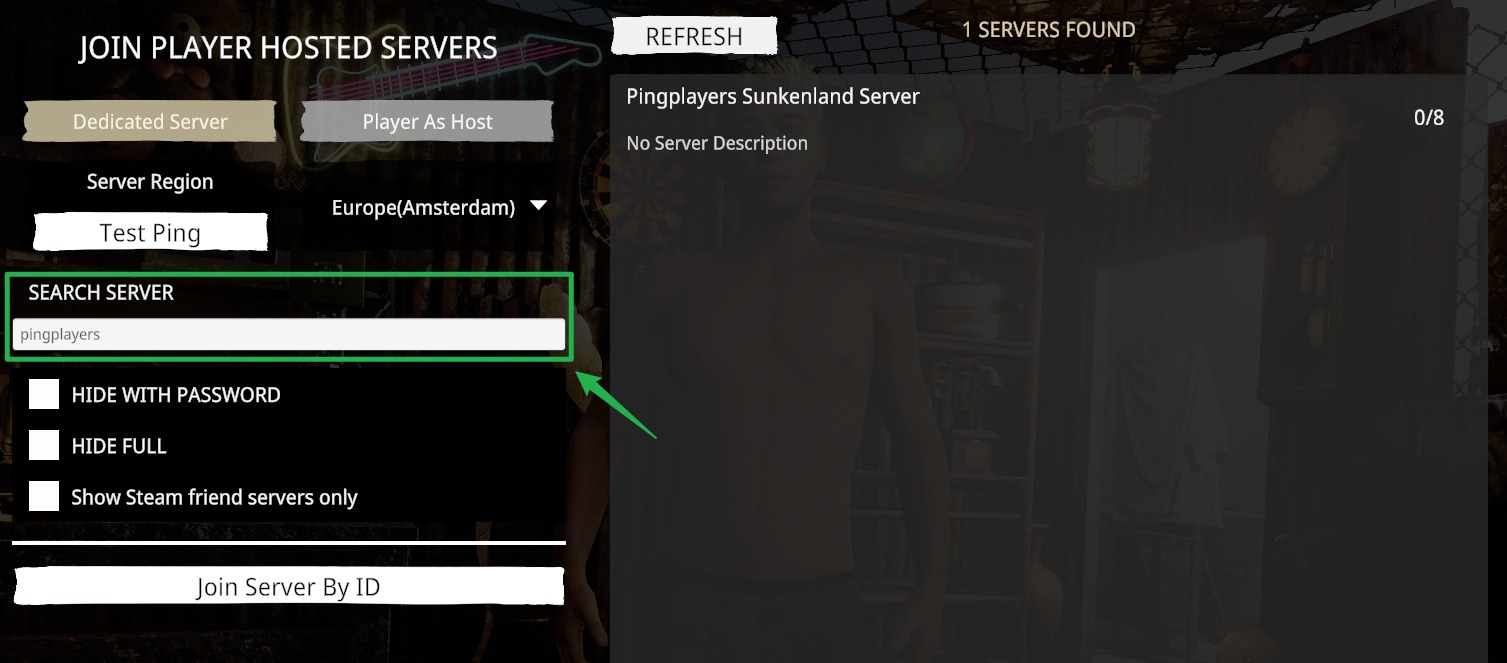
Click on your server to select it and choose to Join.
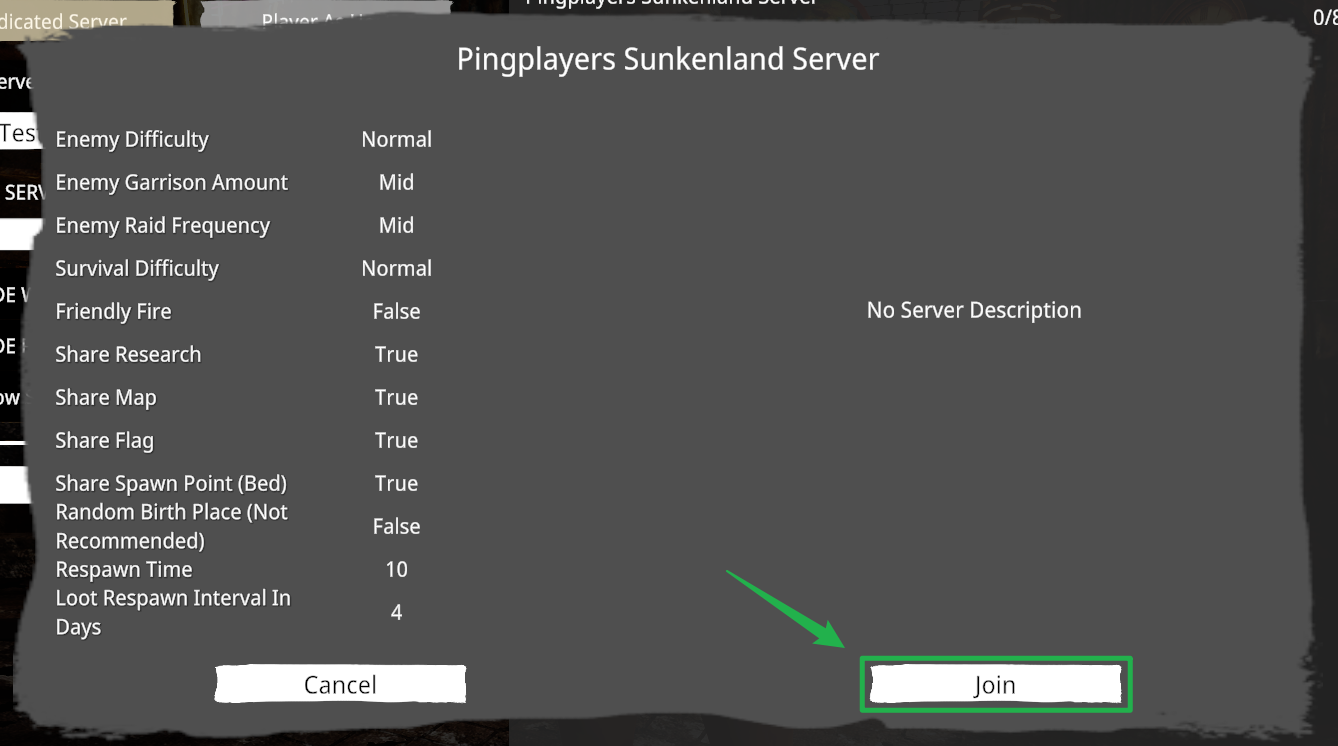
If your server is password-protected, enter the Server Password when prompted to finish loading into the ocean!
Troubleshooting and Tips
If you or your squad are having trouble spotting your server in the browser, run through these quick checks:
Region Mismatch: Your in-game region filter must match the Region configured in your Basic Settings. If you cannot find your server, double-check your server panel to make sure you are searching in the right region.
Keep Your Server Visible: The "Join Server by ID" option is not currently supported for dedicated servers, even if you see a ServerID in your logs. Because of this, leave Hide From Server List disabled in your Basic Settings so players can actually find you. If you want to keep random raiders out, use a Server Password instead.
Server Startup and Updates: If your server is still missing or kicking you out due to a version mismatch, check your panel's Console and Logs to ensure it has finished booting. If it needs a fresh start or a pending update, click Actions > Shutdown to bring it offline safely, then click Action > Restart to boot it back up.
Wrong Password: Double-check that you are typing the exact Server Password saved in your Basic Settings, and make sure your Steam client is updated to the latest stable version of Sunkenland.
Conclusion
You are officially ready to hit the waves! With your crew connected to your server, you can start diving for rare blueprints, fortifying your base, and claiming the sunken islands as your own. Grab your harpoon and get out there.
If you encounter any issues or have further questions, feel free to contact our support team for assistance!