
How to Access and Manage Your Assetto Corsa EVO Racing Panel
Learn to access and manage the Assetto Corsa EVO Racing Panel: start your server, login, set events, handle live timing and staff.
Hosting a server in Assetto Corsa Evo is the ultimate way to bring your sim racing league together. Whether you are setting up a casual track day or a highly competitive GT3 endurance race, you need a reliable way to act as the race director.
Instead of forcing you to edit confusing text files via FTP, AC EVO utilizes a powerful, web-based interface called the Racing Panel. This dashboard automatically handles your server configuration, host networking, Live Timing, and Race Control. Grab your racing gloves, because this guide will show you exactly how to access and navigate your command center!
Step - By - Step Guide
Before you can configure your grid, you need to boot up the background service and log into the interface.
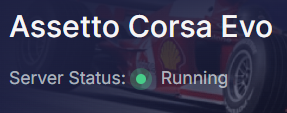
Start your Assetto Corsa EVO from your main server panel dashboard. The Racing Panel is exclusively available while this server is actively running.
Take note of the IP address and port assigned to your server on the dashboard, and paste it into a new web browser address bar. Just remember to use
http://before the IP and port.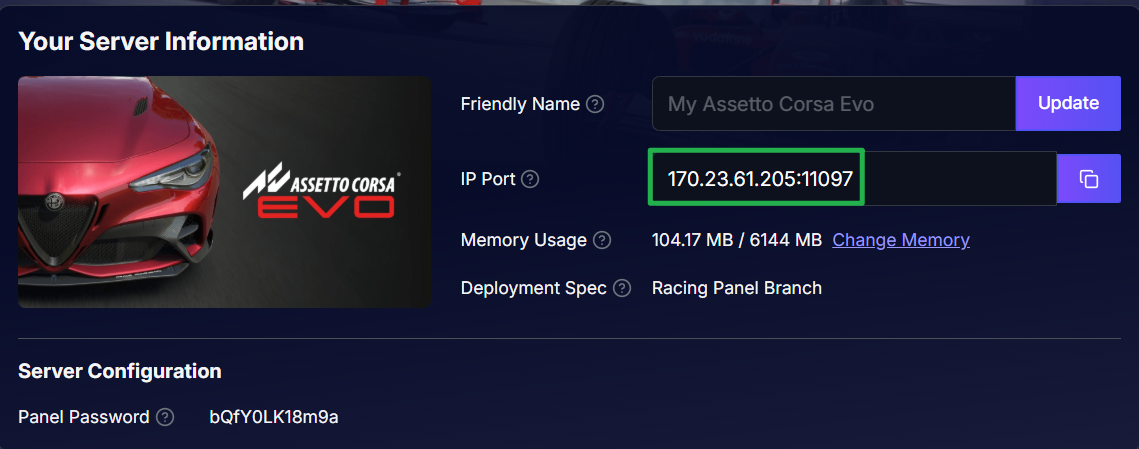

Bypass the browser security warning. Because the Racing Panel currently uses HTTP rather than HTTPS, your browser may display a message saying "This site doesn't support a secure connection." Simply click Continue to proceed to your panel if you encounter the message.
On the login screen, type
ownerinto the Username field. For your password, enter the exact Panel Password configured in your Basic Settings on the main server dashboard.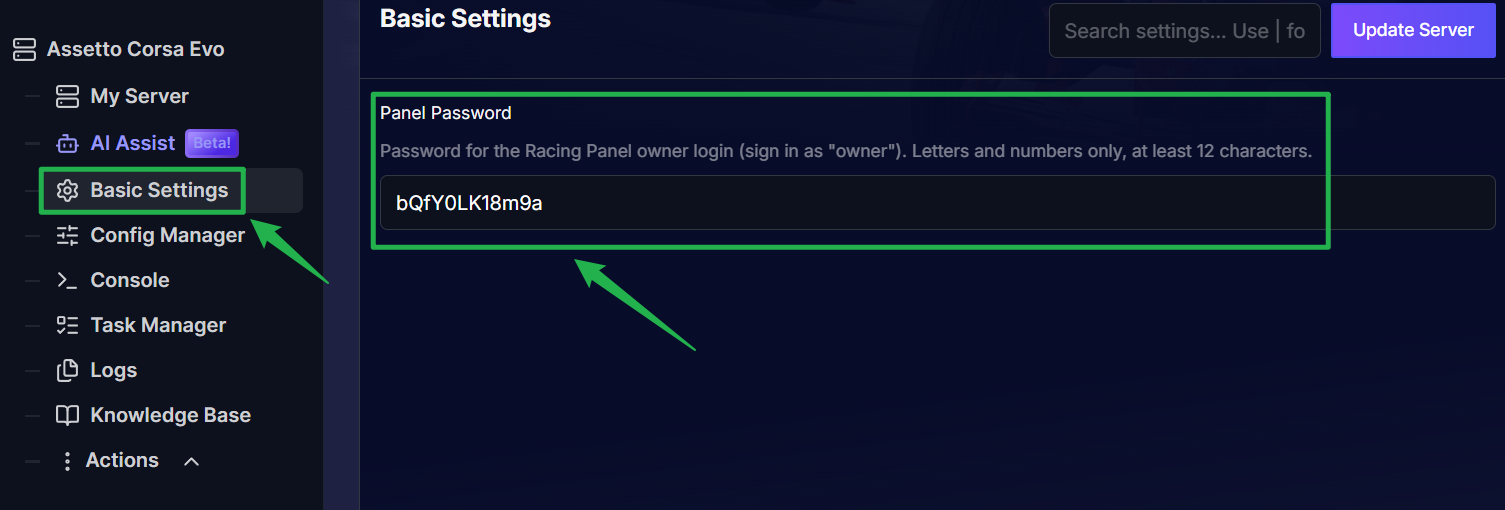
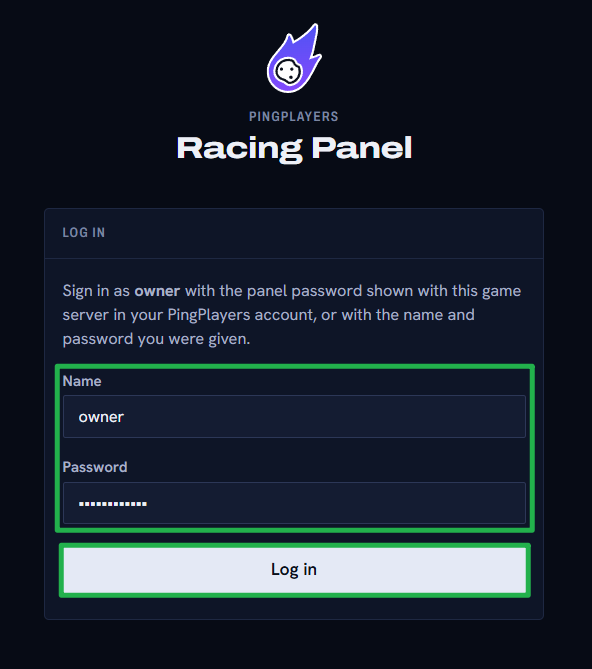
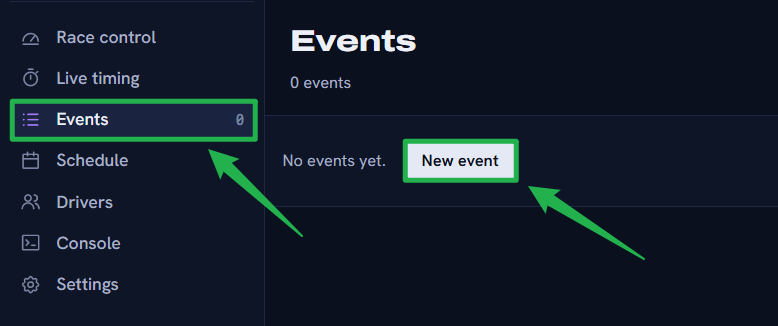
Once you are logged in, navigate to the Events tab and click New event to start building your custom race weekend! From here, you can select your track, set weather conditions, and choose your allowed cars.
Troubleshooting and Tips
If you are having trouble getting into the panel or finding your settings, run through these quick pit-stop checks:
- Panel Fails to Load: The Racing Panel goes offline if the main server process is stopped. If you recently used Actions > Shutdown to bring the server offline, the web link will simply time out. Navigate to Actions> Restart on your main dashboard to bring the service and the panel back online.
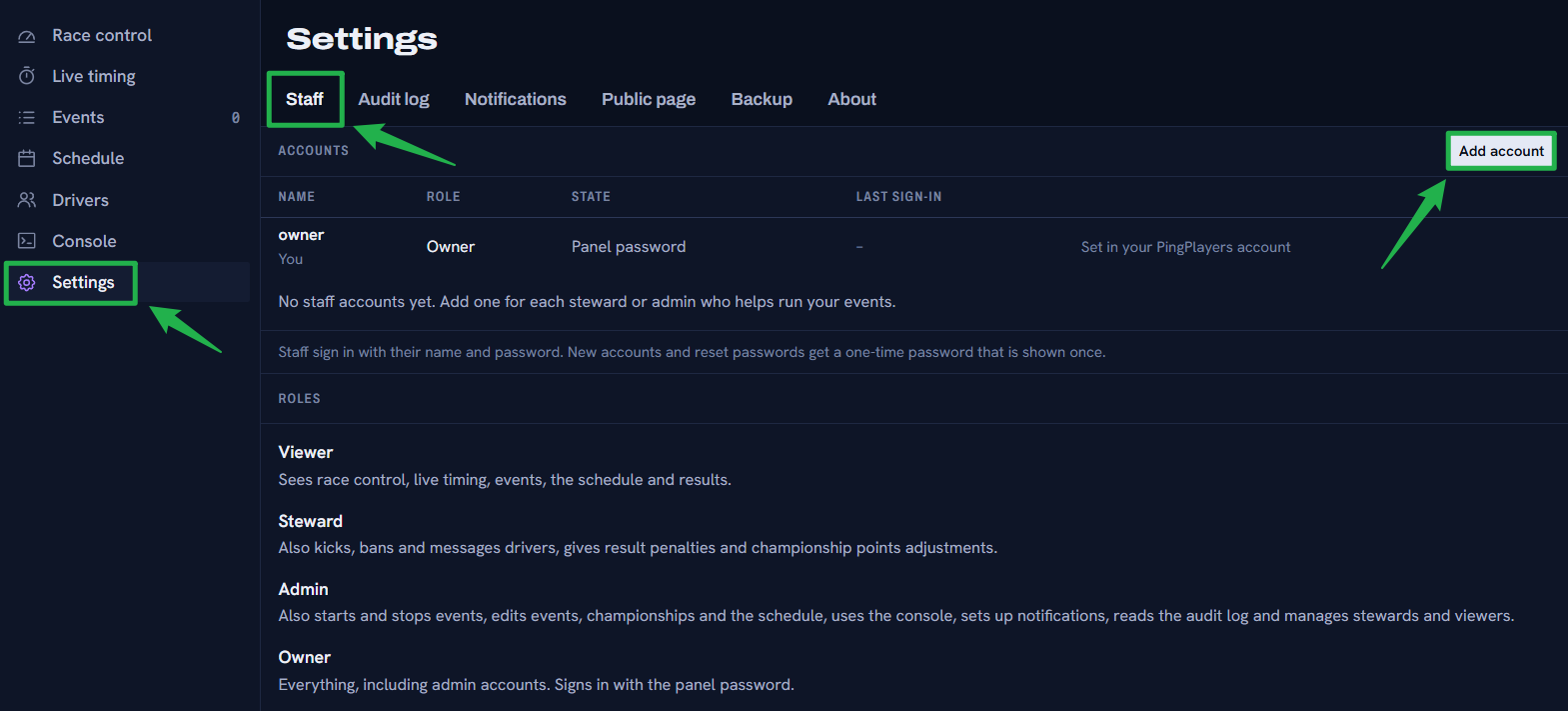
Adding League Stewards: You do not have to manage the race alone! You can add your friends as Viewers, Stewards, or Admins. Navigate to Settings > Staff > Add account, enter their name, and select their role. The panel will generate a one-time password for their first login.
- No FTP Access Needed: You never need to use a File Manager or FTP client to run your AC EVO server. All server modifications, including importing existing
.jsonor.batconfiguration files, are handled directly through the Events and Generated Config tabs. - One Event at a Time: While you can create and save dozens of different track and car configurations as saved Events, only one Event can be actively running on the server at a time.
Conclusion
Mastering the Racing Panel is your ticket to hosting flawless multiplayer sessions in Assetto Corsa EVO. With full control over live timing, weather progression, mandatory pit stops, and driver balancing, you have all the tools you need to run a professional racing league. Configure your event, invite your drivers, and we will see you on the podium!
If you encounter any issues or have further questions, feel free to contact our support team for assistance!