
How to Connect to Your Assetto Corsa EVO Server
Find and join your AC EVO server using the in-game Server List: filter by name, select allowed cars, enter passwords and troubleshoot.
Getting your racing community together for some high-speed action in Assetto Corsa EVO is an incredible experience. Whether you are hosting a casual track day, setting up a highly competitive endurance race, or balancing cars for a league event, you and your drivers need to know how to get your tires on the tarmac.
Connecting to an AC EVO dedicated server is handled entirely through the in-game menus, making it super easy to locate your lobby, pick your car, and hit the apex! Grab your racing wheel, because this guide will walk you through exactly how to find and join your starting grid.
Step - By - Step Guide
Unlike some other multiplayer titles, Assetto Corsa EVO does not use a direct IP connection workflow. Players must join through the in-game Server List. Before starting, ensure your desired Event is actively running inside the PingPlayers Racing Panel.
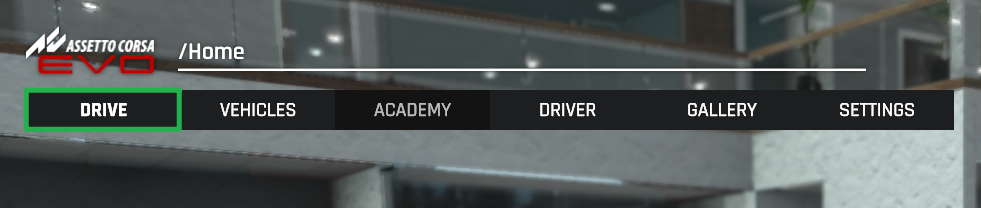
Launch Assetto Corsa EVO on your computer from the main menu, select Drive.
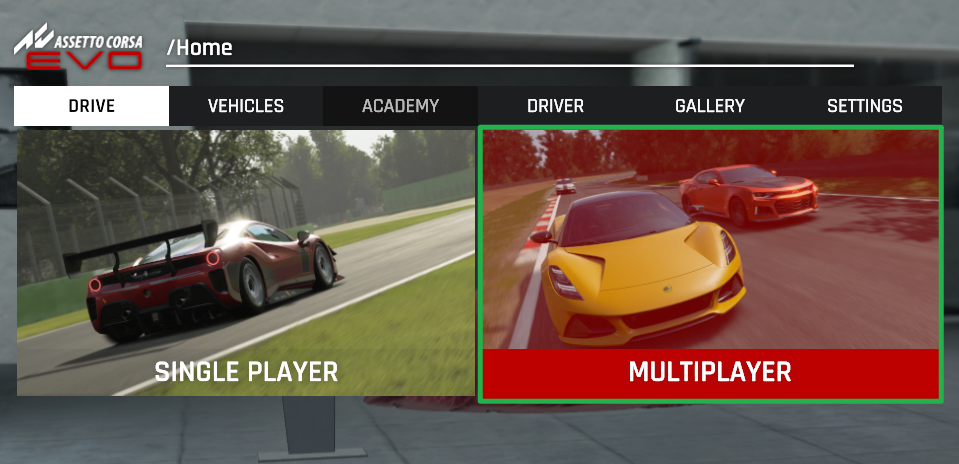
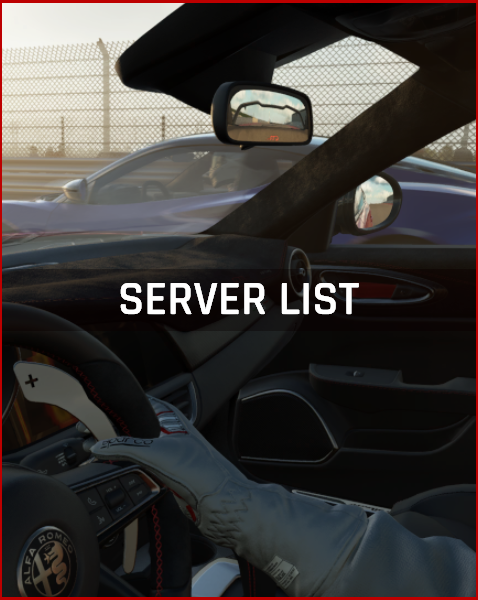
Navigate to the Multiplayer menu and open the Server List.
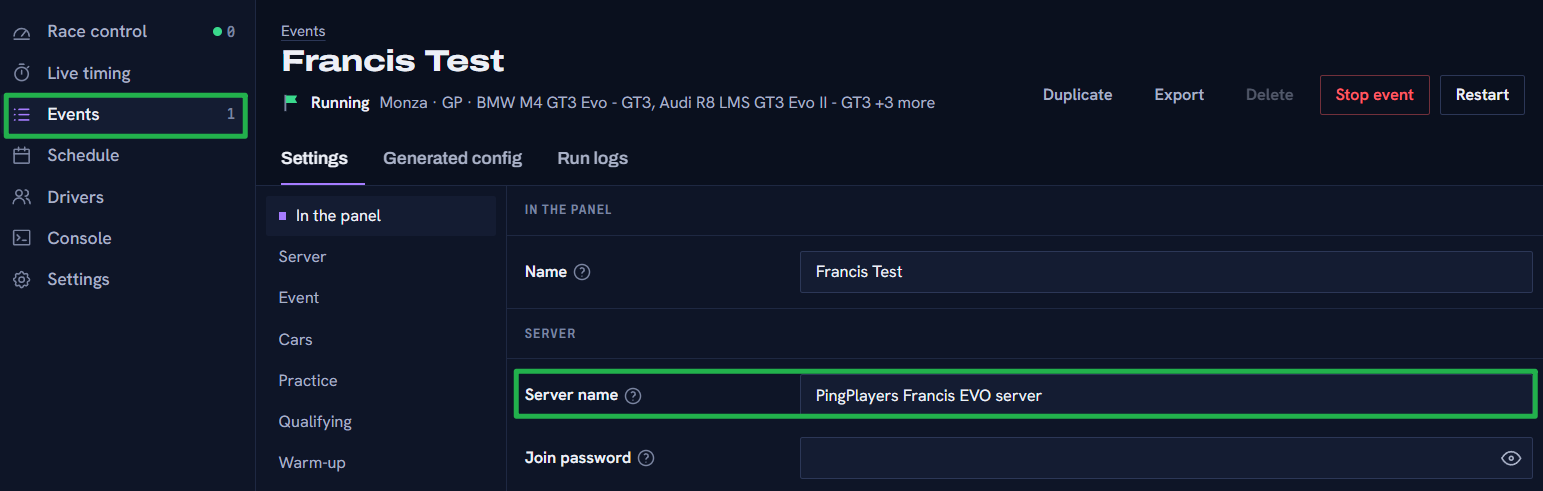
Use the name filter search bar to enter the exact name of your server (configured under Events > Server in the Racing Panel).

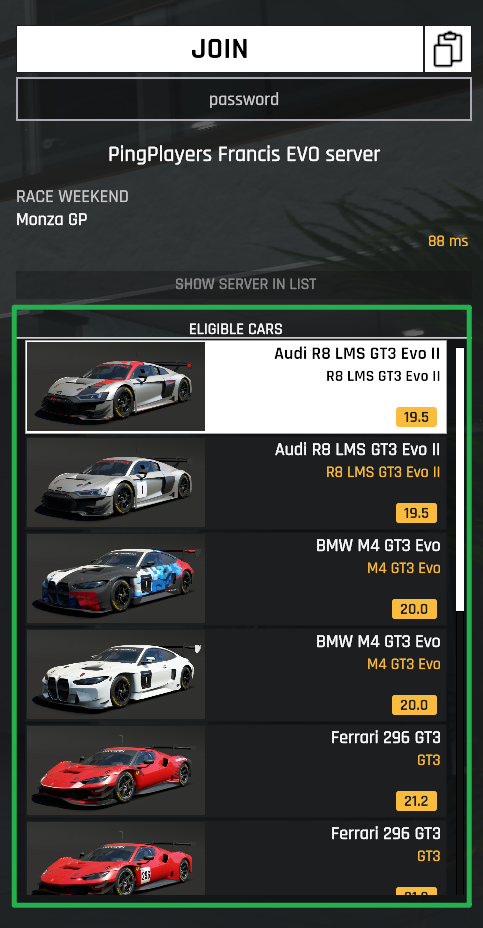
Once your server appears in the list, select it. The right side of the screen will now display the Eligible Cars permitted for this specific Event. Choose your preferred car from the allowed list.
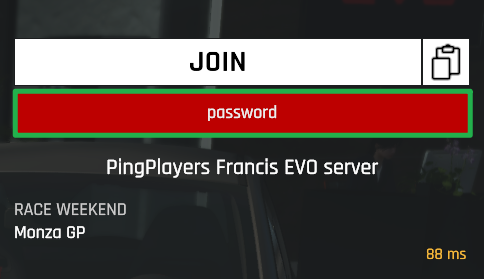
If your Event has a Join Password configured, enter it when prompted.
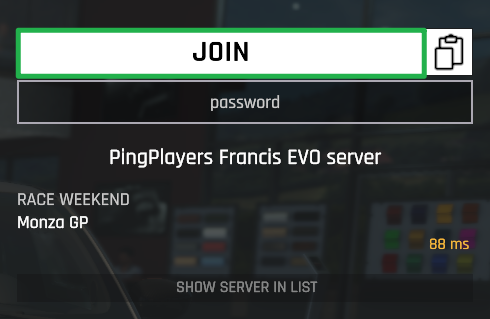
Click Join to connect to the server and head to the pits!
Troubleshooting and Tips
If you are staring at the server browser and cannot seem to find your lobby or get out of the garage, run through these quick pit-stop checks:
- Server Not Appearing: Double-check that your Event is actually started inside the Racing Panel. The main PingPlayers service can be online while the Event itself is stopped. Also, verify that you are typing the server name exactly as it was configured in the Event builder.
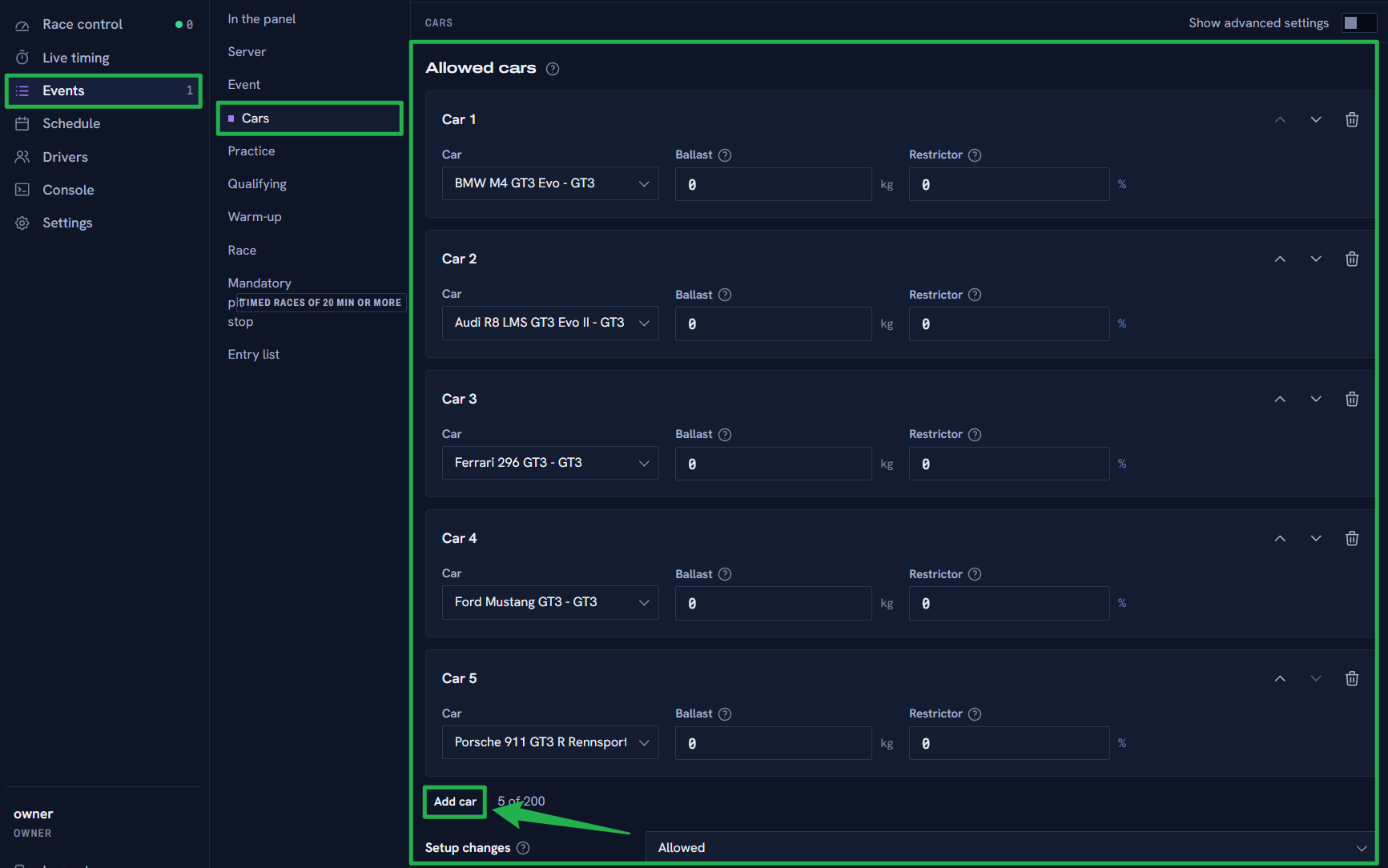
Car Not Available to Select: Only cars explicitly added to the Allowed Cars list in the Events > Cars section of the Racing Panel will appear on the joining screen. If a driver cannot pick their desired car, you must add it to the Event and restart the Event.
- Player Limit Reached: AC EVO supports up to 50 players, but each circuit has a hard limit on actual racing pit boxes. If you have 45 player slots configured but the track only supports 34 pit boxes, only 34 cars can race simultaneously. Any extra connections are reserved for spectators where supported.
- Never Use Direct IP: Remember that direct IP connection is not supported as a normal joining method. Always use the server browser to find your track.
- Becoming an Admin: If you need to moderate the race, you must authenticate as an admin in-game. Open the game chat and type
\admin PASSWORD(using the Admin Password configured in your Event). Note that this is different from the Join Password and your Racing Panel account password.
Conclusion
Finding and joining your Assetto Corsa EVO server is a breeze once you know how to navigate the multiplayer filters. By utilizing the built-in server list and selecting from your allowed cars, your sim racing community will be lining up on the starting grid in no time. Double check your car groups, enter your passwords, and we will see you at the finish line!
If you encounter any issues or have further questions, feel free to contact our support team for assistance!