
How to Manage Your Game Server Through Your Custom AI
Control your game server with a custom AI via MCP: connect ChatGPT or Claude to run commands, reboot, add mods, and revoke access via OAuth.
Welcome to the future of server management! If you are looking for a way to control your multiplayer game server without digging through endless configuration menus, you can now connect your preferred AI assistant directly to your hosting account. By utilizing MCP (Model Context Protocol), your AI assistant can actually execute commands and press buttons instead of just talking about them.
The ChatGPT or Claude account you already pay for can now run your server natively! You can ask your assistant to reboot the system in seconds, add mods by name, change rules like passwords and difficulty, handle player whitelists, or perform quick status checks. Grab your keyboard, because this guide will walk you through exactly how to wire your AI into your game world.
Connecting ChatGPT to Your Server
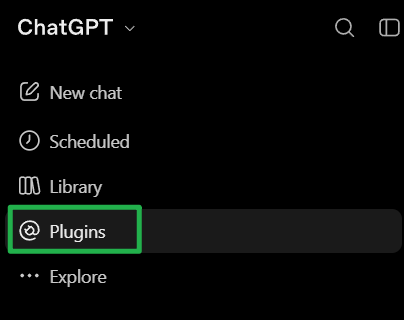
Open ChatGPT and navigate to the Plugins section on the left sidebar menu.
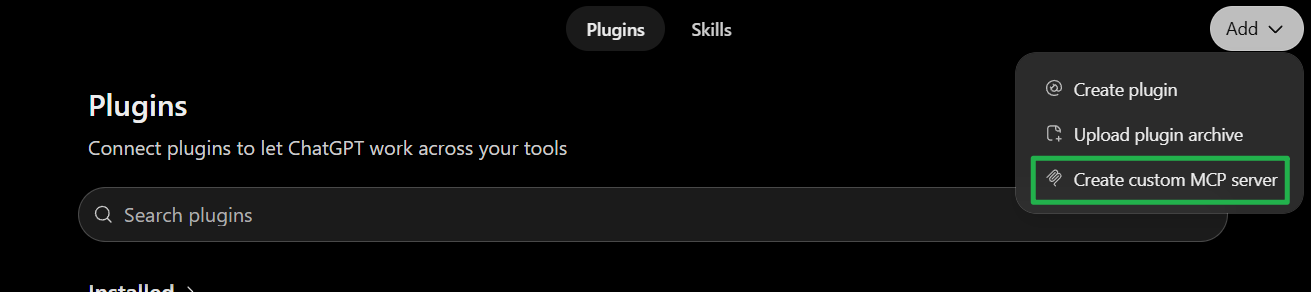
On the Plugins page, click the Add dropdown in the upper right corner and choose Create custom MCP server.
Fill in the required details like the plugin name and description. Under the Connection section, paste
https://pingplayers.com/mcpinto the Server URL box.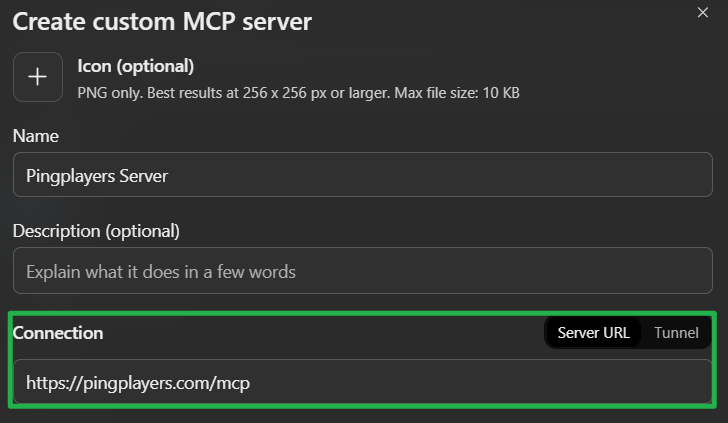
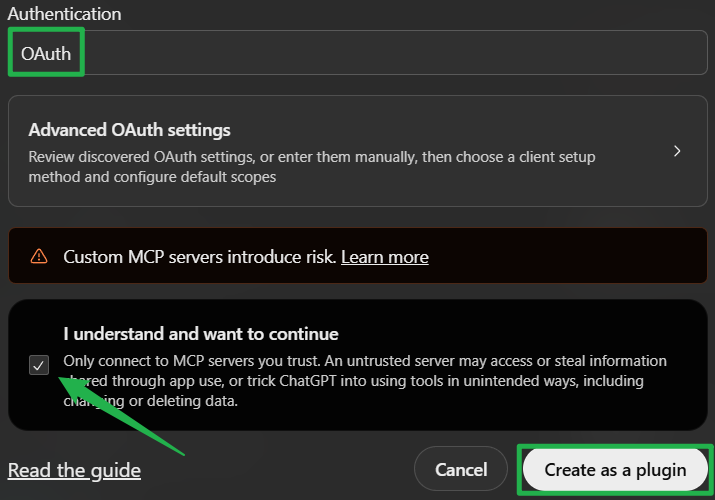
Set the Authentication to OAuth and check the box at the bottom confirming you understand the risks. Click Create as a plugin.
Sign in with your server hosting account credentials when prompted to link your server directly to ChatGPT!
How to Connect Claude to Your Server
If you prefer using Claude, you can link your server directly from the desktop or web app.
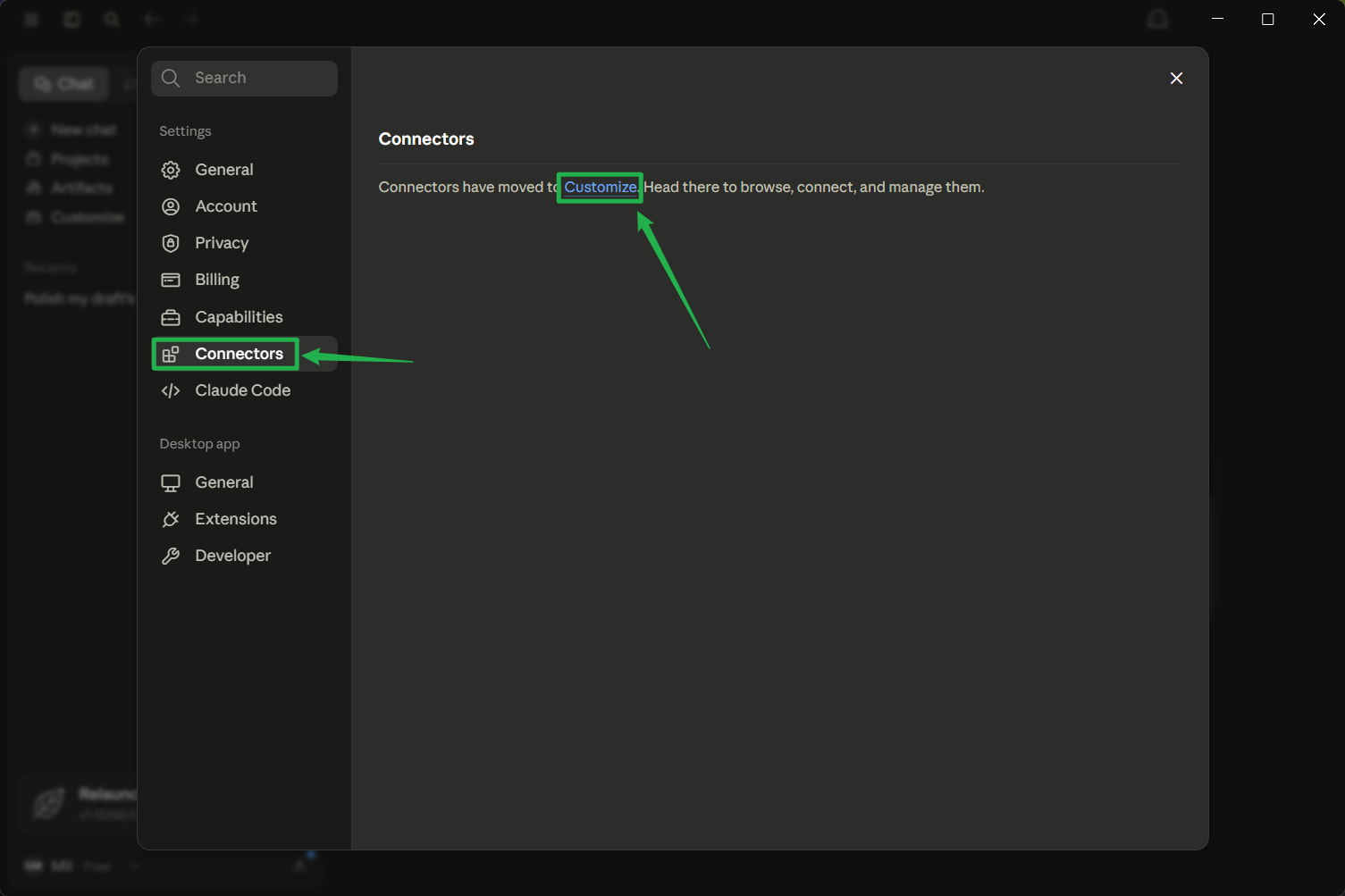
In Claude, go to Settings, then Connectors, and click on Customize.
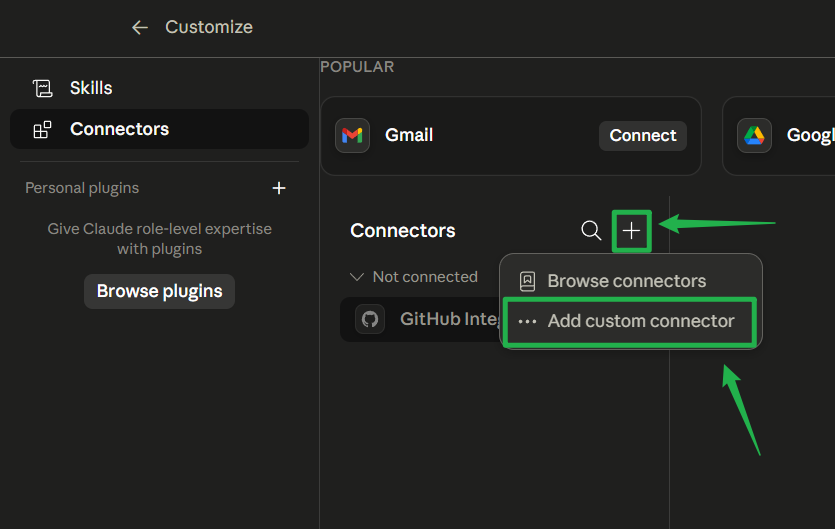
Click on the + icon and choose Add custom connector to open the setup panel.
Paste
https://pingplayers.com/mcpand hit Add.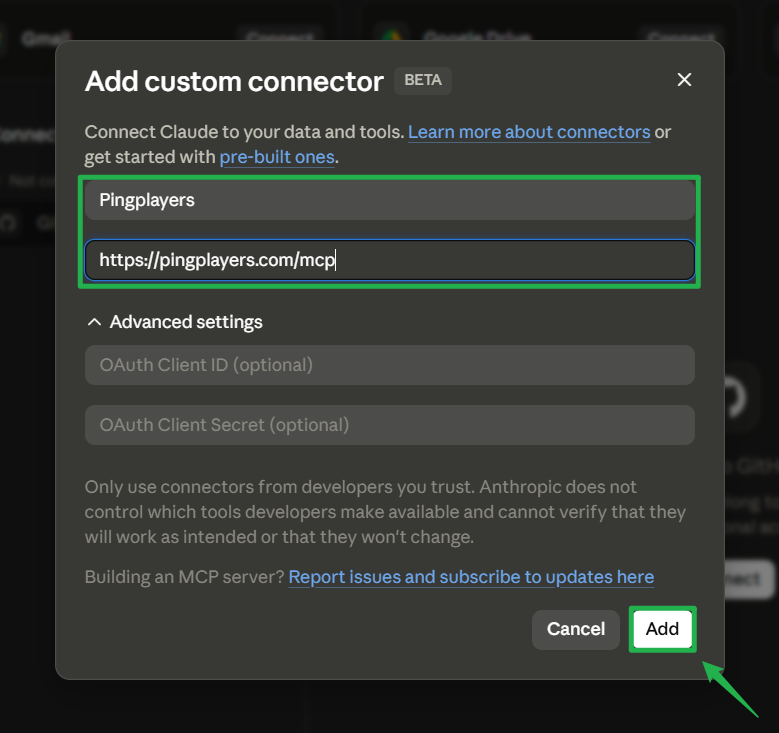
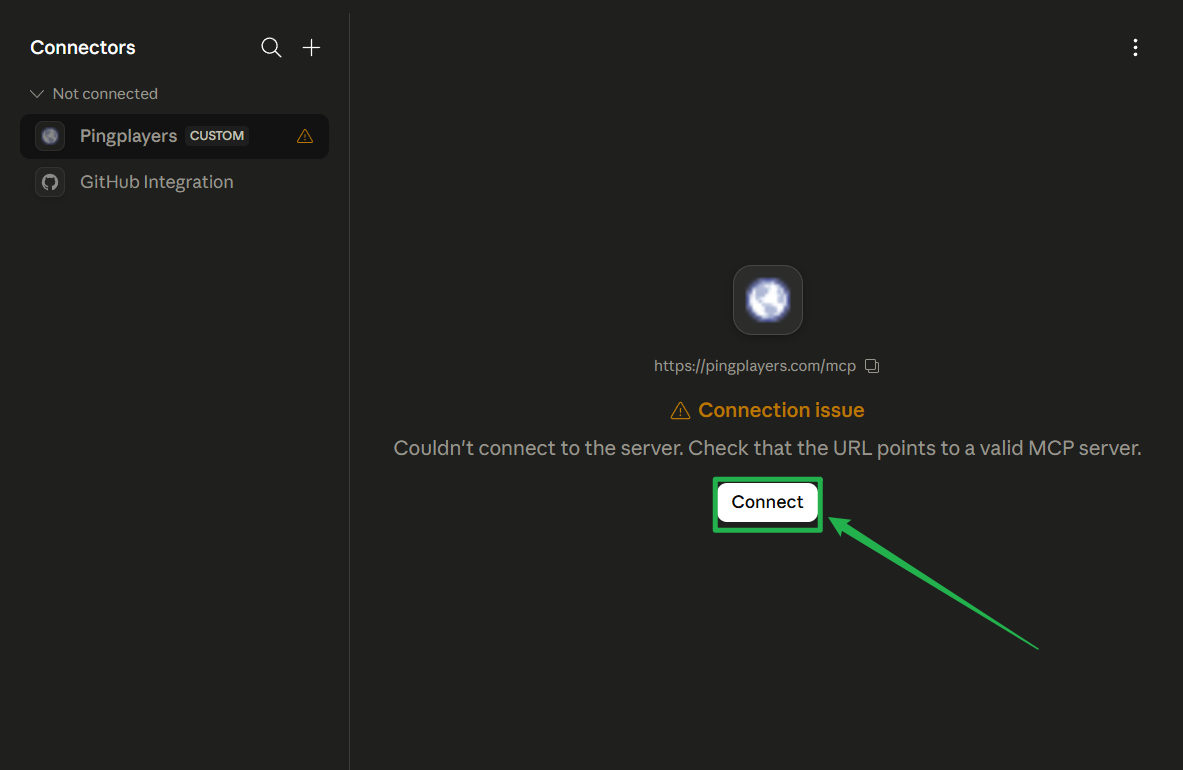
Click Connect and sign in with your Ping Players account so Claude can run your server straight away.
Troubleshooting and Tips
If you run into any connection issues or have security questions, keep these helpful tips in mind:
Secure Access: OAuth ties access to your specific account. No other users or players on your server will ever have access to view or modify your settings.
Revoke Privileges: Cut the AI off anytime by revoking access directly from your server dashboard whenever you want.
Confirm Actions: You always stay in charge! Your AI assistants will check with you and ask for confirmation before they make a permanent change, execute an Action > Restart, or use Actions > Shutdown to bring the server offline.
Conclusion
Taking control of your game server has never been faster. By hooking up your favorite AI assistant, you can skip the complex control panels and just use natural language to manage your world. Whether you need a quick reboot, a rule change, or a massive mod installation, your connected assistant is fully equipped to help you carry the lobby!
If you encounter any issues or have further questions, feel free to contact our support team for assistance!