How to Join your Myth of Empires Server
Join your Myth of Empires dedicated server via in-game server browser. Step-by-step joining guide, troubleshooting tips, and password help.
Rallying your guild, constructing massive fortresses, and commanding armies across ancient battlefields in Myth of Empires is an unforgettable experience when playing on a dedicated server. Whether you are building an empire with a squad of close friends or hosting an open battlefield for your entire faction, getting your warlords into the game is quick and easy.
In MoE, players connect to dedicated servers directly through the built-in server browser. Grab your weapons, because here is the step-by-step guide on how to locate your world and jump straight into the action!
Step - By - Step Guide
Before attempting to join, make sure your server is active and fully booted up on your control panel dashboard.
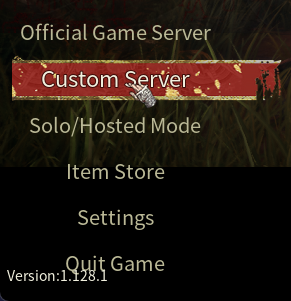
Launch Myth of Empires and, from the main menu, click on Custom Server.
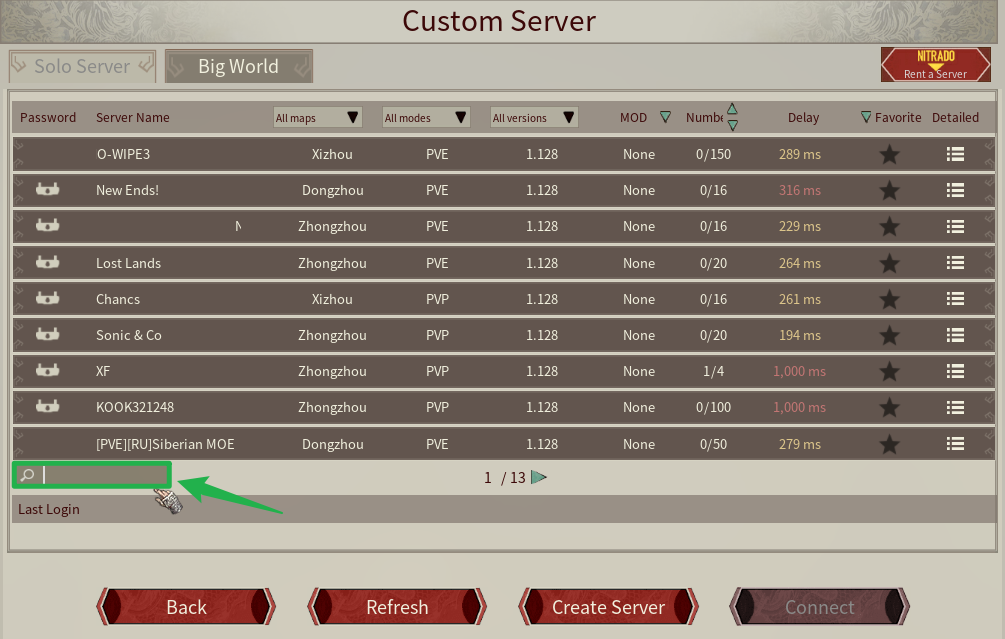
Locate the search bar and type in the exact name of your server as configured in your server panel.
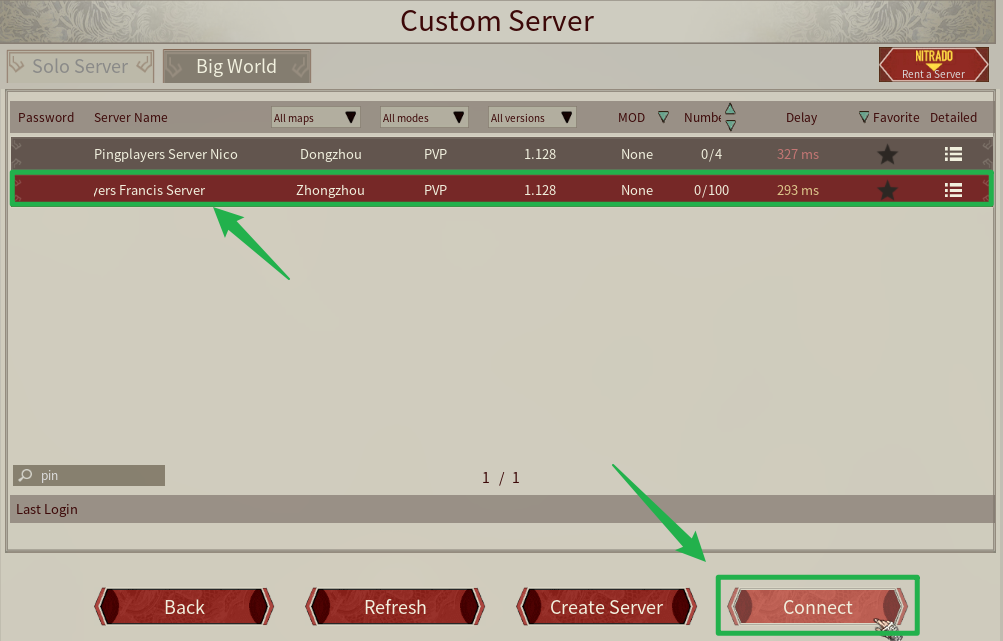
Select your server from the search results list and click Connect. If your server has a password configured in your Basic Settings, enter the driver/player password when prompted to load into the world!
Troubleshooting and Tips
If you or your guildmates cannot find your MoE server in the browser list, run through these quick troubleshooting checks:
- Server Is Still Booting: Dedicated servers take a minute or two after launch to fully initialize and register on the global lobby list. Check your server panel status to confirm it is completely online before searching.
- Check Exact Server Name: Double-check that your server name is spelled correctly in the search bar. Avoid accidental leading or trailing spaces when copying and pasting your name from the control panel.
- Direct IP Connect: Remember that Direct IP address connection is not used as a standard joining method for Myth of Empires servers. Always use the in-game server list to find your world.
- Server Stuck on Startup: If you recently edited basic parameters and the server fails to register, navigate to Actions > Shutdown to turn off the server, verify your settings, and then power it back on.
Conclusion
Finding and joining your Myth of Empires world is simple once you know how to navigate the in-game browser. By entering your server name and entering your password, your faction will be gearing up, recruiting NPCs, and expanding your territory in no time. Secure your lobby, gather your squad, and prepare for conquest!
If you encounter any issues or have further questions, feel free to contact our support team for assistance!