
How to Connect to Your Assetto Corsa Server
Step-by-step guide to start an event and join your Assetto Corsa server via Content Manager or in-game browser, with troubleshooting tips.
The lights are green, the engine is roaring, and your private track awaits! Whether you are hosting competitive league races, a casual track day for friends, or a high-stakes hot lap competition, getting your drivers onto the grid is the first step to an incredible racing experience.
Once you have your track and cars configured inside your web dashboard, it is time to load into the game. This guide will walk you through getting onto the track using both the direct link for the popular Content Manager software and the vanilla in-game server list.
Step - By - Step Guide
Before you can burn rubber, you must ensure that an Event is actually active on your server. The lobby will not show up in AC until a race is running!
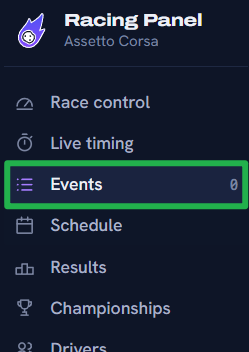
Log into your Racing Panel and navigate to the Events tab.
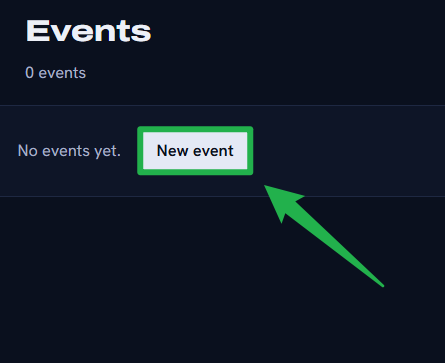
Create a new event by clicking New Event, configure your desired track and allowed cars, save it by clicking Create Event, and click Start Event.
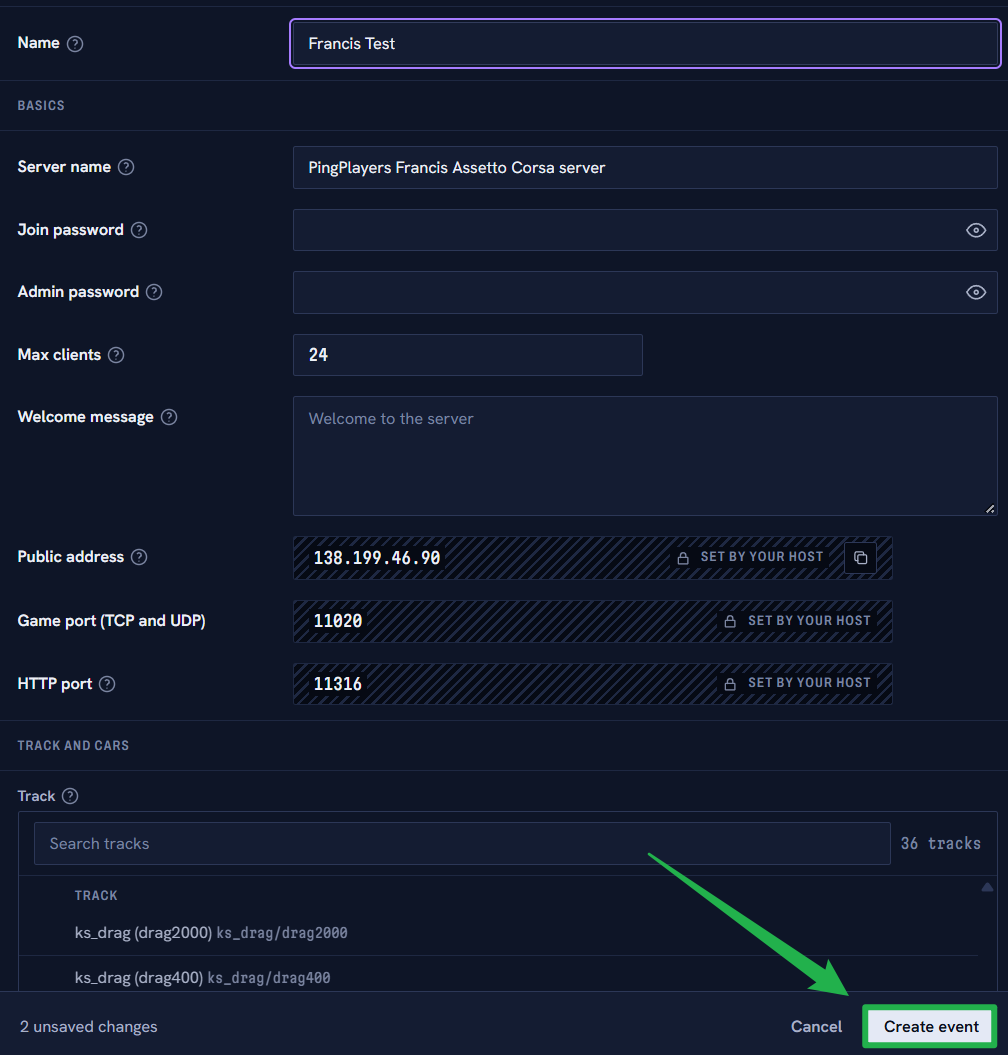
Once you have configured your event to your desires, just click on Create Event. 
Once your event has been created, the Start Event option should appear on the upper right. To join using Content Manager, navigate to the Race Control tab to view your active session.
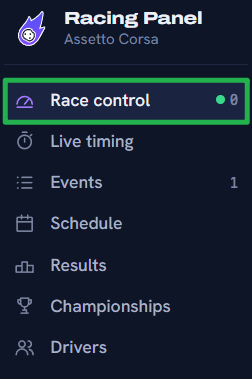
Copy the direct Join Link provided on this page (which looks like
acmanager://race/online...).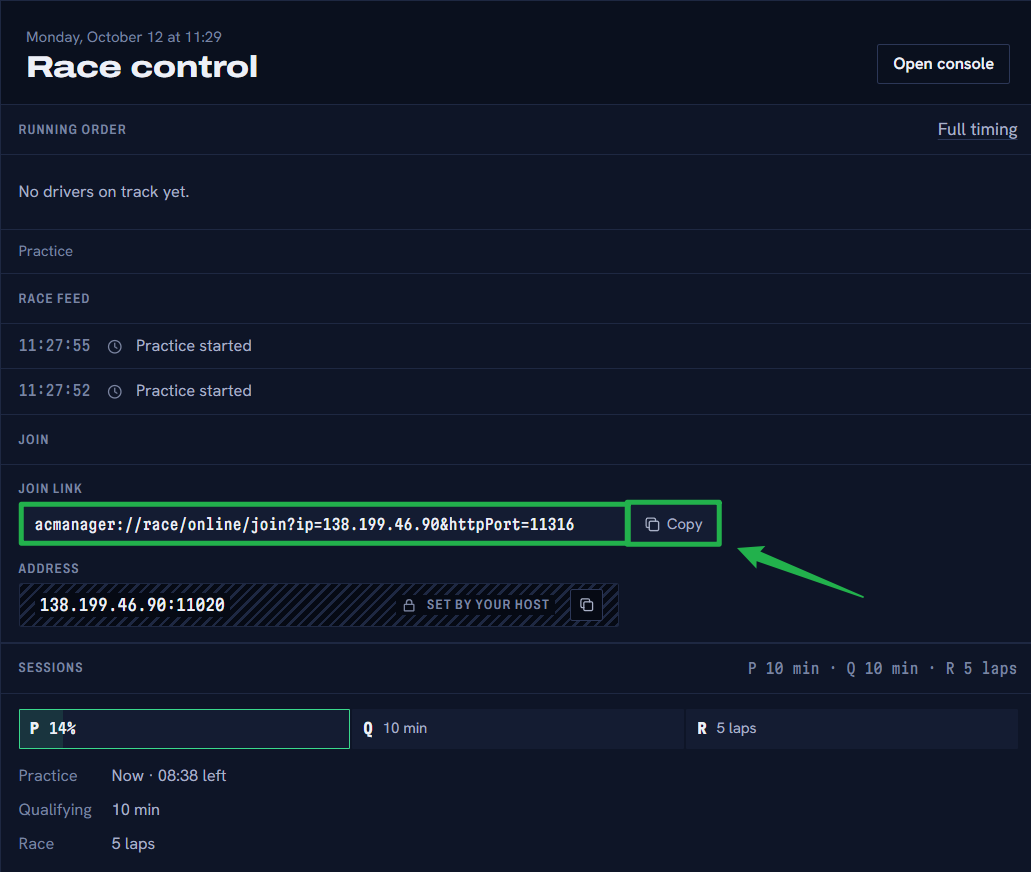
- Open this Join Link on your computer to automatically launch the game and connect to the server via the Content Manager app.
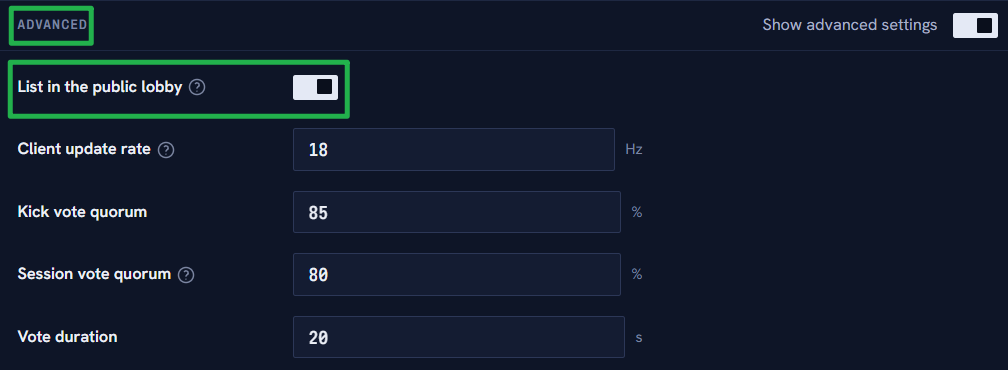
Alternatively, if you want to join through the vanilla in-game server browser, ensure you have enabled "List in the public lobby" under your Event's Advanced settings inside the panel.
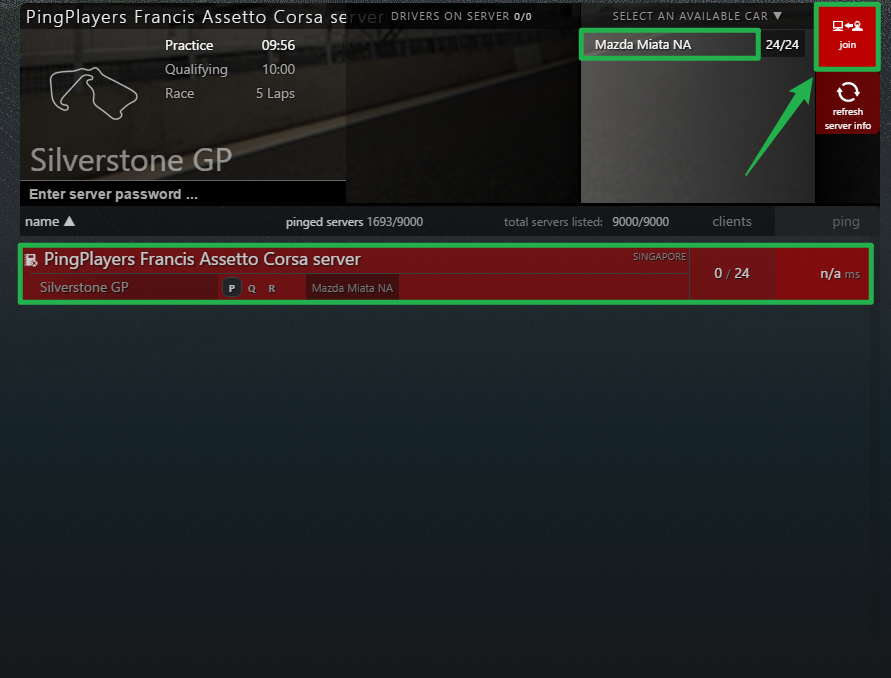
Launch Assetto Corsa, open the online multiplayer browser, search for your configured server name, select your car, and click Join!
Troubleshooting and Tips
If you are stuck in the pits and cannot seem to get onto the track, run through these quick troubleshooting checks:
- Cannot Find Server in the Game: If you are using the vanilla game browser instead of Content Manager, your server will remain hidden unless you explicitly tick the "List in the public lobby" box located in the Advanced settings of your Event configuration.
- Password Confusion: Remember that there are multiple passwords. Your Join Password restricts who can connect to the server to race. Your Admin Password is used for in-game chat commands to manage the lobby.
- Server Appears but Cannot Join: If the server shows up but you cannot click join, double-check your selected cars. If your Event uses DLC cars or modded content that a player does not have installed locally, the game will block their connection. Make sure everyone has downloaded the required track and car packs.
- Server Maintenance: If you ever need to perform deep file edits or restart the main background service, navigate to Actions > Shutdown on your main server panel to bring the game offline safely. When you are ready to boot back up, simply click Action > Restart.
Conclusion
You are on the grid! You have successfully booted up an Event and connected to your Assetto Corsa server. From here, you can design multi-race championships, manage live events, and build the exact racing experience you have always wanted for your community. Rev those engines and we will see you on the podium!
If you encounter any issues or have further questions, feel free to contact our support team for assistance!