
How to Back Up Your World Save From Your Smalland Server
Backup your Smalland server world: safely shut down, find SMALLAND/Saved/SaveGames/Worlds, download MyWorld.wld to keep builds safe.
Surviving as a tiny creature in a massive, untamed wilderness takes a lot of hard work and dedication. To ensure that the massive bases and intricate structures you build are never lost, getting into the habit of backing up your world is highly recommended. Creating a manual backup is the safest way to secure your progress. This guide will show you exactly where to find your files and how to save them to your personal computer for peace of mind.
Step-by-Step Guide
Backing up your world simply involves downloading a single file from your server directories.
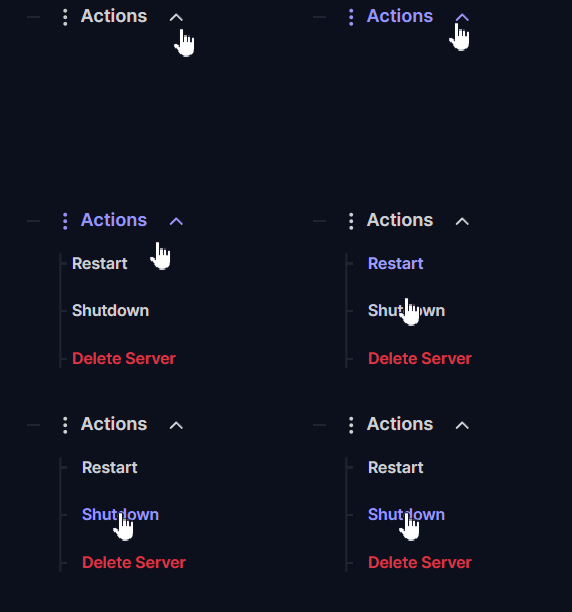
Log into your server panel and go to Actions > Shutdown to safely stop the server. Downloading files while the server is actively running can lead to incomplete files, so it is always best to turn it off first.
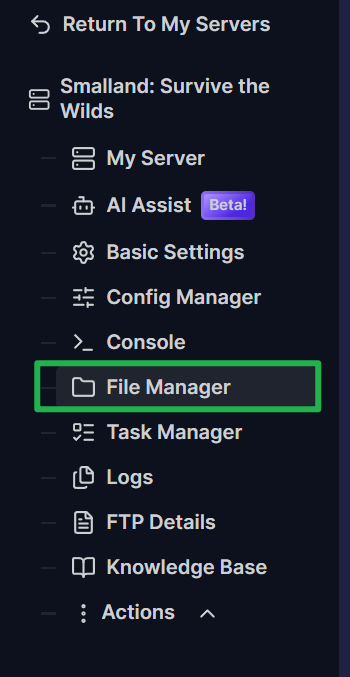
Navigate to the File Manager located on your server panel.
Open the folders in this exact order to find your saves:
SMALLAND, thenSaved, thenSaveGames, and finallyWorlds.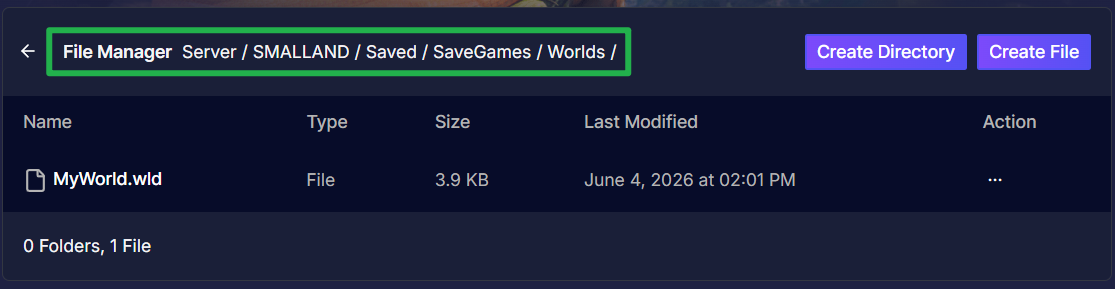
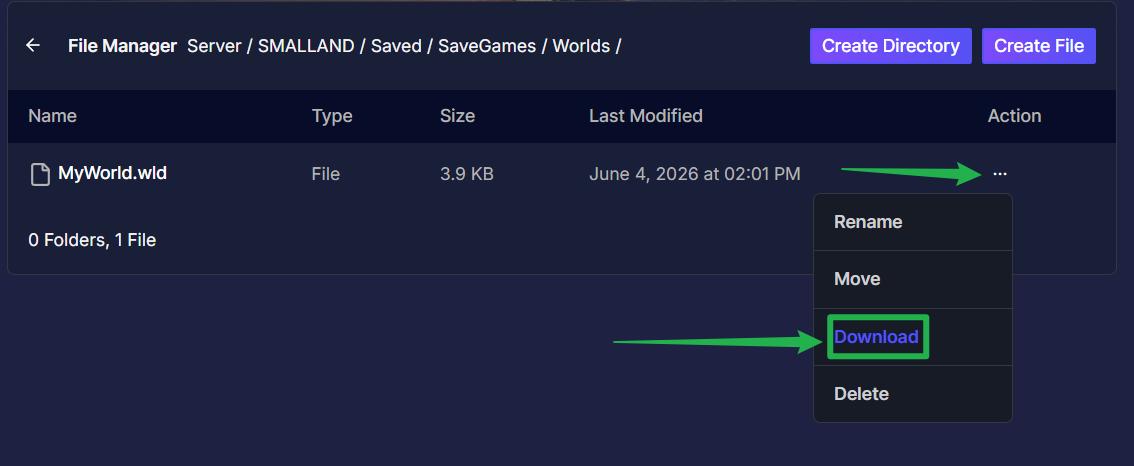
- Locate your active world file inside this directory. If you have never changed the name before, the default world file name is
MyWorld.wld. Download it directly to your personal computer by clicking on the 3 dots on the right side then choosing Download. Store it in a safe folder!
Troubleshooting and Tips
Here are a few helpful tips to guide you through managing your backups:
- No Need to Save Characters: Do you need to find character files on the server? No! Player characters are stored locally and tied to the account of each individual player. All character progression, including inventory, equipment, quest progress, and map locations, is saved on the computer of the player. Only the world data, such as buildings and structures, needs to be backed up from the server.
- Changing Settings Safety: Adjusting your world settings after a backup is completely safe. Most settings can be changed through Basic Settings and will apply to the existing world after you perform a restart.
Conclusion
Taking a couple of minutes to download your world file ensures your hard work is protected against any accidents. By keeping a safe copy of your world file on your computer, you can focus on conquering the wilderness without worrying about losing your progress. You are now a master of server preservation!
If you encounter any issues or have further questions, feel free to contact our support team for assistance!