
So you have your Longvinter island set up and your tents are ready to go, but now you need to actually get onto the island! Unlike some other multiplayer survival games, Longvinter's in-game server browser can occasionally be a bit finicky when trying to locate unofficial dedicated servers.
Because of this, we highly recommend using the Direct Connect method. Direct Connect bypasses the unpredictable server list entirely and connects your client straight to your server IP, ensuring you and your friends can always find your way home. This guide will walk you through exactly how to bypass the browser and load straight into your Longvinter server.
Step - By - Step Guide
Before you launch the game, you will need to grab your server's unique network address from your dashboard.
On your main server panel dashboard, locate your server's IP address and game port on your main dashboard. Copy this exact address (which will look something like
192.168.1.1:7777).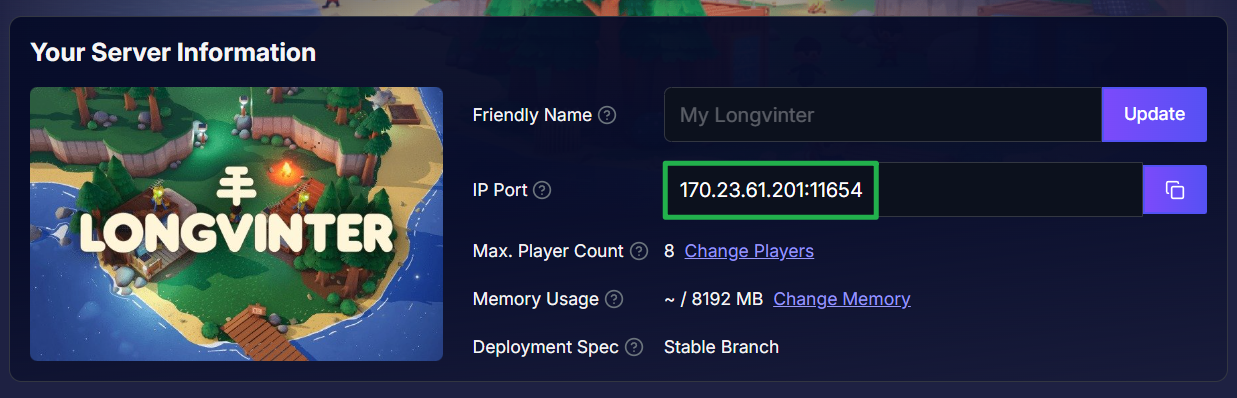
Launch Longvinter and from the main menu, click on the Server Browser.
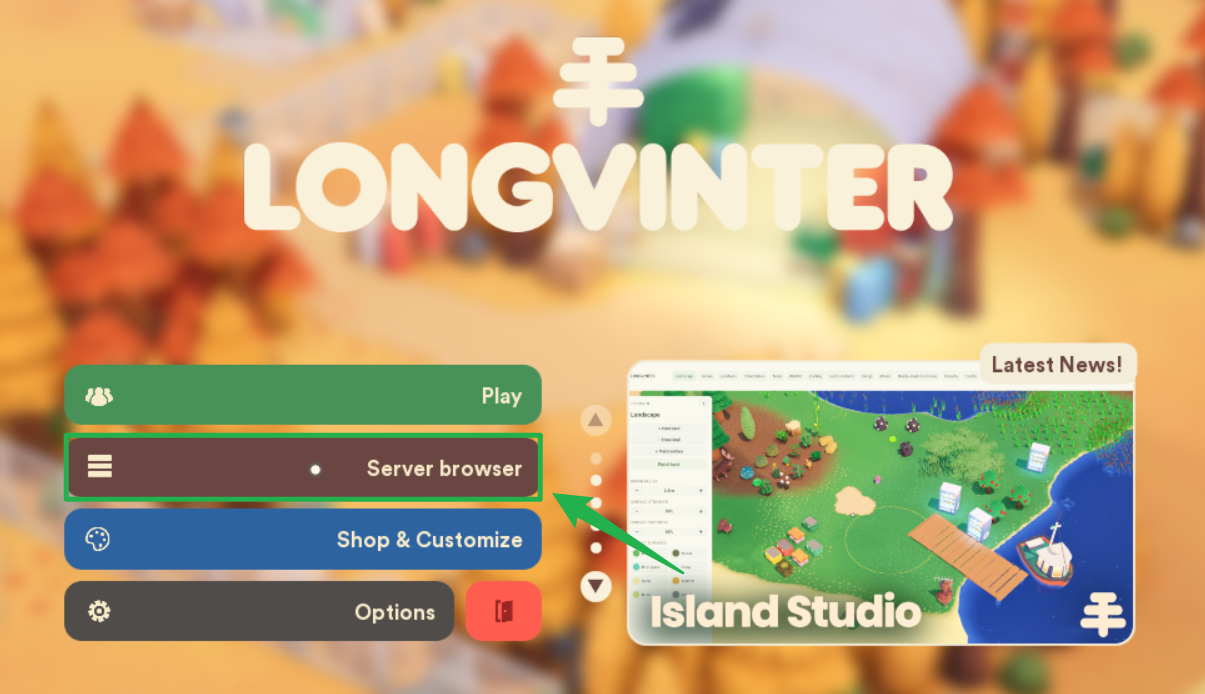
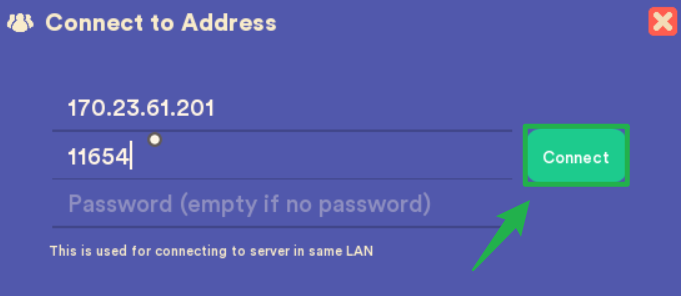
Instead of searching the master list, select the Connect by IP option.

Paste your copied IP address and game port into the provided field. If you configured a server password in your Basic Settings, you will be prompted to enter it now before you can load onto the island.
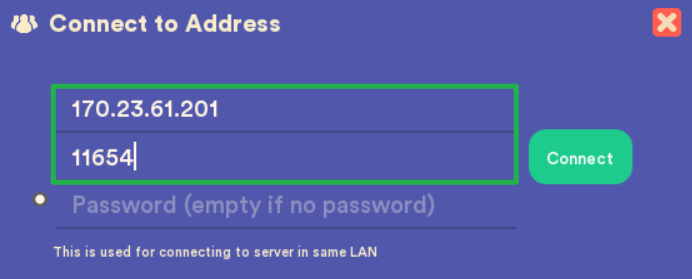
Click the green Connect button! You will now load straight onto the island.
Troubleshooting and Tips
If you are stuck on the main menu and cannot seem to get onto the island, run through these quick troubleshooting checks:
- Browser Filters: If you absolutely must use the vanilla server browser instead of Direct Connect, make sure you have the correct region filter selected. The browser often hides unofficial servers entirely if the proper region is not ticked.
- Long Connection Times: Longvinter connections can sometimes take much longer than expected to complete. Your game client might look like it is doing absolutely nothing, only to suddenly drop you into the world a minute later. Be patient and do not immediately cancel your connection attempt!
- Checking the Console: If you think your connection froze, check your live server Console on your dashboard. If the console shows that your client is attempting to join, the server is working, so just give it time to load.
- Memory Crashes: If your server suddenly shuts down right as you try to connect, check your memory allocation. Longvinter can consume a lot of RAM, and if your server runs out of available memory during a connection spike, the process will terminate itself.
- Safe Server Reboots: If you need to tweak your server password or adjust configuration files before joining, always use Actions > Shutdown to bring the server offline safely. Once your edits are saved, click Action > Restart to boot the game back up with the new settings applied.
Conclusion
You are on the island! You have successfully bypassed the quirky server browser and connected directly to your Longvinter server. Now you can get back to farming, building your dream house, and exploring the wilderness with your friends.
If you encounter any issues or have further questions, feel free to contact our support team for assistance!