
Welcome to Night City, choom! Running a successful multiplayer server often requires a crew you can trust. Instead of managing your CP2077 server solo, you can bring in additional moderators and admins to help keep the streets safe.
For OPEN77, adding an admin is exclusively handled through the Warden control panel. You cannot add admins through standard text files. This guide will show you exactly how to navigate Warden to create new operator accounts and assign them specific roles so your friends can help manage your community.
Step - By - Step Guide
Assuming you have already initialized your master admin account and have full access to the Warden interface as an owner, you can jump right into adding your crew.
- Log in using your existing master administrator credentials on your Warden control panel.
On the left-side navigation menu under the System category, click on the Operators tab.
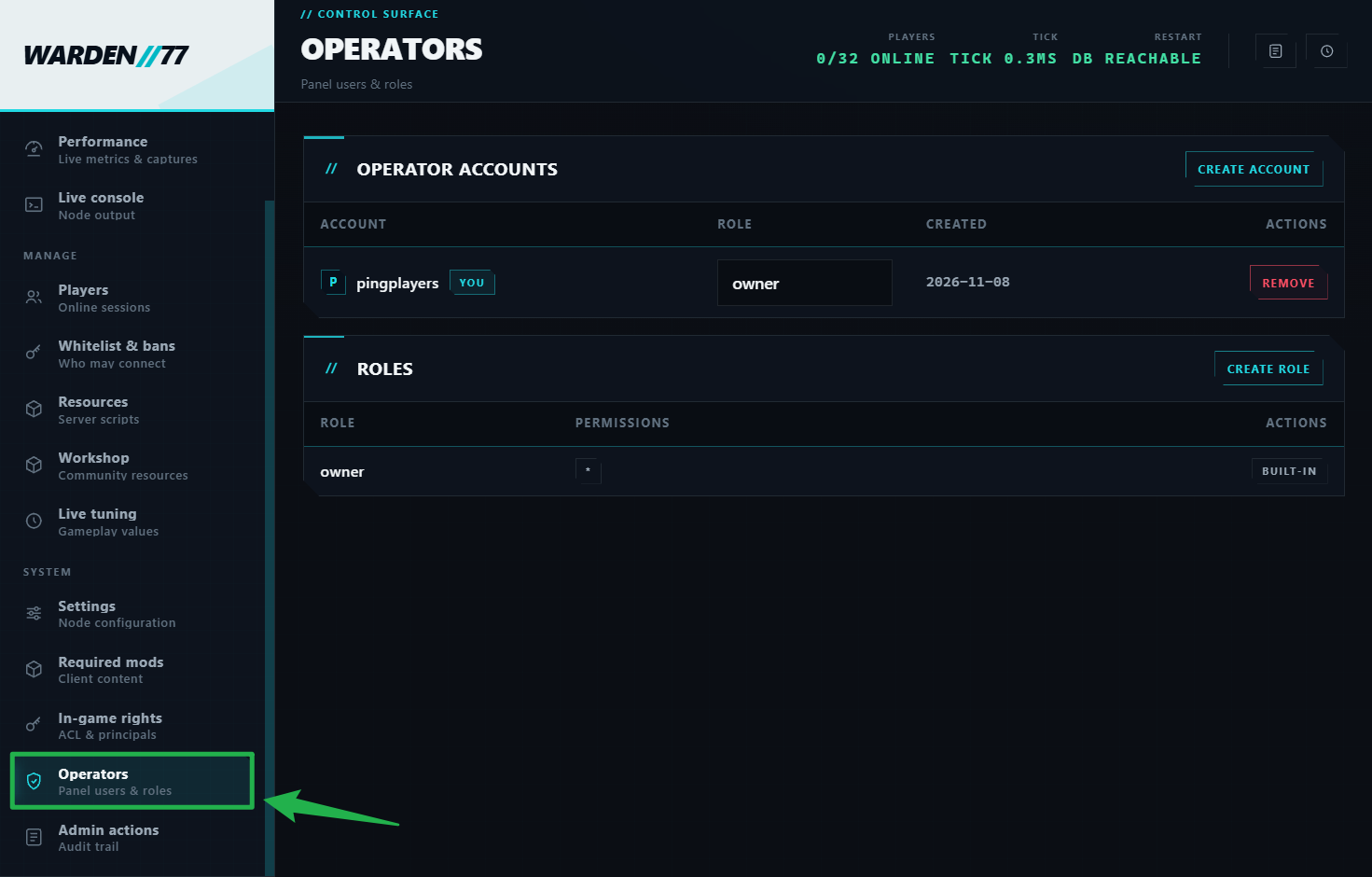
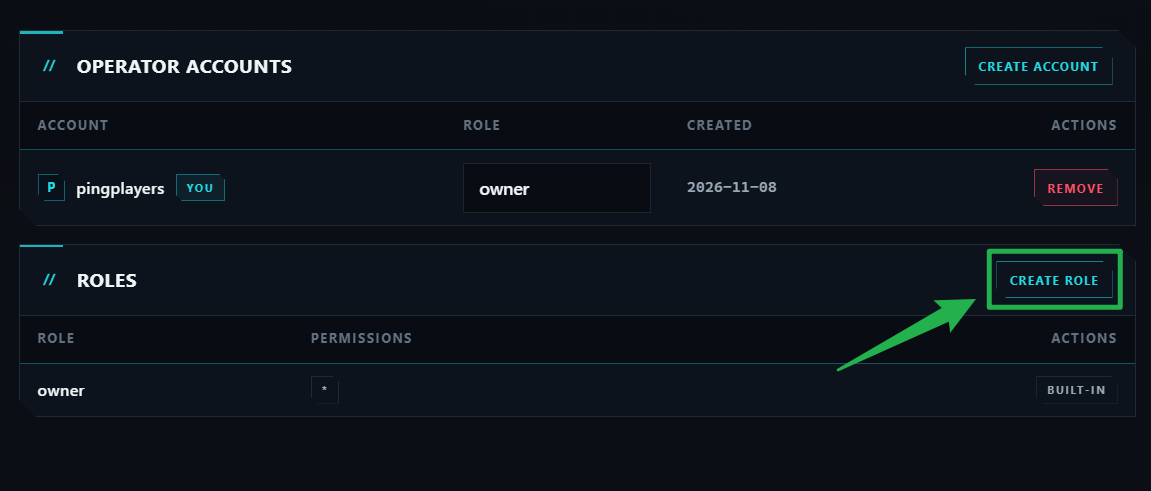
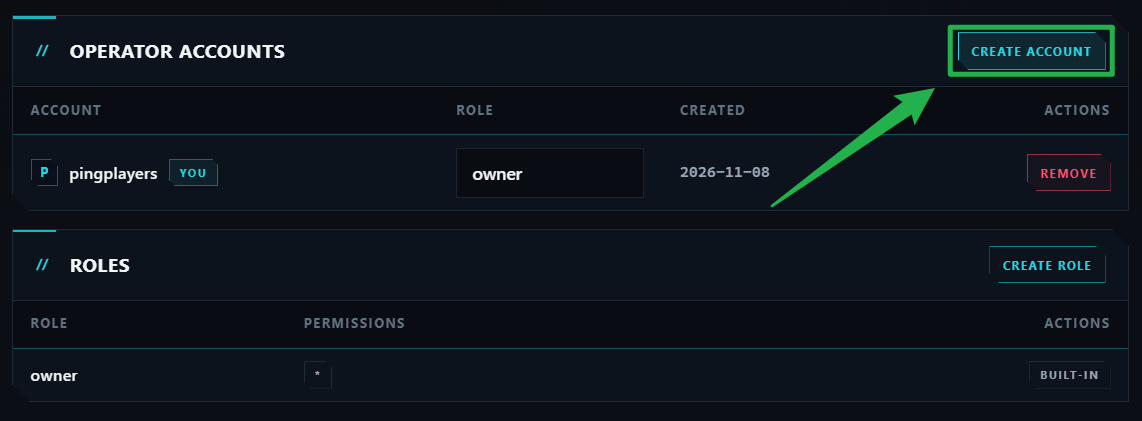
Before making an account, you need to configure a role for them. Look for the Roles section and click the Create Role button.
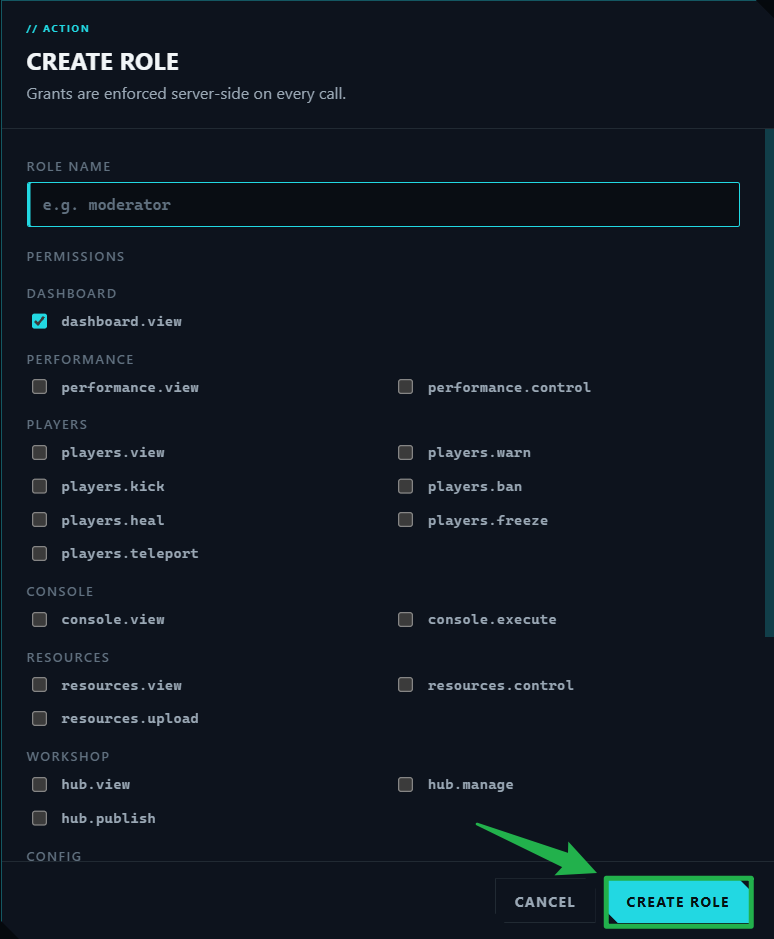
Type in a Role Name (such as "moderator") and check the boxes for the exact permissions you want to grant them (like kicking players or viewing the console), then click Create Role to save it.
Now, scroll back up to the Operator Accounts section and click the Create Account button.
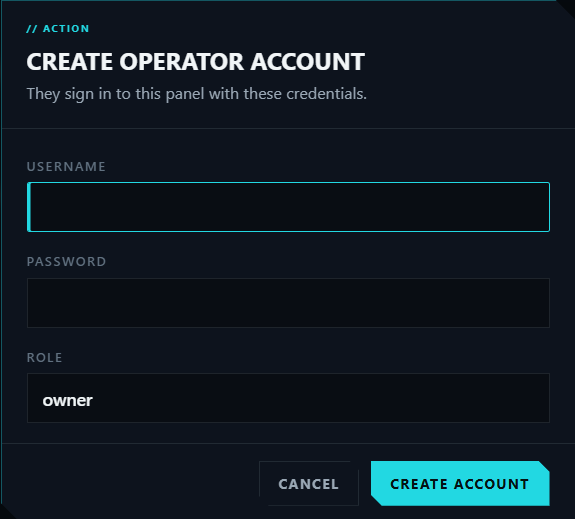
Fill in the details for your new staff member, assign them a specific role with scoped permissions, and save the changes by clicking on Create Account to grant them access!
Troubleshooting and Tips
If your new admins are hitting a wall of black ICE, check these quick tips:
- Scoped Roles: You do not have to give every admin full server control. Warden allows you to create specific roles in the Operators tab so you can grant staff moderation access without giving them complete server configuration permissions.
No Setup PIN Required for Staff: Your new admins do not need a setup PIN to log into the panel. That one-time PIN is strictly for the initial server owner. Just hand your new moderators the direct Warden URL along with the username and password you created for them.
- Safe Reboots: If you ever need to apply heavy server configuration edits manually after adding new staff, remember to always navigate to Actions > Shutdown on your server panel to bring the server offline safely. Once edits are saved, click Action > Restart to boot the game back up.
Conclusion
You are officially wired in! Building a trusted moderation team through the Warden panel ensures your Cyberpunk 2077 community remains a fun and managed environment. Grab your iron, hit the streets, and start building your empire.
If you encounter any issues or have further questions, feel free to contact our support team for assistance!