
How to Connect to Your Wreckfest Server
Join a Wreckfest server easily: open Multiplayer's Server Browser, sort by Name, favorite lobby, connect, and get troubleshooting tips.
Welcome to the demolition derby! If you are ready to trade paint, slide around dirt ovals, and smash your way to the finish line in Wreckfest, getting connected to your server is your first step. Whether you are hosting a clean racing league or a no-rules destruction arena, getting your drivers onto the track is simple and straightforward.
You do not need any external tools, third-party software, or complicated launcher arguments to join your WF server. Everything is handled directly through the in-game server browser. Buckle up, because this guide will walk you through exactly how to find your lobby, favorite your server, and get straight into the carnage!
Step - By - Step Guide
Before you start your engines, make sure your server is actively running on your Racing Panel dashboard and that you know the exact server name you configured.
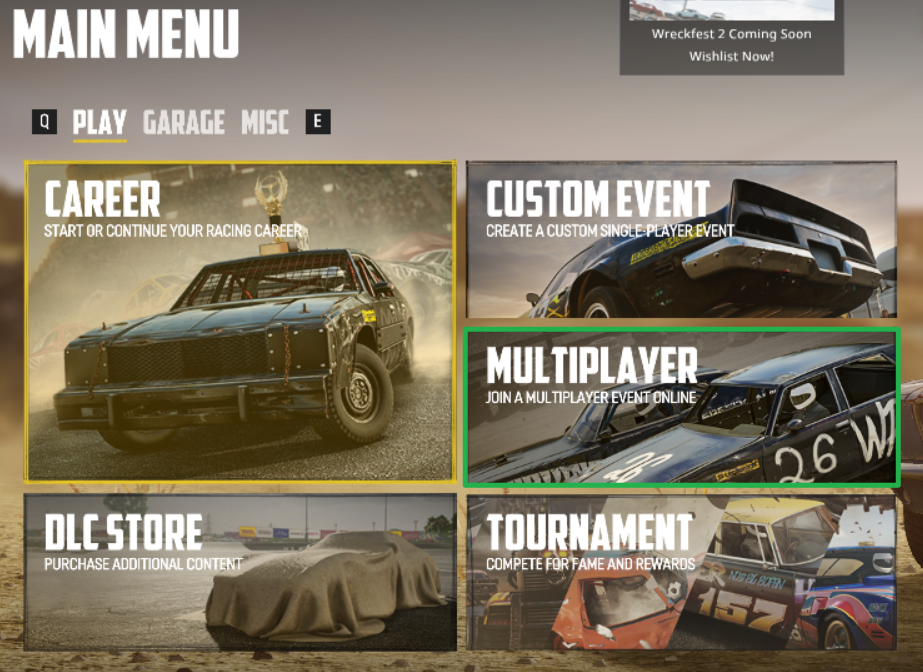
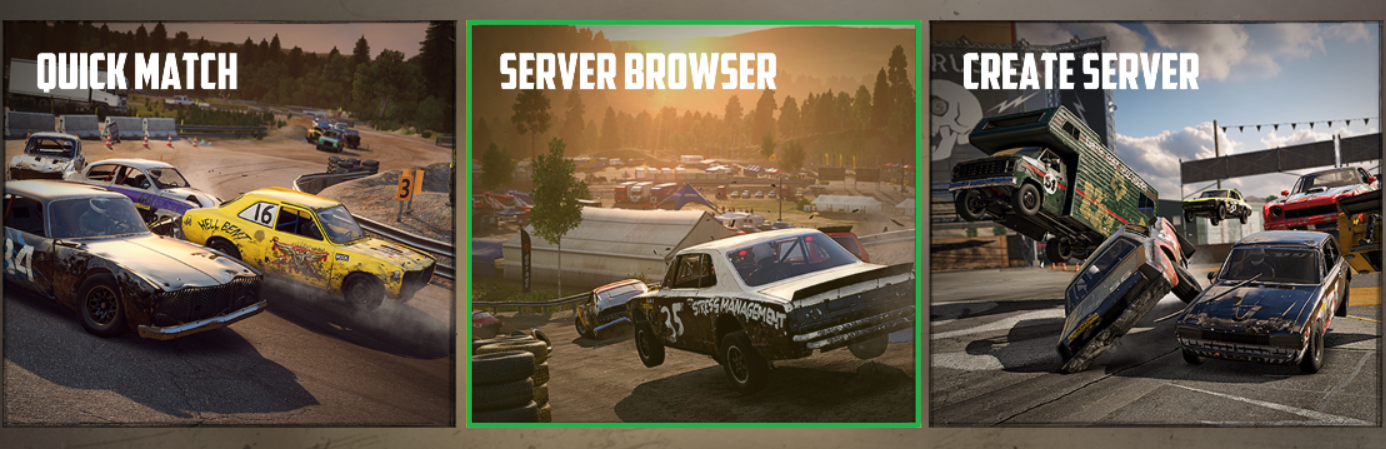
Launch Wreckfest and, from the main menu, navigate to the Multiplayer tab and click on Server Browser to view the active lobbies.
Since the game does not offer a direct search bar, the easiest way to find your server is by sorting the list alphabetically. Click the column header labeled Name at the top of the server list to sort all servers from A to Z.

Scroll through the alphabetical list until you locate your specific server name.
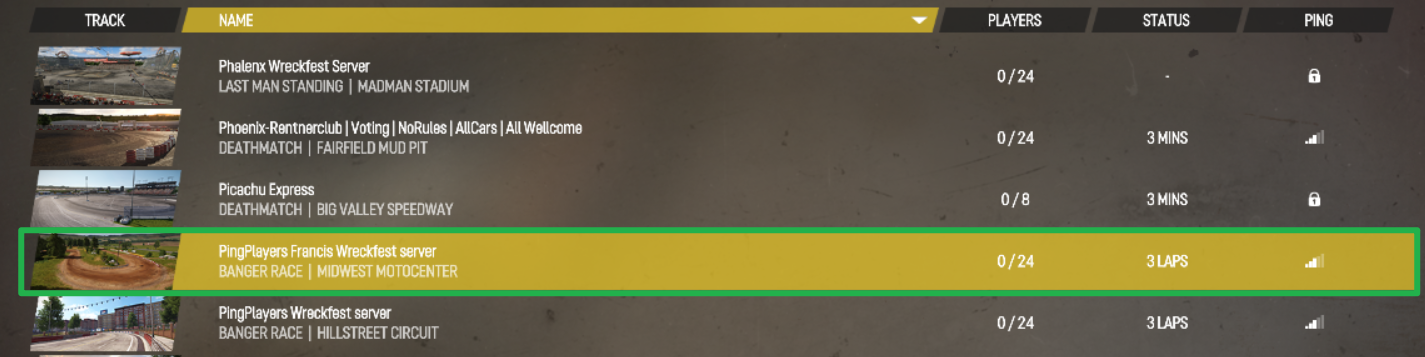
Hover over your server and press C on your keyboard to add it as a Favorite. This pins your server to the top of your list in the future so you can find it instantly.

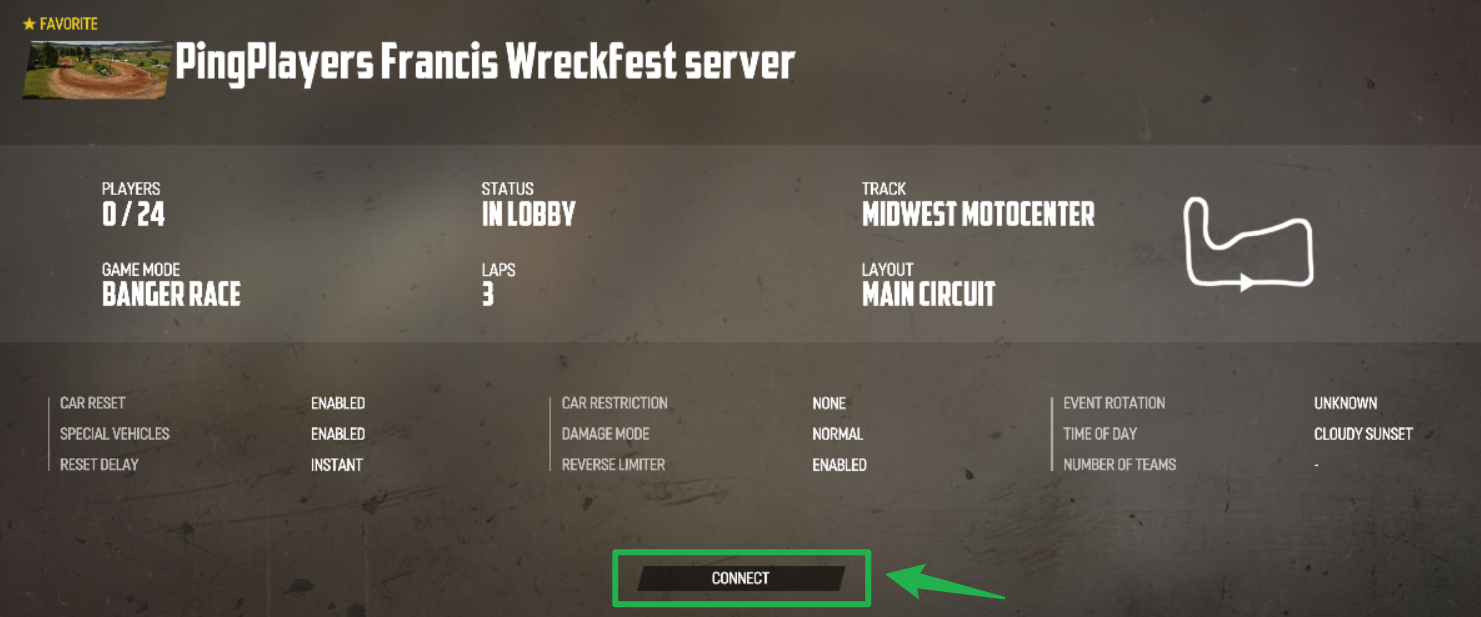
The star icon appears when you mark it as a favorite. Click on your server and select Connect. If a custom Join Password was set up in your Racing Panel, enter it when prompted to join the track.
Troubleshooting and Tips
If you are stuck in the garage and cannot seem to find your server in the browser, run through these quick checks:
- Wrong Server Name: Double-check your server name for typos or extra spaces. If you recently updated the Server Name inside your Racing Panel dashboard, you must navigate to Action > Restart on your main panel to apply the changes so the server registers correctly in the master lobby list.
- Browser Filters Hiding the Server: Make sure your in-game browser filters (such as region, game mode, or password/private toggles) are not accidentally filtering out your server. Clear or adjust your filters and refresh the list.
- Cannot Connect After Finding the Server: Possible causes include a full lobby, a version mismatch between your game client and the server, or missing required mods. Ensure your local game is fully updated via Steam and that all required server mods are installed on your client.
- Shutting Down for Maintenance: If you need to make major file or configuration changes, always navigate to Actions > Shutdown on your server panel to bring the server offline safely before saving edits.
Conclusion
Getting onto the track in Wreckfest is a breeze once you know how to navigate the server browser and utilize the alphabetical sorting trick. By favoriting your lobby, you and your squad can skip the scrolling and get straight to the metal-crunching action every time you boot up the game. Tune your suspension, connect to your server, and we will see you on the dirt!
If you encounter any issues or have further questions, feel free to contact our support team for assistance!