
How to Back Up and Restore Your Enshrouded Server
Learn how to back up and restore your Enshrouded server safely: stop the server, download world0.ksd and backups, then restore and restart.
Welcome to the massive 1.0 release of Enshrouded! Whether you are building an epic castle in the Springlands or venturing deep into the Shroud with your guild, protecting your server data is an absolute must. Losing hours of building progress to a glitch is a nightmare no Flameborn wants to experience.
With the 1.0 update, the developers have completely overhauled the save system. Instead of generating multiple confusing save strings, the game now consolidates your world into a single, easy-to-manage file. Please note that your character data (which includes your levels, skills, and personal inventory) is saved locally on your own personal PC. The server only handles the world data, which includes your bases, voxel terrain changes, and overall game progression.
Step - By - Step Guide
Backing up your Embervale world is incredibly simple. We highly recommend creating a dedicated folder on your computer to store your backups so they are easy to find!
Part 1: How to Back Up Your World
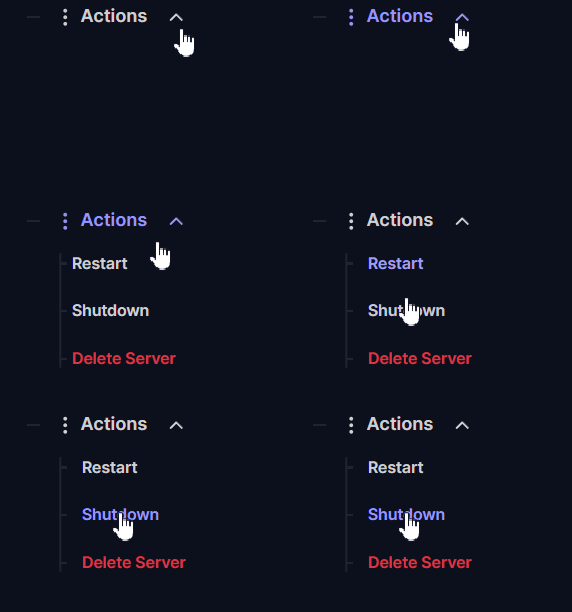
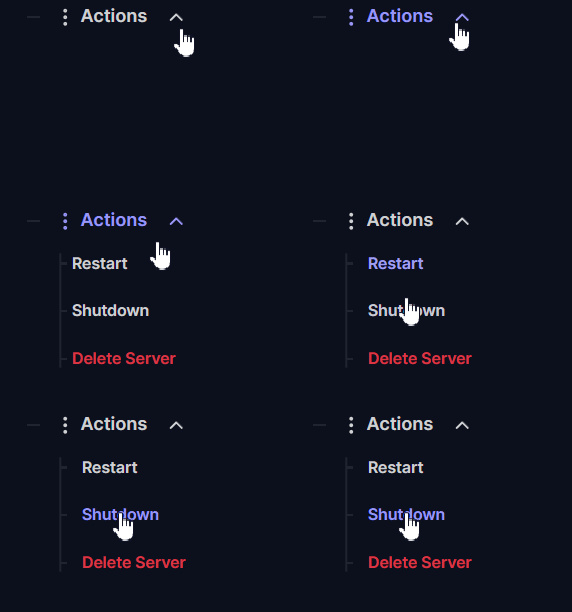
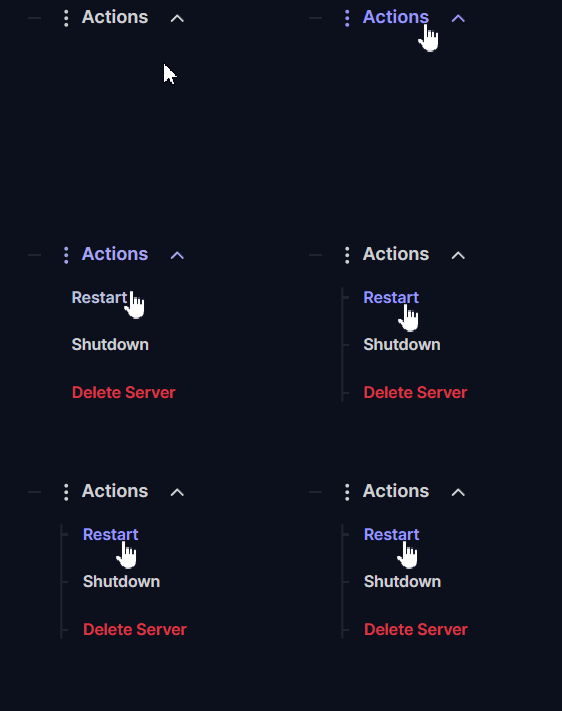
Navigate to Actions > Shutdown on your server panel dashboard to safely turn off your server. Modifying or downloading files while the game engine is actively running is dangerous and can lead to data corruption.
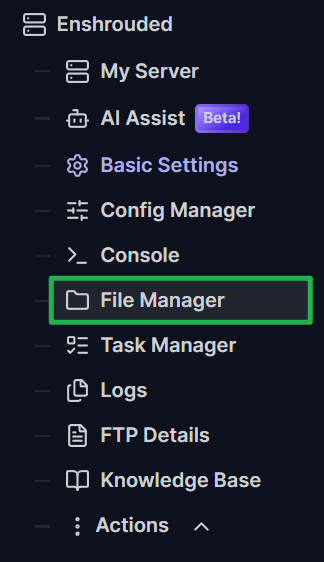
Open the File Manager on your server dashboard or connect using your preferred FTP client like FileZilla.
Navigate to the primary save directory located at
Server/savegame/.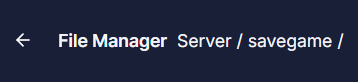
Inside this directory, you will find a single save file named
world0.ksdalongside abackupfolder.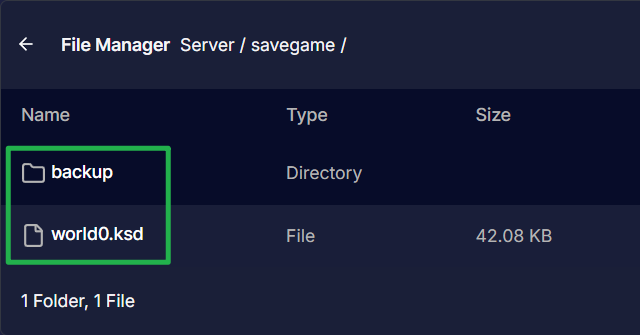
Select both the
world0.ksdfile and thebackupfolder, then download them directly to your local computer by clicking on the 3 dots on the right side of both and choosing Download. Your world is now safely backed up!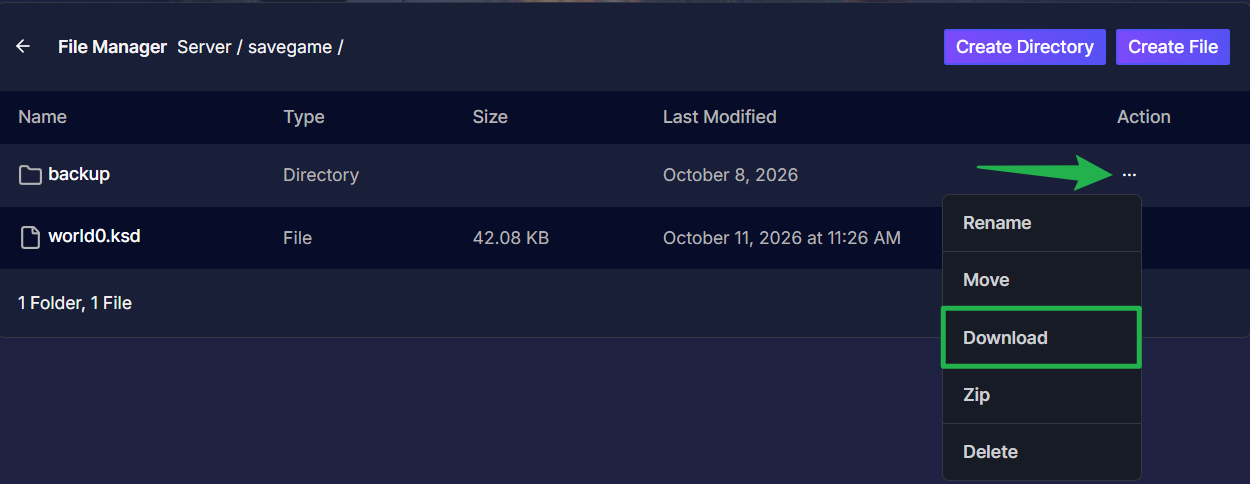
Part 2: Restoring a Backup
If you ever need to roll back your server to a previous state, follow these steps to restore your backed up files.
Navigate to Actions > Shutdown to bring your server completely offline.
Open your File Manager or FTP client and head back to the
Server/savegame/directory.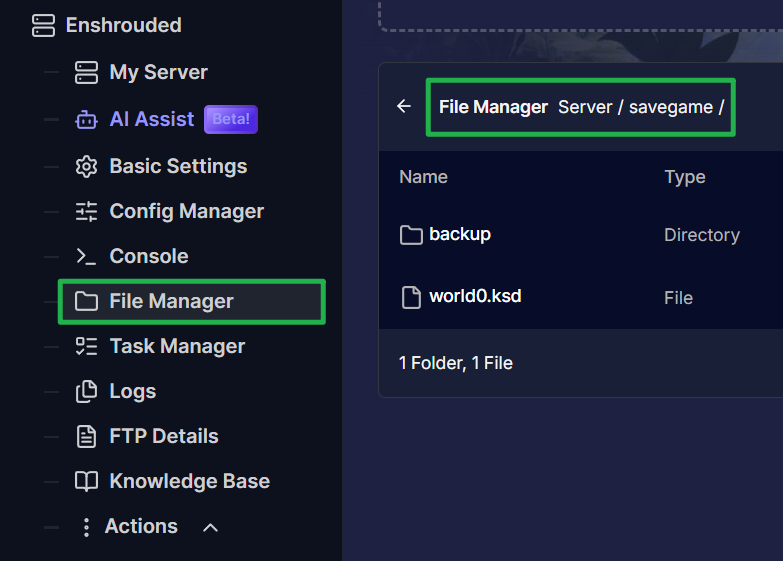
Delete the current
world0.ksdfile located in the folder by clicking on the 3 dots on the right side of the file and choosing Delete. Deleting the active file first prevents any conflicts from occurring when you transfer your old data.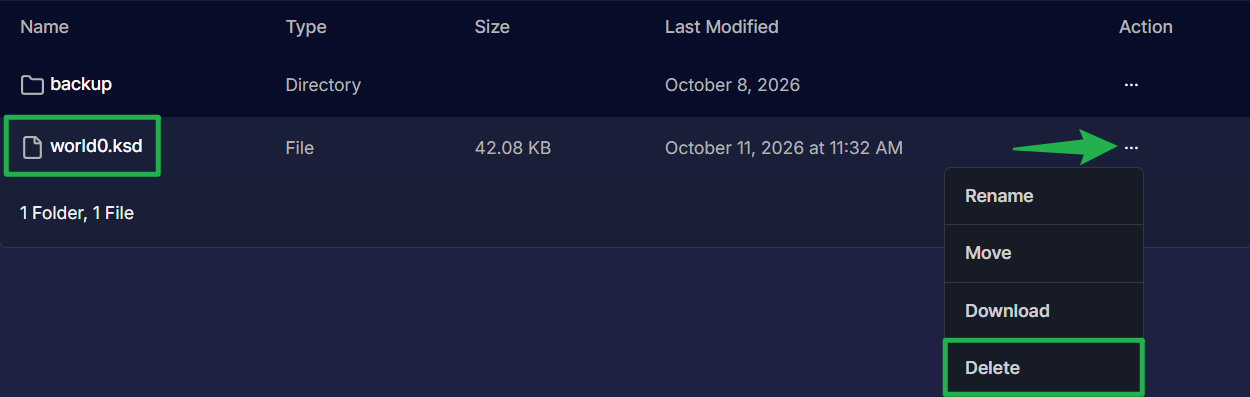
Upload your previously backed up
world0.ksdfile directly into theServer/savegame/directory by dragging and dropping the file on the upload bubble above the path.
Navigate to Action > Restart on your dashboard to boot the server back up and load your restored world!
Migrating Older Pre-1.0 Saves
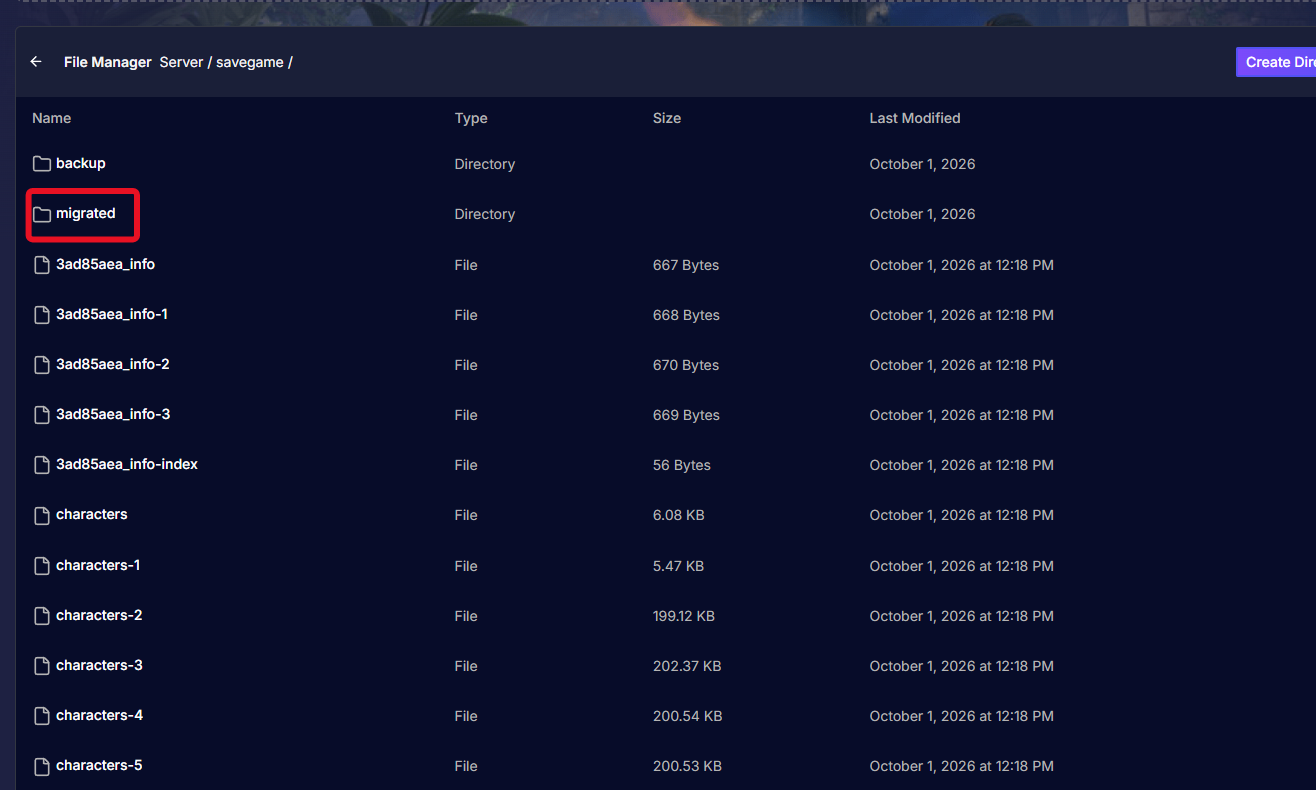
If you are returning to the game and want to upload an older save (the old format that used multiple hex-string files), the game engine will handle the upgrade for you! After removing the default world created by the server, simply upload your old save files into the Server/savegame/ folder and boot up the server. The game automatically moves these older files into a new migrated folder and converts everything into a single, compressed world0.ksd file on boot.
Troubleshooting and Tips
If your restored world is not loading correctly, run through these quick troubleshooting checks:
- World Did Not Restore: If you log in and your base is missing, double check your folder paths. Ensure that you placed the
world0.ksdfile directly intoServer/savegame/and not accidentally inside thebackupsubfolder. - Missing Characters: Remember that character files are strictly local to your personal computer. If you buy a new PC or format your hard drive, restoring your server backup will not bring your character back. You must back up your local character files separately.
- File Corruption Risks: Never attempt to upload or download your save files while the server status is marked as online. If the server triggers an autosave while you are moving files via FTP, the data will corrupt. Always shut the server down first.
Conclusion
Backing up your Enshrouded server data is a quick and straightforward process that plays a massive role in preserving your gaming experience. With the streamlined 1.0 save system, keeping your Flameborn sanctuary safe is easier than ever. Keep your files secure, update your backups regularly, and get back to exploring the Shroud!
If you encounter any issues or have further questions, feel free to contact our support team for assistance!