
How to Set Up Your Enshrouded Server Hassle-Free Using Ping AI
Hassle-free Enshrouded server setup with Ping AI's built-in AI Assist - configure settings, edit configs, schedule restarts, fix crashes.
Setting up a dedicated server for Enshrouded can feel overwhelming, especially if you are new to managing game servers or navigating complex configuration panels. Between configuring server names, setting passwords, tweaking world settings, and adjusting player limits, manually digging through menus can take up valuable gaming time.
With the built-in AI Assist feature right inside your server dashboard, managing your Embervale realm is now as simple as having a plain conversation. You do not even need external tools or integrations! Our personal AI assistant is built directly into your panel to execute commands, update configuration parameters, or help write configuration code in seconds. This guide will walk you through setting up your Enshrouded server completely hassle-free using AI Assist.
Step - By - Step Guide
Using AI Assist to configure your world takes just a few clicks directly from your server management dashboard.
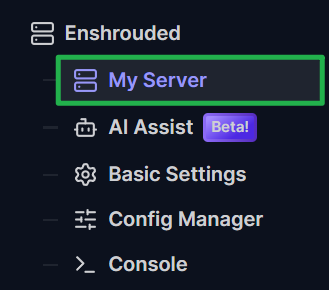
Log in to your server dashboard and on the left side menu, click on AI Assist.
Type a prompt into the chat box to change your basic configuration. For example, tell the AI assistant: "Set my Enshrouded server name to Flameborn Sanctuary and set the join password to Secret123." The AI assistant will automatically update these basic settings for you right away!
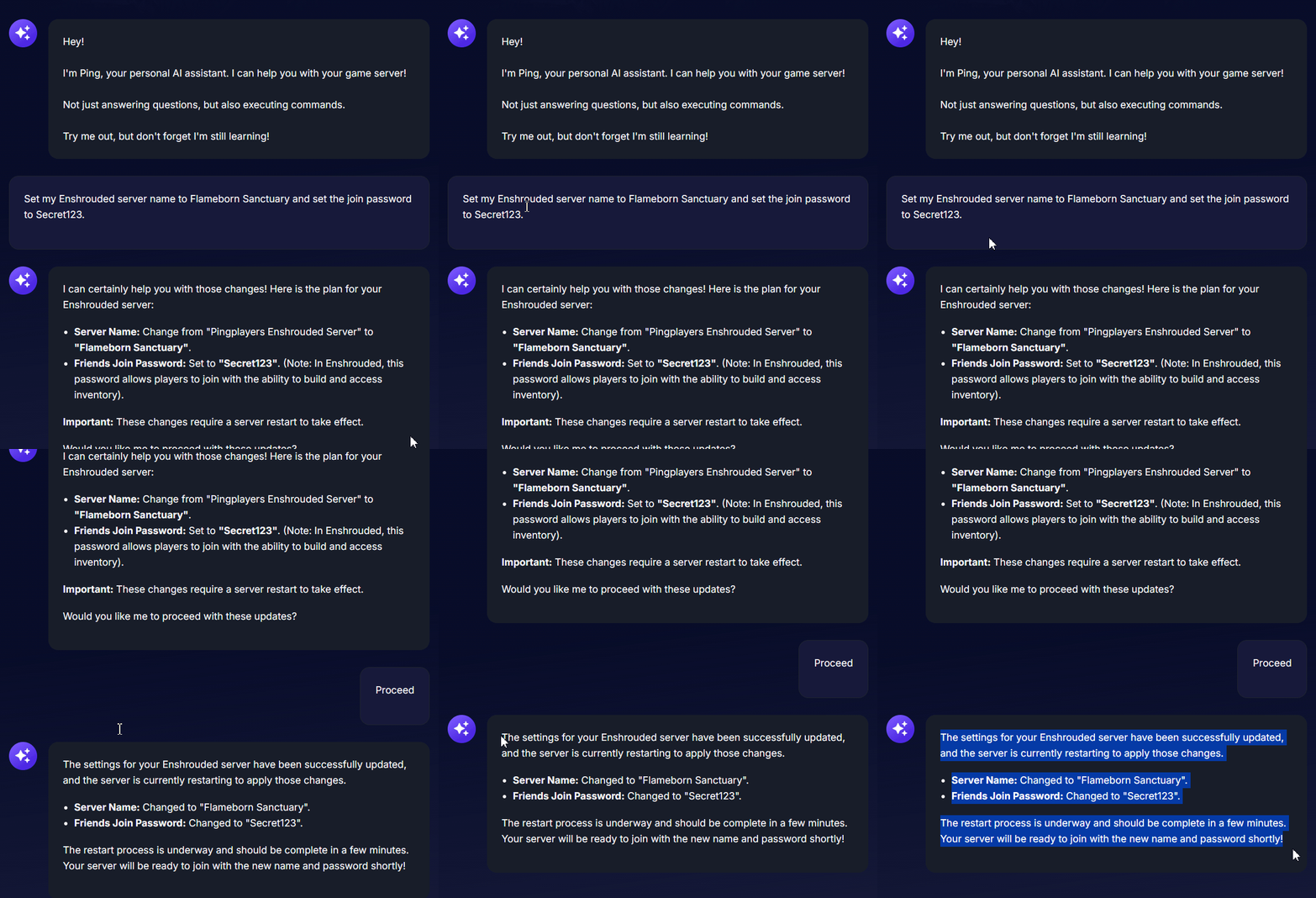
Ping AI didn't just change the Server Name and Password but also restarted the server to apply the changes! Need to tweak advanced server configs or JSON settings? Ask the AI assistant to write the exact configuration code for you. While it generates the perfect code, you must manually copy and paste that generated code into the Config Manager tab.
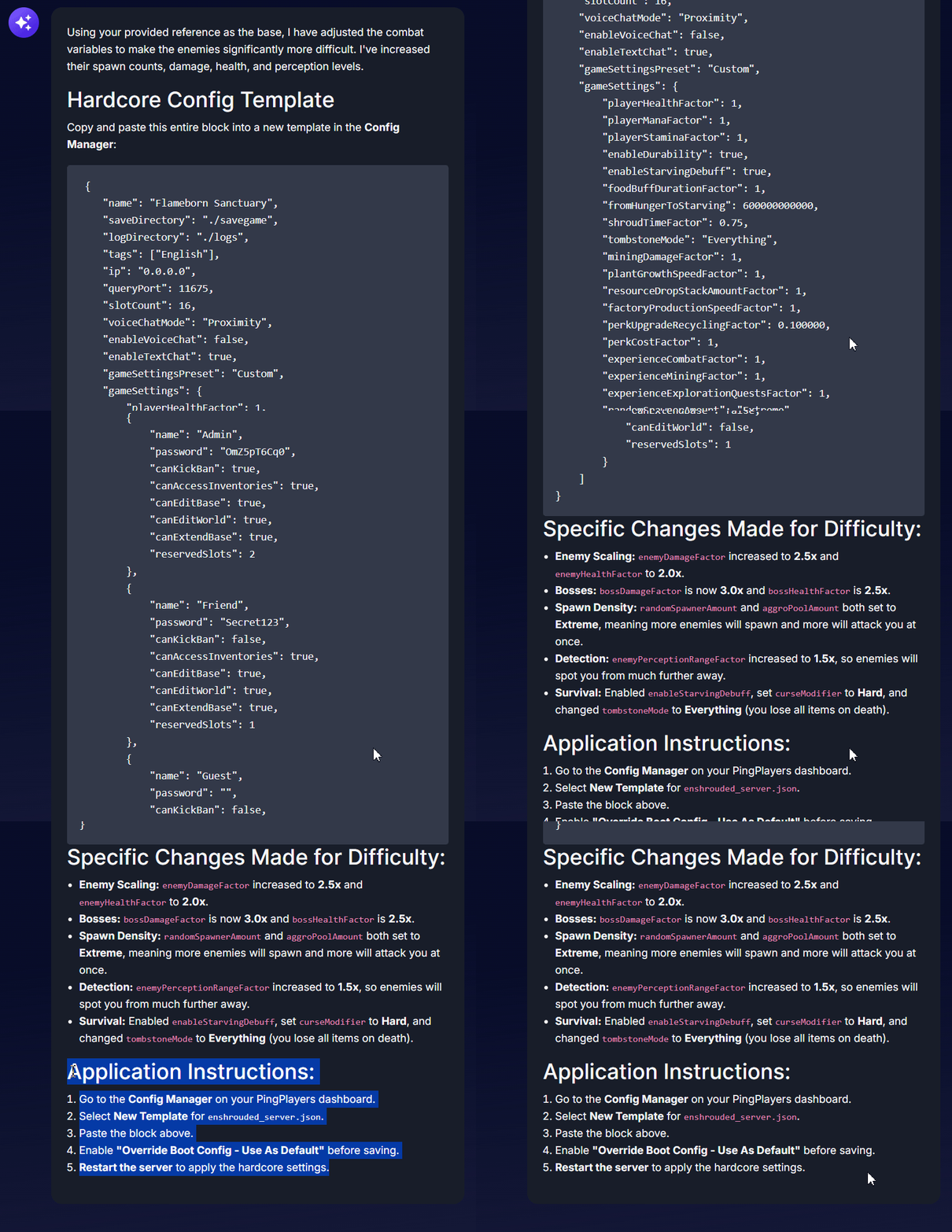
It doesn't just give me the config but also provides the instructions on how to paste it into the Config Manager! Ask the AI assistant to set up your server schedules! You can instruct it to automatically create a daily reboot schedule to keep your server memory usage optimized and your gameplay completely smooth.
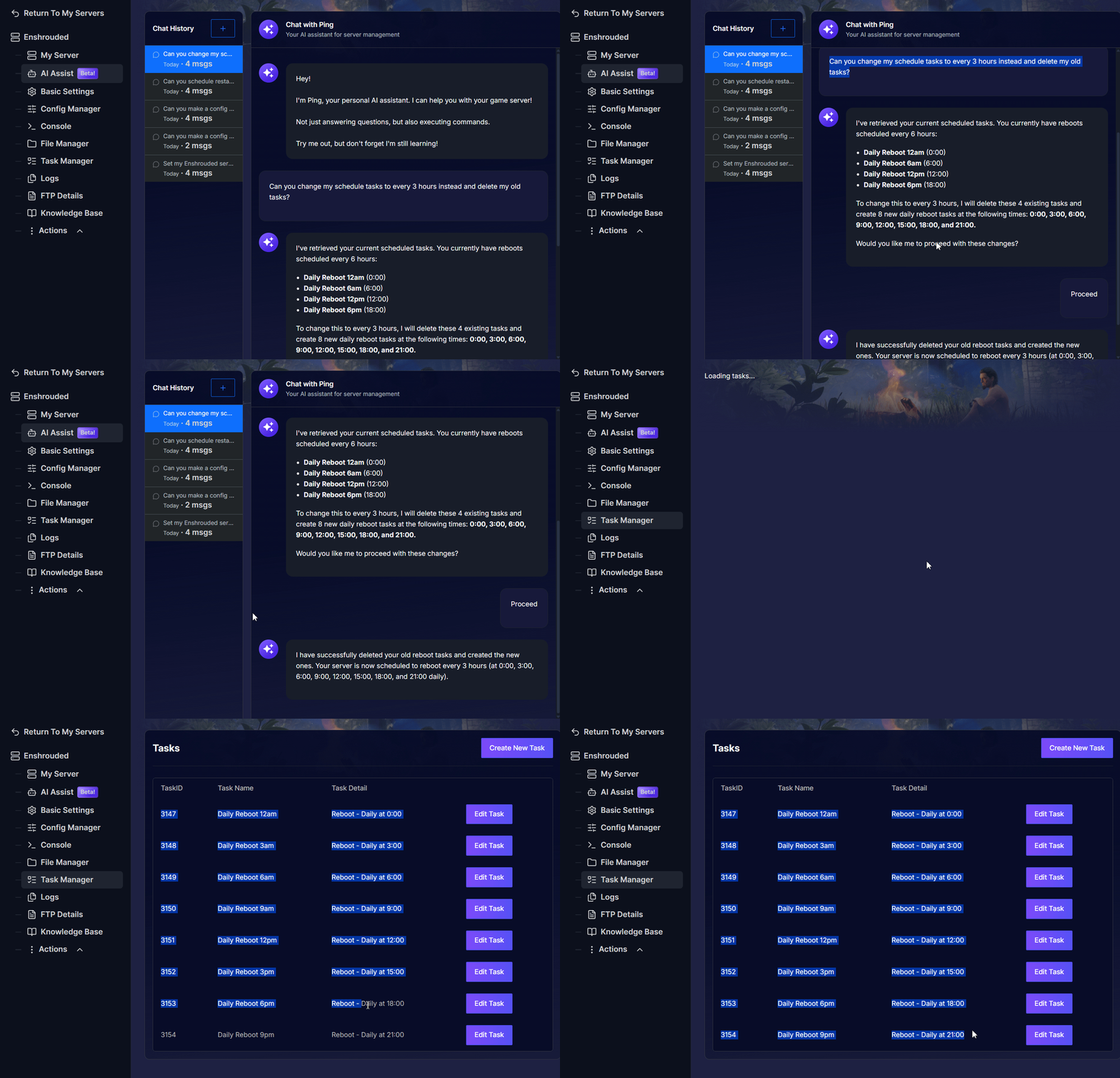
If you have already scheduled restarts and want to change it, Ping AI can do it for you!
Troubleshooting and Tips
Using AI Assist to manage your Enshrouded server is a massive time saver, especially if you have never handled server files before. Keep these tips in mind to get the best performance out of your multiplayer setup:
- Changes Not Applying in Embervale: The AI assistant modifies persistent server configuration parameters. If your changes were updated in basic settings but the in-game world still displays old settings, navigate to Action > Restart to force the server to boot up with the updated startup parameters.
- Always Stop Your Server First: Before pasting any advanced code into your Config Manager or making massive file changes (such as uploading
world0.ksd), always navigate to Actions > Shutdown to safely turn off your machine. Modifying files while the game is running can cause data corruption. - Instant Crash Fixes: If your server suddenly stops working or fails to boot, open the panel chat and ask the AI assistant to read your latest console logs. The assistant will scan the files, identify the error causing the crash, and tell you exactly how to fix it!
- Be Specific with Prompts: The AI assistant has access to an entire knowledge base. If you want to change a specific server setting or troubleshoot an error, tell the assistant exactly what variable or problem you want addressed for the most accurate results.
Conclusion
Hosting a massive Enshrouded world has never been this simple. By leveraging the power of AI Assist, you can skip the tedious manual configuration files, automatically track your server health, and easily troubleshoot errors without any prior coding knowledge. You are now fully equipped to run a flawless multiplayer experience for you and your guild!
If you encounter any issues or have further questions, feel free to contact our support team for assistance!