
How to Set Up The Isle Pilot Admin Panel for Your Server
Step-by-step guide to find your Isle Pilot IPK, connect your server and manage players, console, moderation, dino garage, troubleshooting.
Surviving as a dinosaur in The Isle requires sharp instincts, but managing a dedicated server for the game requires a whole different set of skills. Traditionally, server owners had to rely heavily on backend console commands or clunky configuration files to moderate their communities. However, The Isle Pilot changes everything.
The Isle Pilot is a powerful, third-party web-based administration panel designed specifically for The Isle. It gives you a clean, modern interface to monitor your players, manage server settings, and execute commands without ever having to touch the raw backend code. Because our servers officially support this tool, linking your instance is incredibly easy. This guide will walk you through finding your unique API key and connecting your server to The Isle Pilot dashboard!
What Can You Do With The Isle Pilot?
Built for admins who would rather click than dig through text files, The Isle Pilot offers everything you need to run a server smoothly from a single web dashboard:
- Live Player List: See exactly who is on your server, when they joined, and what dinosaur they are currently playing, all updated every few seconds.
- Remote Moderation: Keep your community safe by kicking, banning, or warning players straight from the web. Every action is recorded in a handy audit log.
- Console Stream: Monitor your live server logs from anywhere without needing remote desktop access or digging through backend file managers.
- Dino Garage: Park, save, and restore specific dinosaurs (including their mutations and growth progress) to hand them back to players at any time.
- Body-Drop & AI Config: Tune your server's body-drop rules and custom AI spawns from one central location without requiring a server restart.
- Always Up to Date: The plugin automatically pulls the latest build, meaning you never have to patch the tool by hand.
Step 1: Locate Your Plugin API (IPK) Key
Before you can link your server to the external dashboard, you need to retrieve your unique authorization token, known as the Plugin API Key (IPK).
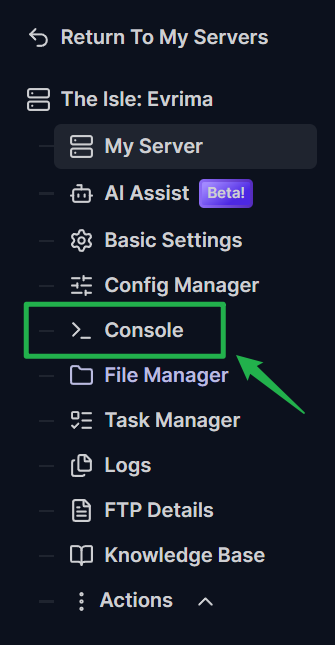
- Log into your server dashboard and open your server panel.
Navigate to the Console tab on the left side menu.
If you are searching manually, look through your startup logs in the console until you find the line that reads
IslePilot API key for this server:. Directly below that, you will see a long string of text beginning withipk_followed by 32 characters. Copy this entire string to your clipboard.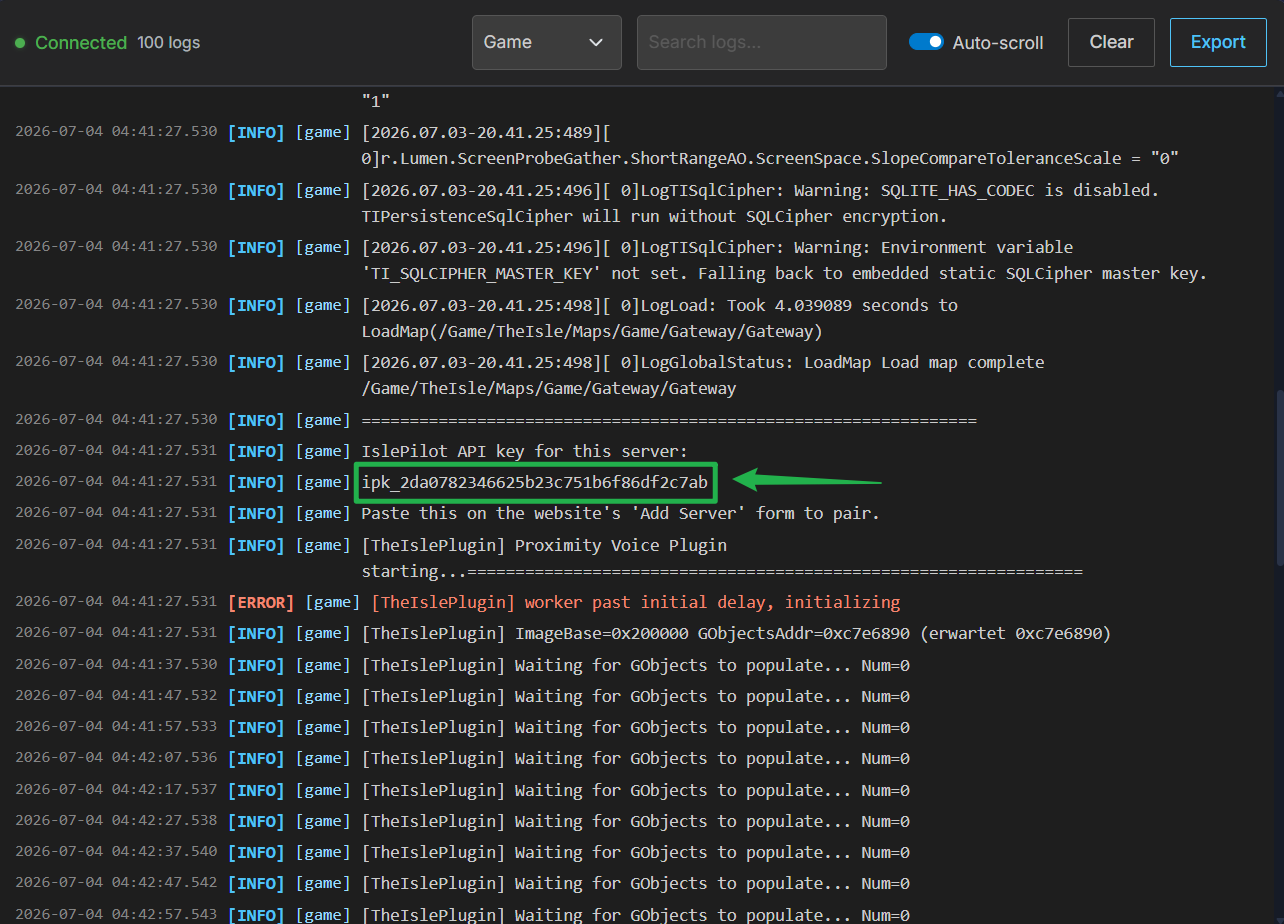
Step 2: Connect Your Server to The Isle Pilot
Now that you have your authorization key, you can seamlessly link your game instance to the web panel.
- Open a new tab in your web browser and navigate to the official Isle Pilot website.
- Create an account or log into your existing dashboard on their site.
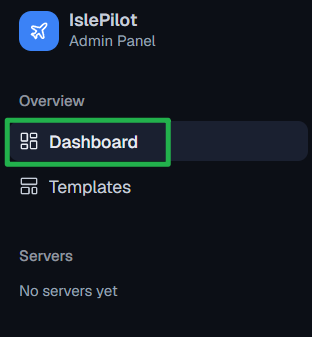
Once you are logged in, click the Dashboard option on the left menu.
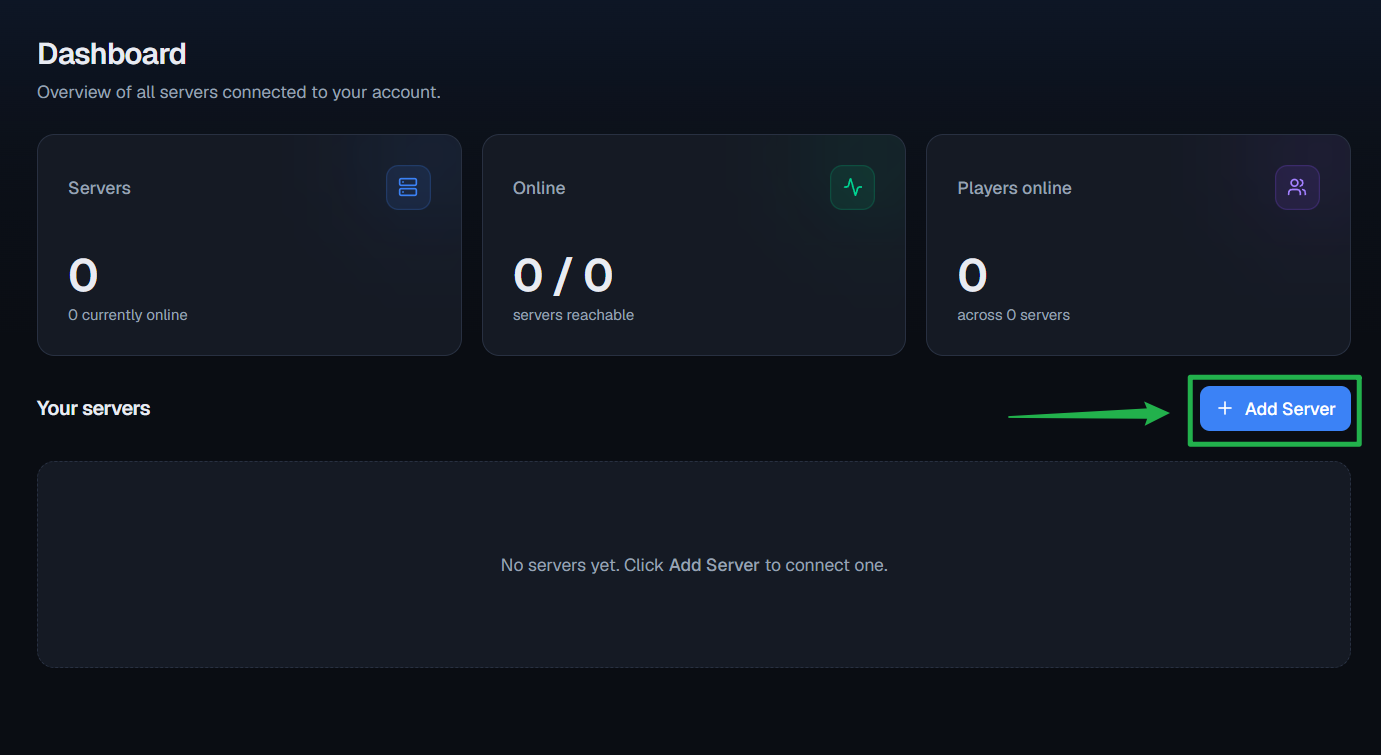
Look to the far right of the screen and click the blue + Add Server button to open the connection prompt.
In the prompt window, you can skip the "Download the launcher" step, as our servers are already natively integrated! Simply type a friendly Server name into the second box so you can identify it.
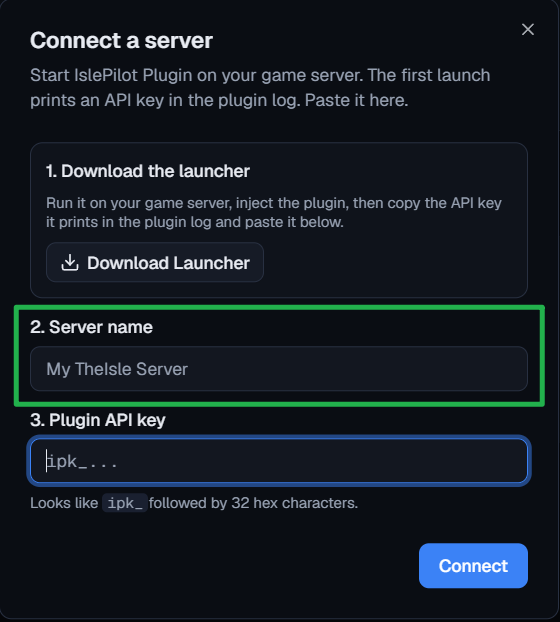
Finally, paste the long
ipk_string you copied from your server console into the Plugin API key field and click the blue Connect button!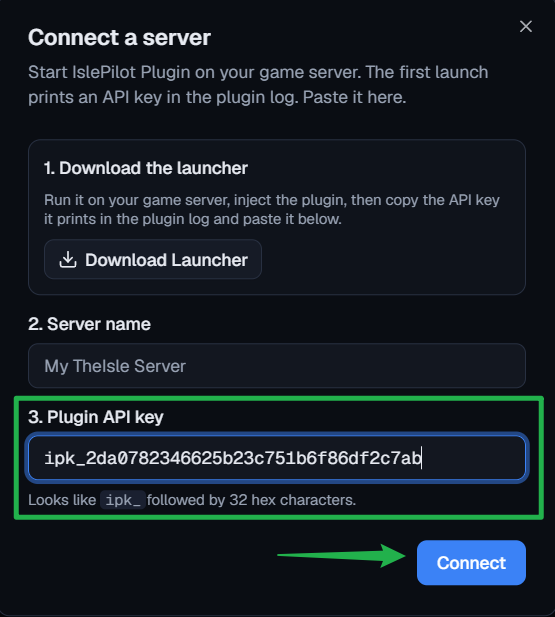
Troubleshooting and Tips
If the website refuses to connect or you cannot find your API key, keep these quick troubleshooting tips in mind:
- Missing Key in Console: The API key is generated and printed into the console only during the server's startup sequence. If your server has been running for a long time, the log may have been pushed out of view. Simply navigate to Actions > Restart on your server panel to force a fresh boot and watch the console closely for the key to reappear.
- Invalid Key Error: Double-check that you copied the entire string, including the
ipk_prefix. If you accidentally copied a trailing space at the end of the text, the Isle Pilot website will reject the connection attempt. - Instant Ping AI Fixes: If you are still struggling to locate the key or your server refuses to print it, do not panic! Open your panel chat and ask Ping AI to read your latest console logs. The assistant will scan your files, find the exact error causing the plugin failure, and tell you exactly how to fix it.
Conclusion
By taking advantage of The Isle Pilot, you can completely transform how you manage your dinosaur ecosystem. By tracking down your unique API key in the server console and linking it to their modern web dashboard, you can stop fighting with configuration files and get back to hunting in the jungle!
If you encounter any issues or have further questions, feel free to contact our support team for assistance!