Europe & Africa
EMEA // 4 locations
NL
AmsterdamEU West
GB
LondonUnited Kingdom
DE
FrankfurtEU Central
ZA
JohannesburgSouthern Africa
Limited-time offer:10% offyour game serverwith code
Ends in 0 days, 0 hours and 0 minutes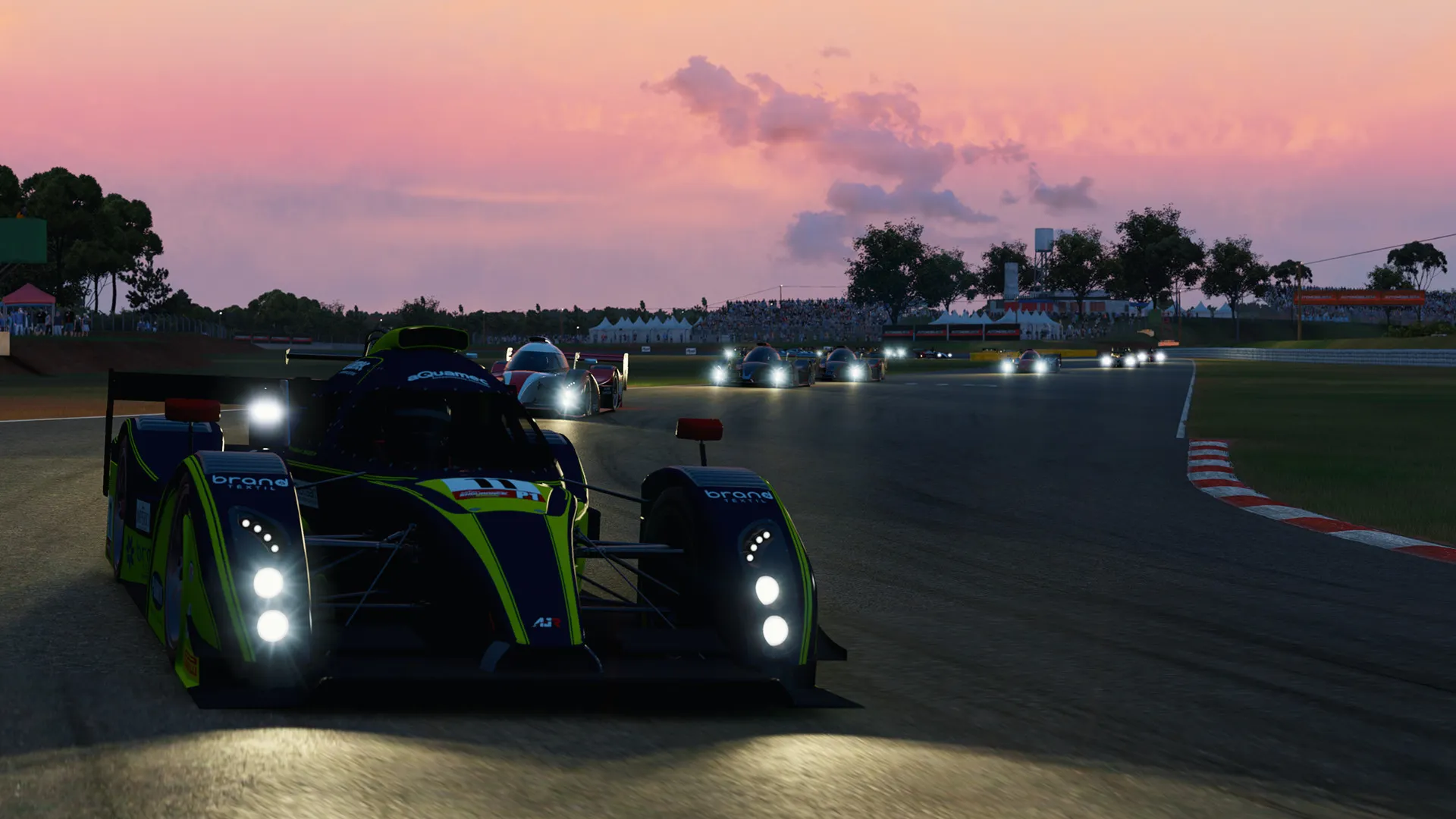
Run your own Automobilista 2 dedicated server and race anything from rental karts to Group C prototypes.
3GB
$8.07/ 30 days
SAVE ~10%$8.97
Best for small servers & a few friends
Instant activation · Cancel anytime
4GB
$10.76/ 30 days
SAVE ~10%$11.96
Best for medium-sized events
Instant activation · Cancel anytime
6GB
$16.16/ 30 days
SAVE ~10%$17.95
Best for big events and championships
Instant activation · Cancel anytime
Same hardware. Your rules.
Instant activation · Cancel anytime
RAM-based pricing · from $2.69 / GB (per 30 days) · pay only for what you need
Launch your private Automobilista 2 dedicated server in minutes. Built for multiplayer stability with persistent worlds and dedicated performance.

Starting a server is simple, and once it’s up, everyone you invite lines up on the same starting grid.
Plans are sized by RAM, and our team can help you pick one.
Same price everywhere, so go by ping.
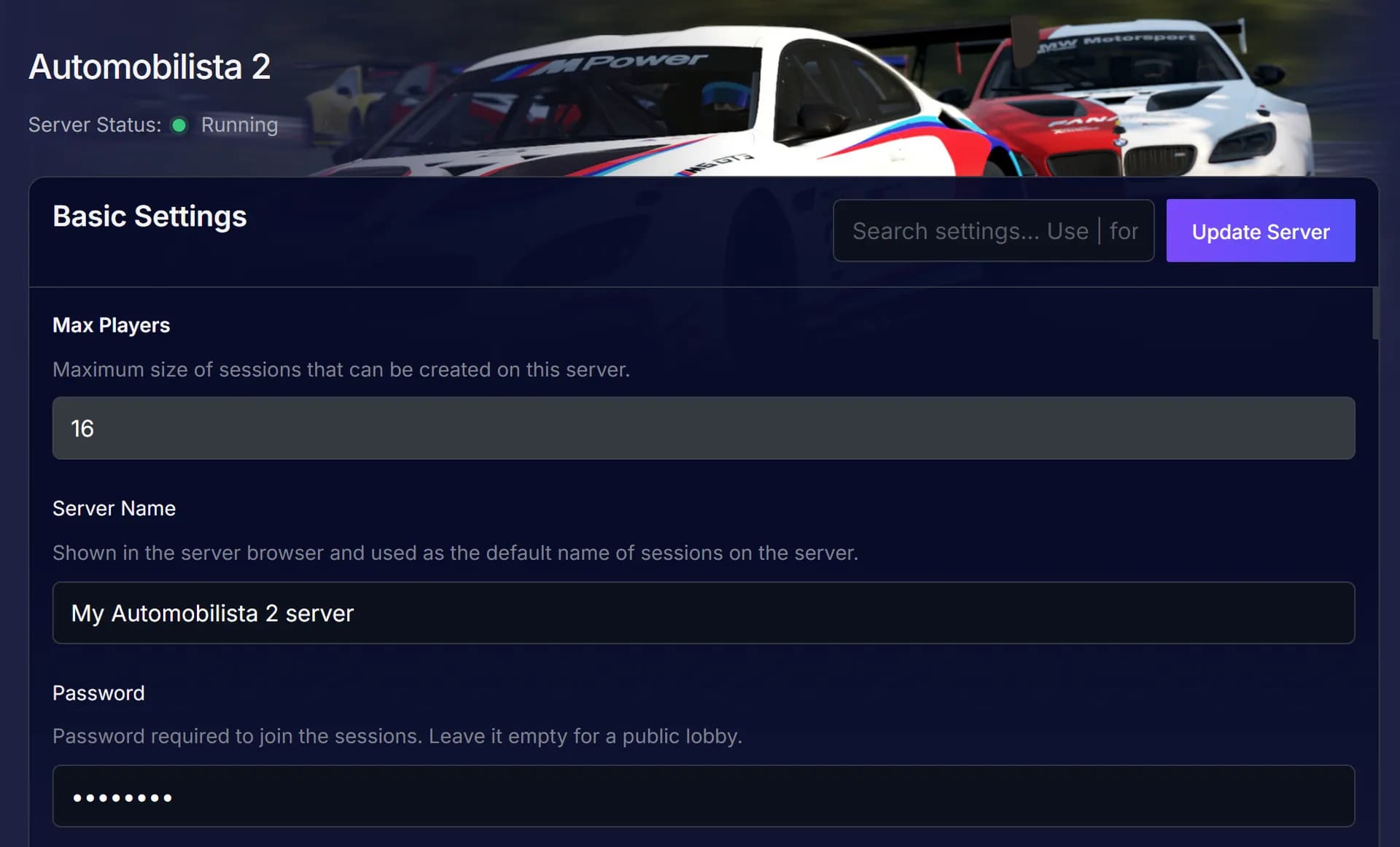
Set the options in Basic Settings, then restart to load the change.
Everyone finds the server by name in the in-game list and joins from there.
You can change session settings later.
Check your live ping on the map before you buy, and host where yours is lowest before the green flag drops.
Our team can move the server to another location on request, so just ask support.
See all locationsEvery lap of qualifying and the race runs through the server, so yours sits in a data centre with DDR5 RAM and NVMe drives.
The server is up when your league is ready to drive, and our SLA covers it.
Every player reaches the server over 10Gbps uplinks.
Enterprise DDoS protection guards your server in every location.
The person who hosted gets their whole PC back for driving, with no server running beside the sim.
Your league fights for the podium.
The hosting is on us.
Instant activation
Change the settings your server shows here, and save them for the next start.
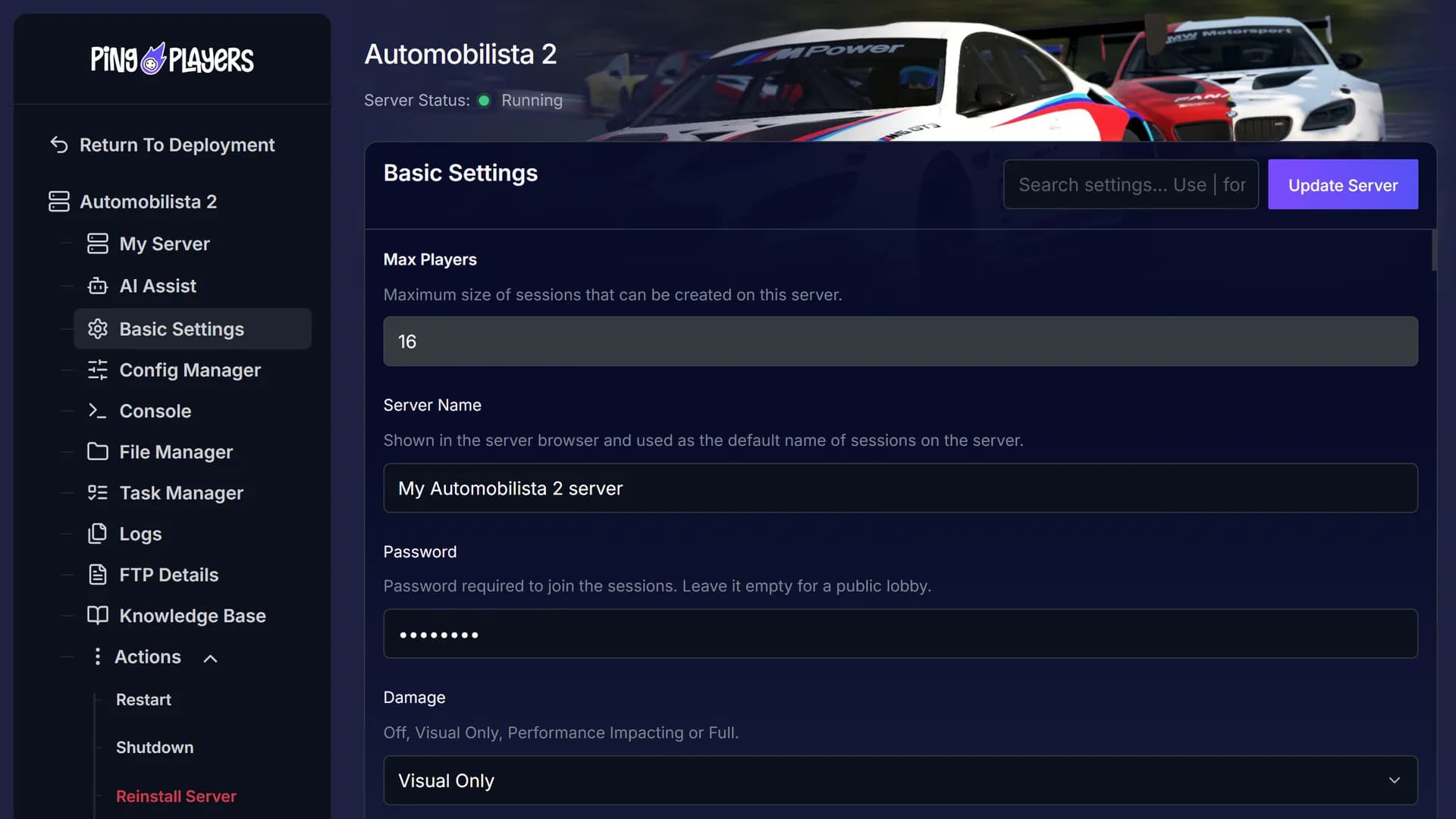
Ping AI sits in the chat beside your server settings. Ask it to change one and restart before practice opens, and it can read the console with you.

When the host runs the server from home, nobody races until they log on. Yours stays up.
Lights out on your own schedule.

Read the Trustpilot reviews from people who run their servers with us, then decide if it fits your league.
The specialists help with server.cfg and session setup, so each event runs the way you planned.
 Jonathan Lexne on Trustpilot, Sep 2026
Gaming support specialist
“Nicole was great. She first tried to explain what i needed to do in order to solve my problem. When I couldn't do it, she solved the problem for me. A great customer experience!”
 Justin Olin on Trustpilot, Aug 2026
Gaming support specialist
“Kimmy helped me out and she was very knowledgeable and helped me with all of my questions and answered very quickly.”
 Leonardo salas on Trustpilot, Aug 2026
Gaming support specialist
“Francis helped me resolve a big issue with our server; everything is going great now and it was very quick, thank you!”
 Whitney Thibeaux on Trustpilot, Jul 2026
Gaming support specialist
“Lautaro was such a great help and answered all my questions quickly and help me fix my problems!! Great service!”
 Antreas1 on Trustpilot, Jul 2026
Gaming support specialist
“support was fast Emman was my support aggent he was quick understanding of the problem great experiance overall”
 Matias on Trustpilot, Apr 2025
Gaming support specialist
“German is a great dude. Not only does he fix problems, he is funny and very understanding. Dont be scared to message the live chat!”
1 / 6
Person 1 of 6
The grid can split the bill through SharePay, and live telemetry shows CPU and memory while you race.
Everyone pays toward the server bill from one shared link, and nobody else needs an account.
See SharePayWatch CPU load and memory live, at any time.
See live telemetrySet a daily or weekly hour, and the server restarts by itself.
See the schedulerOur engineers copy your server files from your old host and check them before your next session.
See free migrationWrap up your custom season first, or start one of the other games we host on the same plan.

Set the tire wear and race length for each event, and let the drivers you trust help manage the server.
Real Weather in Automobilista 2 links a race to real weather data for its track, so you can start in the rain falling there right now or rerun a past race in the weather it had. Reiza Studios develops and publishes this racing simulator, released on Steam in 2020.
You can jump from a rental kart to a classic Grand Prix car or a Group C prototype, on venues across five continents. Race a Single Race Weekend, run one of the championship seasons or build a custom season with your own classes, tracks, points and weather. Multiclass grids and Full Course Yellow bring in the rules of real series.
A lobby hosted from someone’s PC moves to another PC through host migration when the host leaves. An Automobilista 2 dedicated server runs on its own, so whoever sets it up drives like everyone else.

Connect over SFTP, give a friend access and tune the basic settings. Then all that is left to argue about is pole.
This article explains and shows a step-by-step guide on how to use FTP and SFTP. Mosltly focues on Filezilla client and its features but differentiates between FTP and SFTP
Read articleGuide to My Team: invite friends, manage servers, assign permissions, add/remove members, server control panel access, billing, restarts, roles, teamwork.
Read articleAccess and easily tweak game server basics with PingPlayers. Adjust difficulty, respawn rates, and other options to customize gameplay.
Read articleManage your game server with Ping AI: no coding, instant crash fixes, automated tasks, mod and config management so you can focus on gaming.
Read articleSetup, session settings, updates and billing each get a tab here, and support answers anything else.
Pick a plan and a location above and check out. Your server is usually running within 60 seconds. Then set the session options and restart, and the server shows in the in-game server list for everyone to join.
Choose 3 GB, 4 GB or 6 GB. 4 GB is the popular pick, and the table above suggests a size by session and grid. Not sure? Ask support.
PingPlayers has servers on six continents: North America, South America, Europe, Asia, Oceania and Africa. The map above shows every location, and the checkout shows your ping to each one. The price is the same everywhere.
Everyone opens the in-game server list, finds your server by name and joins from there.
Damage, tire wear, fuel usage, penalties, grid size and race length are session settings in Reiza’s server.cfg. Change the options Basic Settings shows for your server and restart to load them. For anything else, ask support.
No. Reiza made the server a separate tool that runs without a licence for the full game. Every driver who joins still needs their own copy.
Reiza does not ship them as files. The running server lists them through its HTTP API, which Reiza’s sample config turns off. Ask support for help with your server.cfg.
Servers here run the latest version of the game. Reiza ships the server tool on Steam, and the game has a previousbuild branch for the last version.
Reiza’s sample server.cfg turns on allowEmptyJoin, which shows the server in the in-game list, and Reiza staff say such a server can be joined when it is empty. The session starts once the first driver joins.
Yes, PingPlayers moves it for free on every plan. Our engineers copy your server files over, check them and hand you the new IP, and your old server keeps running until then. Whether your configs come along depends on the migration method. How free migration works.
Reiza’s server guide says the game supports sessions of up to 32 players, and its staff say the game client enforces lobby limits. Servers here allow the player range shown at checkout, so ask support before you plan a full grid. You choose a plan by RAM only.
Yes. The server stays up after you log off, so the rest of the grid can still join.
Yes. Every server comes with a 24-hour money-back guarantee. If the server is not right for you, talk to support on live chat or email.
In My Servers, open the three dots on the server card, choose Billing, then View options next to Renewal settings and cancellation, and click Cancel Subscription. The server stays active until the end of the period you paid for.
Yes, with SharePay. After signup the panel gives you a link, and everyone pays their share without making an account.
Yes, and switching is free on games your plan has the memory for. Ask support before you switch so you know what happens to your Automobilista 2 files.

Chase a clean lap as the track dries out.
Check out when your grid is ready, and you get 24 hours to claim your money back if the server does not suit your league.
We use cookies to enhance your browsing experience, serve personalized ads or content, and analyze our traffic. By clicking "Accept All", you consent to our use of cookies.